
The plugin Studiocart closed in 2026.
The good news is that the PublishPress team is providing a path forward for Studiocart users.
PublishPress Cart is a new plugin. It’s an improved and redesigned version of the Studiocart plugin.
For existing Studiocart users, there is a migration path to PublishPress Cart. Moving to PublishPress Cart means that your site will be supported by a highly skilled development team with multiple developers who actively maintain and improve their products.
Here is a guide to migrating your site from Studiocart to PublishPress Cart.
- Log in to your website that has the Studiocart plugin.
- Install the PublishPress Cart plugin.
- Click here to download the PublishPress Cart migration plugin.
- Install the PublishPress Cart migration plugin. You will now see this message: “PublishPress Cart needs a data migration”.
- Click “Open data migration”.

On the next screen there will be two choices:
- StudioCart Compatibility Mode: Enable this if you are using Studiocart integrations that are not part of the main plugin.
- Migration backups: Enable this to keep your Studiocart database tables on the site after the migration. This is a backup feature and only required if you decide to move back to Studiocart.
Now you can start the migration process:
- Scroll down to the “Data migration” and click “Continue migration”.
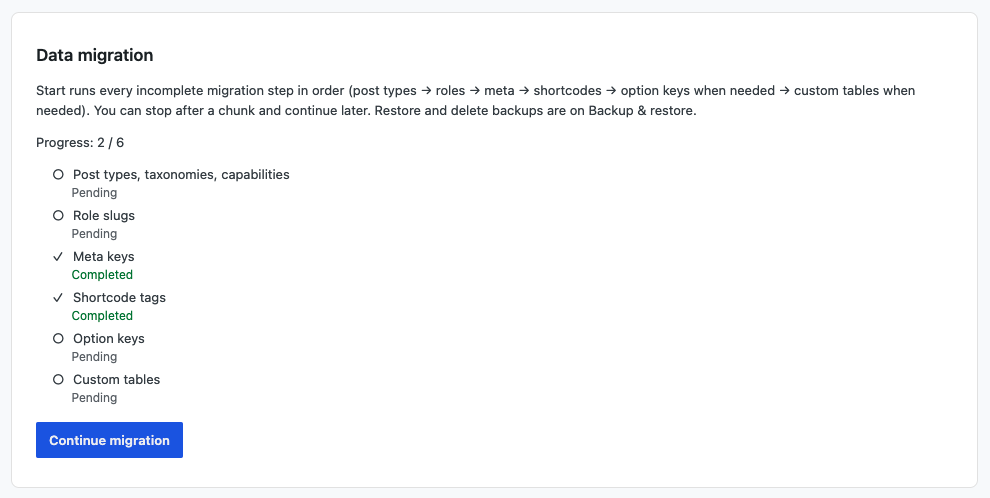
- Click the “Run migration” button twice:
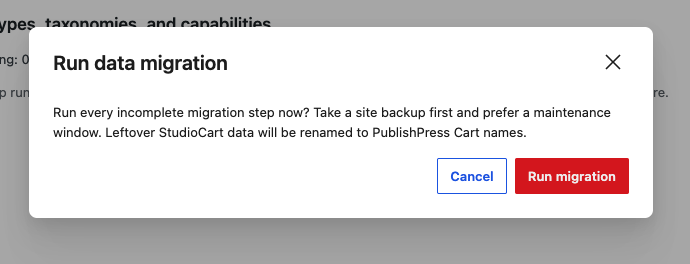
This will complete the migration and you’ll see the message “Migration Finished”. Welcome to PublishPress Cart!