
If a subscriber wants to cancel their subscription, you can do this by go to WP-admin > Cart > Subscription:
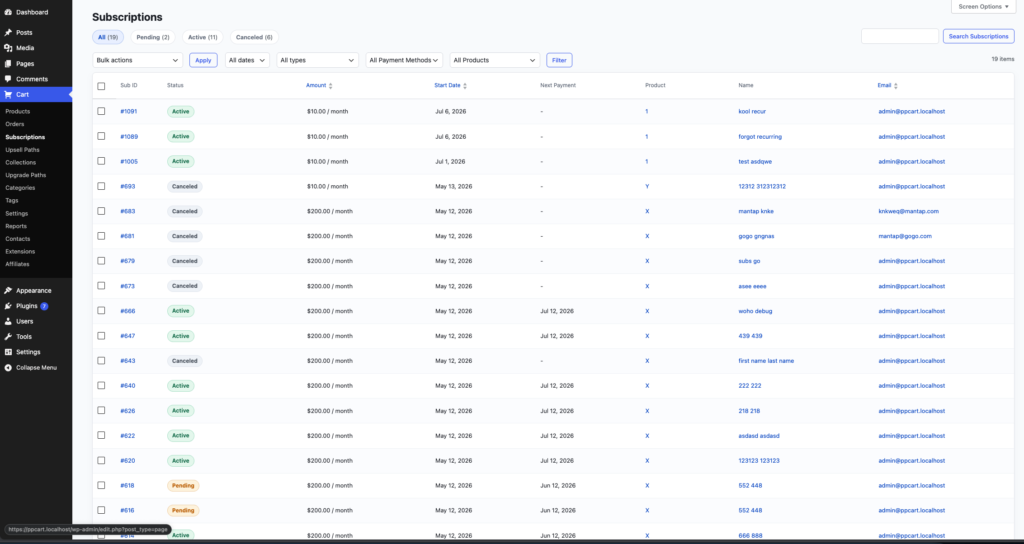
Click on their subscription, it should show their subscription details page:
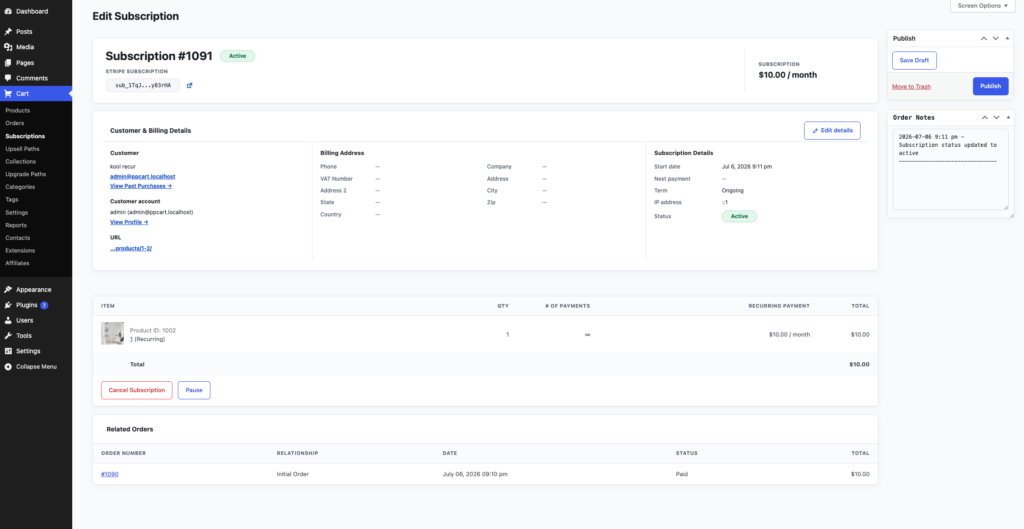
In the bottom left, click the “Cancel Subscription” button, it will show the cancel modal:
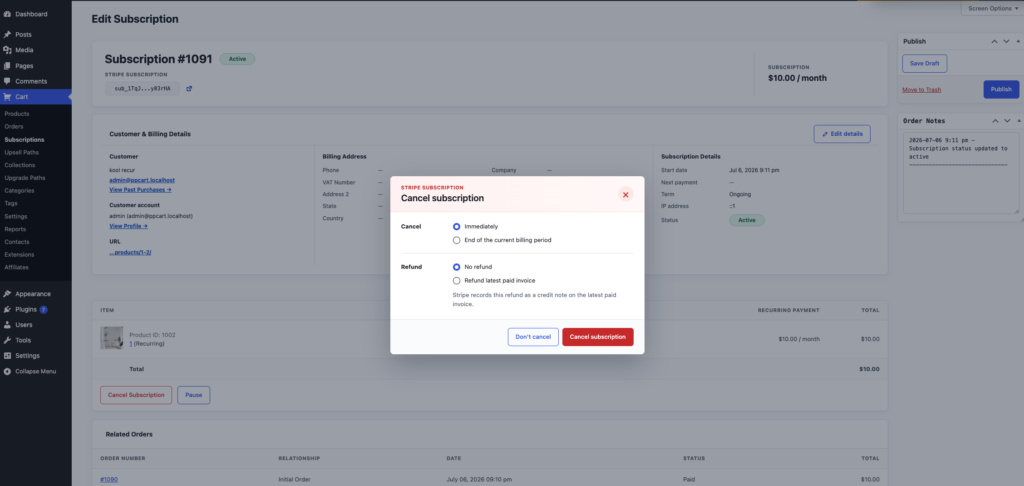
In this modal, you could choose whether you want to cancel the subscription immediately or end of current billing period.
You could also have a choice whether you want to send a refund or no refund.