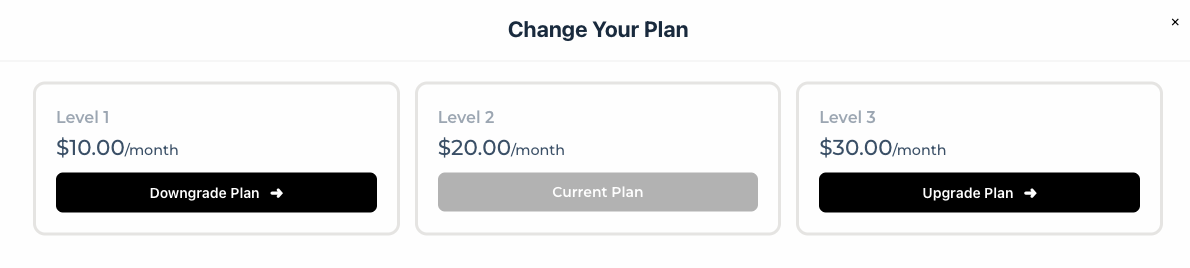
Upgrade Paths is a feature that allow you to add Upgrade and Downgrade functionality to the account page. Here is the guide on how to create it:
- Go to WP-admin > Cart > Upgrade Paths, then click “Create Upgrade Paths”
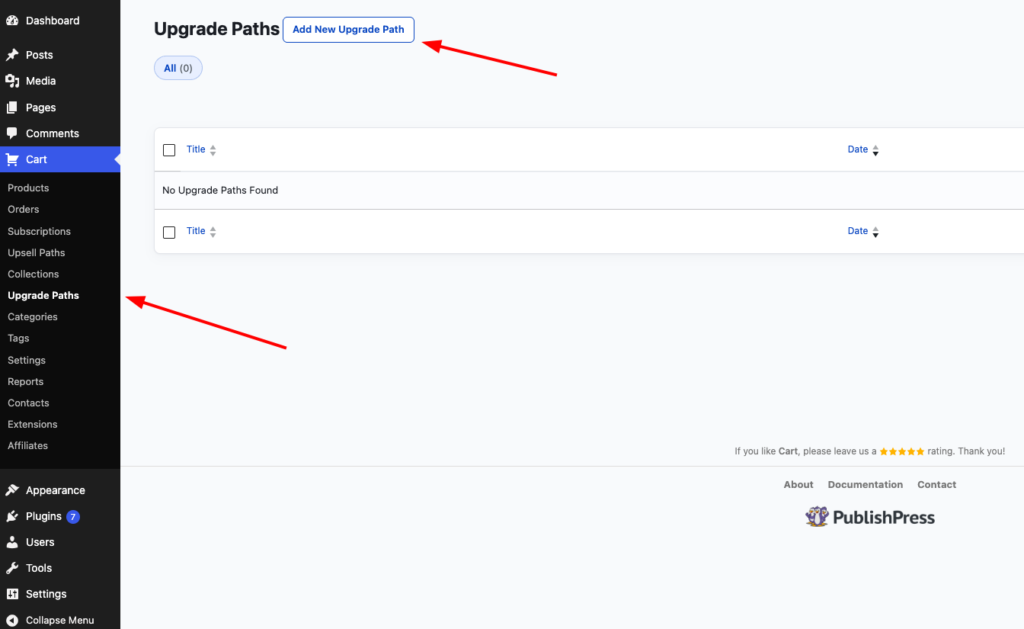
- Then you will be redirected to this Upgrade Path screen:
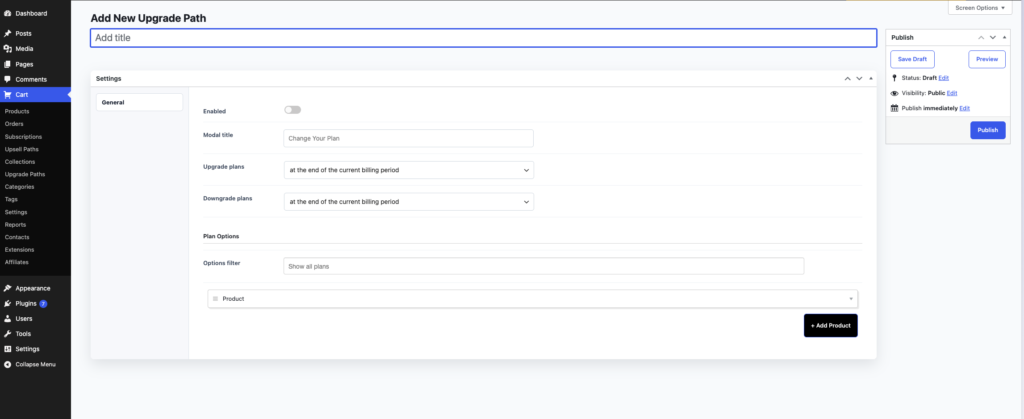
- First you fill in the title, then enable it. You can choose to upgrade/downgrade at the end of billing or immediately.
- Next, you need to add the product and all the plans you want to added:
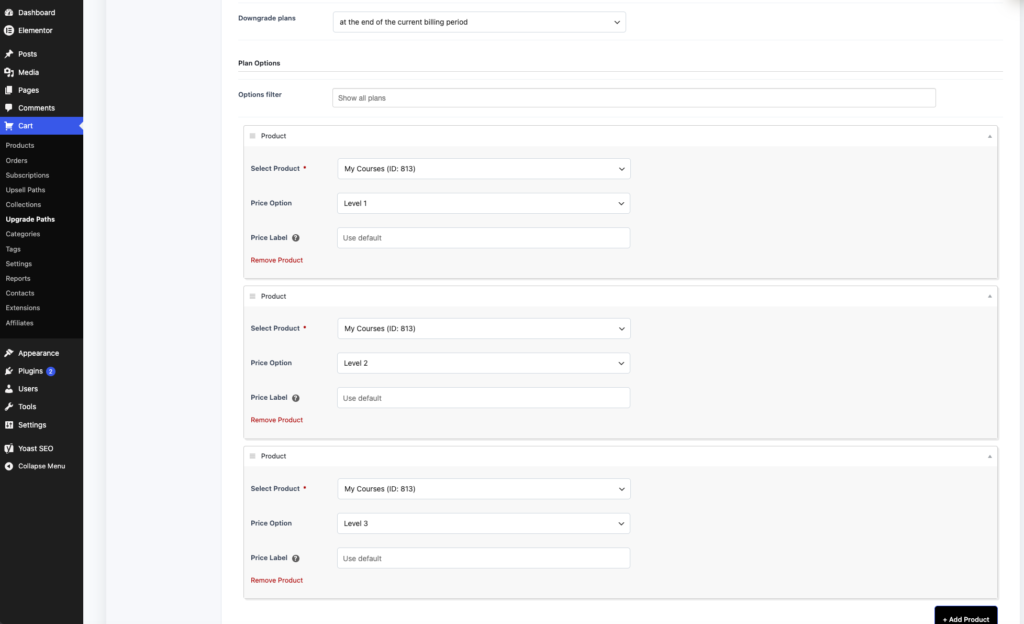
- After you are done, you can publish it.
- Whenever the customer on the account page, they will see “Change plans” button:
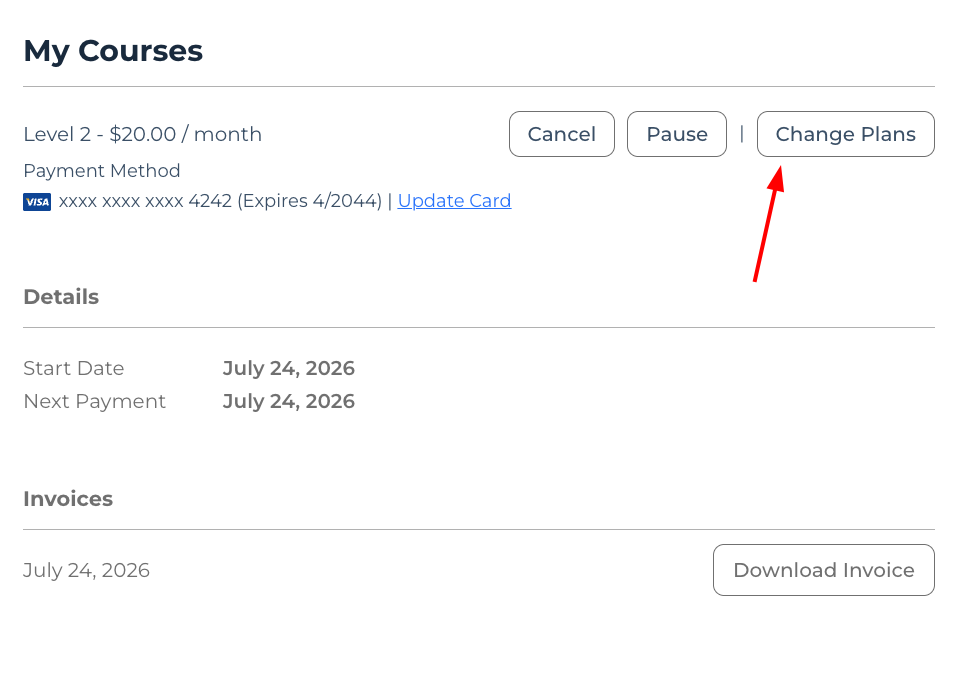
- If it’s being clicked, it will show the 3 plans that you added on Upgrade Paths: