
Do you use WP Courseware? You can integrate your account with PublishPress Cart by installing the WP Courseware plugin on your WordPress site.
How To Integrate WP Courseware With PublishPress Cart #
Get started by installing and activating the WP Courseware plugin on your WordPress site. Then configure the settings and create your courses in the WP Courseware plugin.
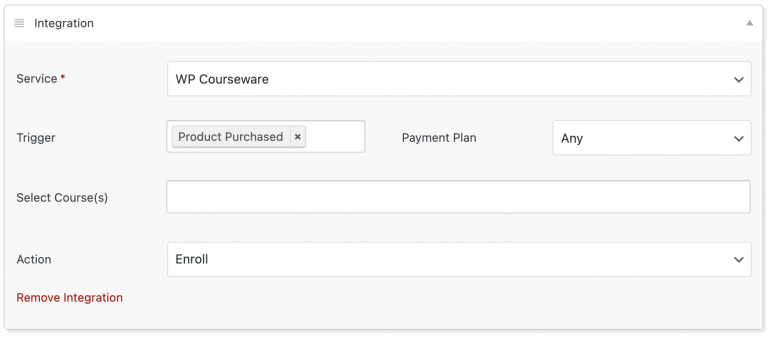
Now you can set up a WP Courseware integration by going to a PublishPress Cart product and selecting “WP Courseware” from the services menu in the Integrations tab. From here you’ll see a list of the courses you previously created in WP Courseware. Choose the course you would like to link to this product.
The WP Courseware service appears in this Service list once the WP Courseware plugin is installed and activated on your site. In the screenshot above, WP Courseware is not installed, so the option is not yet listed.
In the example the following will occur from the chosen trigger and payment settings. When a product is purchased with any payment plan, a new user is enrolled in WP Courseware to the course you entered.
Once you have finished filling out all the settings needed for your product, complete the order form by selecting Publish or Update.