
How to Schedule Changes to Your WordPress Content
I have a hot take 🔥.
There’s still room in WordPress for users who care about their content and don’t rely on AI slop.
WordPress is the platform for serious publishers.
And this week, we launched a big upgrade to a feature that our publishing customers rely on: scheduled content updates.
Do you ever need to refresh documentation, posts, or product pages on a specific date? You can do that with the PublishPress Revisions plugin.
For example, if you have a special Black Friday offer, you can create copies of your content that will go live at 7am on Black Friday (which is on November 27 this year).

Table of Contents
What’s new with scheduled revisions?
There are two really cool new features in this week’s update of PublishPress Revisions:
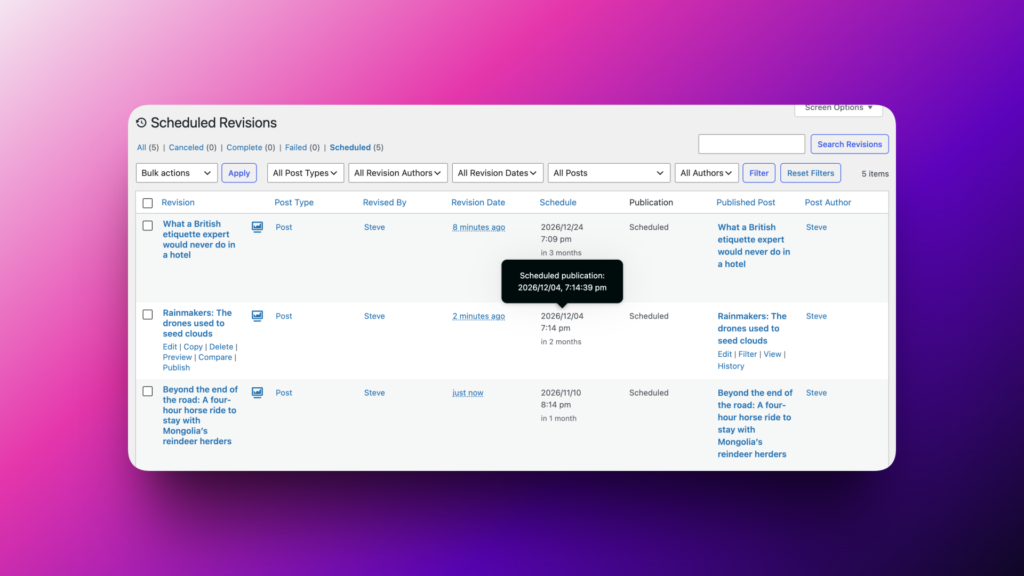
- Scheduling dashboard: You can see and manage all your scheduled revisions in one screen.
- Under-the-hood reliability: Scheduled publishing now uses Action Scheduler, which is the same engine that powers WooCommerce. This means that your updates publish right on time, every time.
How to schedule your content changes
Here’s a video guide to using this new feature:
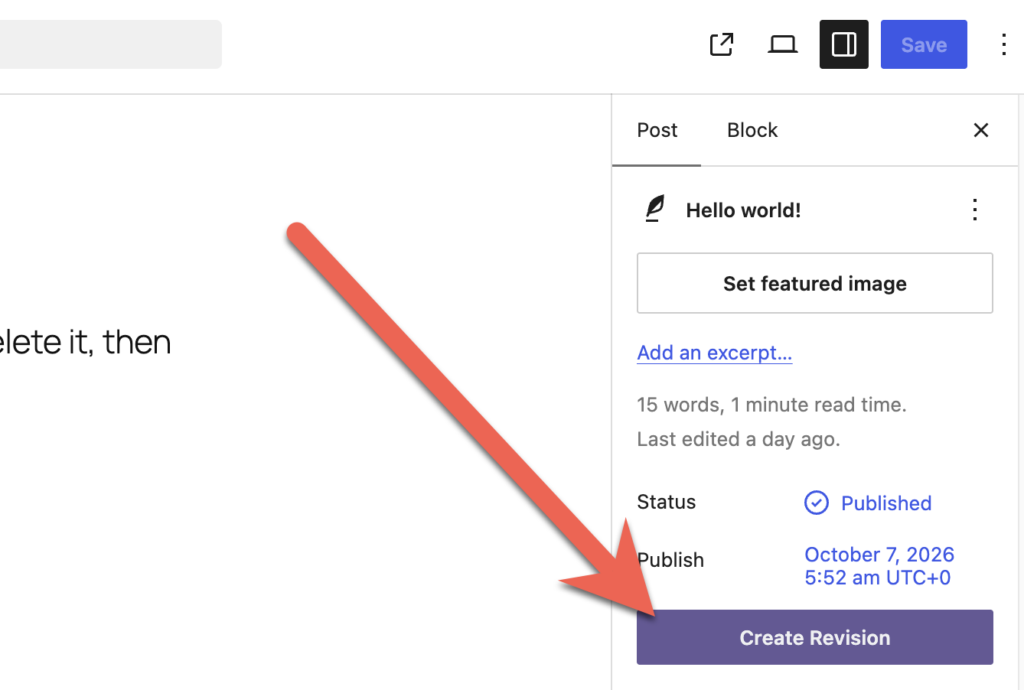
To get started with scheduling your content changes, find the published post that you want to update in the future. In the right sidebar, click the “Create Revision” button.
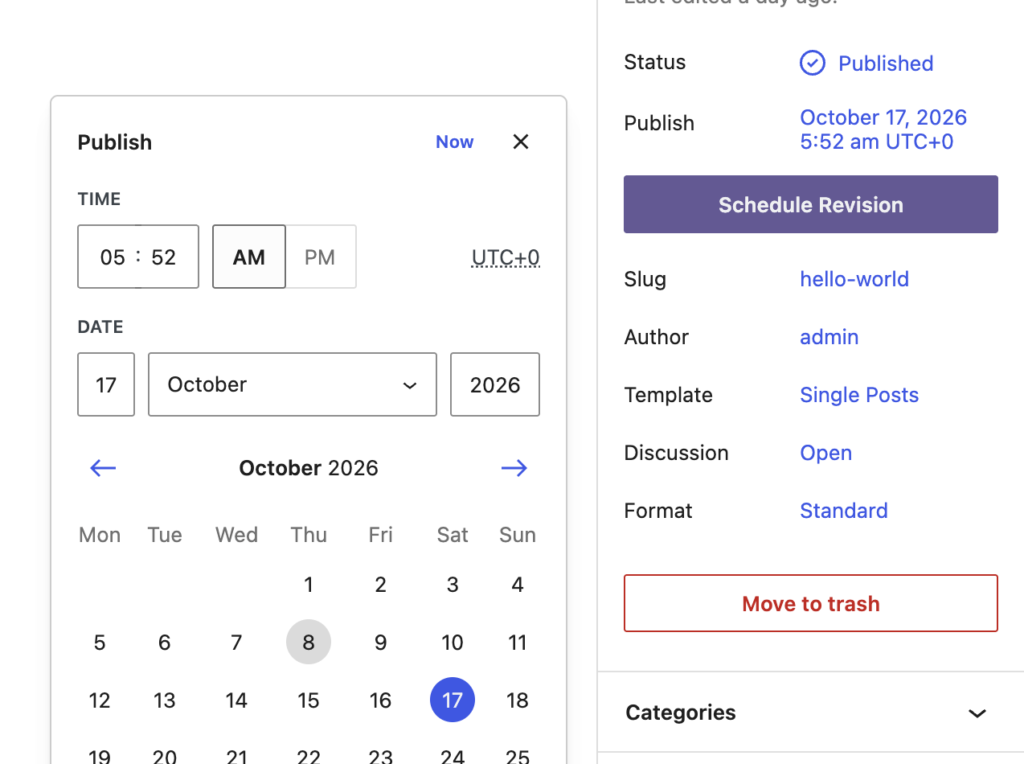
You will now be taken to a new copy or “revision” of this post. Make some changes to the post. When you’re ready, select the new date and time that your copy of this post should go live. Click the “Schedule Revision” button, and your update will be scheduled.
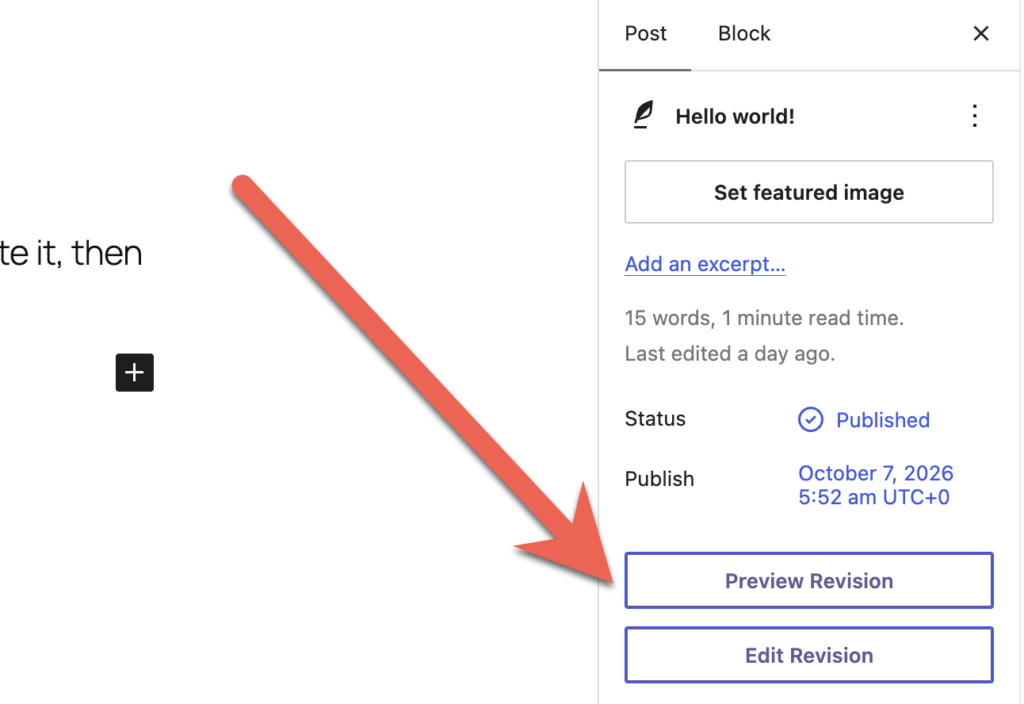
You will now see two new buttons: “Preview Revision” or “Edit Revision”. The first button will take you to a preview of your changes on the frontend of your site. The second button will allow you to edit and update your changed copy of the post.
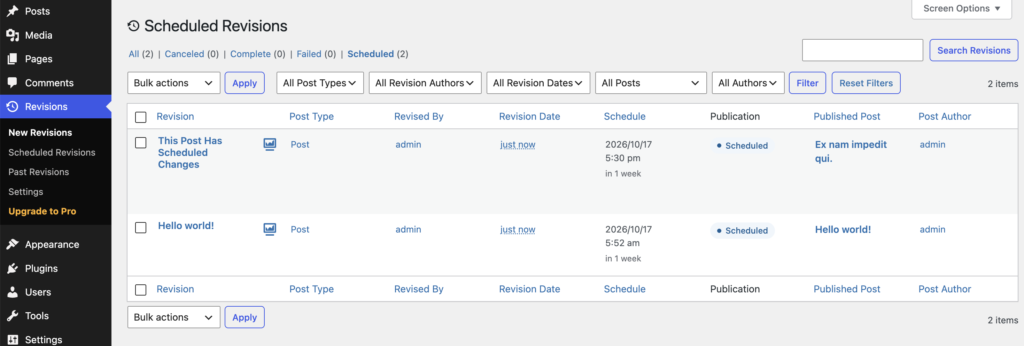
Go to the “Scheduled Revisions” screen and you’ll see your scheduled revisions:
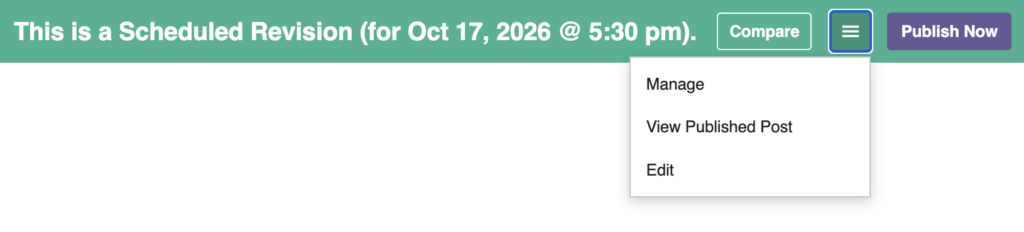
If you click the “Preview” link, you will see your content changes with a moderation toolbar. You can click on “Compare” to see the changes from the current content, or use the dropdown menu to make changes to the revision. You can also click “Publish Now” to skip the scheduling and make these changes go live.
Scheduled revisions are more reliable
The scheduling in PublishPress Revisions is also more reliable with this update. Previously we relied on the core scheduling features in WordPress. Those core features can sometimes fail because of issues with the site or server setup. The core scheduling also had difficulties with being accurate to the exact minute. PublishPress Revisions now uses the Action Scheduler library. This is the same approach that’s used by WooCommerce to guarantee the accuracy of subscription renewals and webhooks. You will now find that your scheduled changes publish exactly when you want them to go live.

Approve and schedule changes to your posts
PublishPress Revisions is the ultimate tool for making content changes in WordPress. This plugin offers a safe space for users to work on content updates.
