The PublishPress Revisions plugin allows you to schedule content changes to be automatically published in the future. This allows you to make content changes now, but publish those changes at a later date.
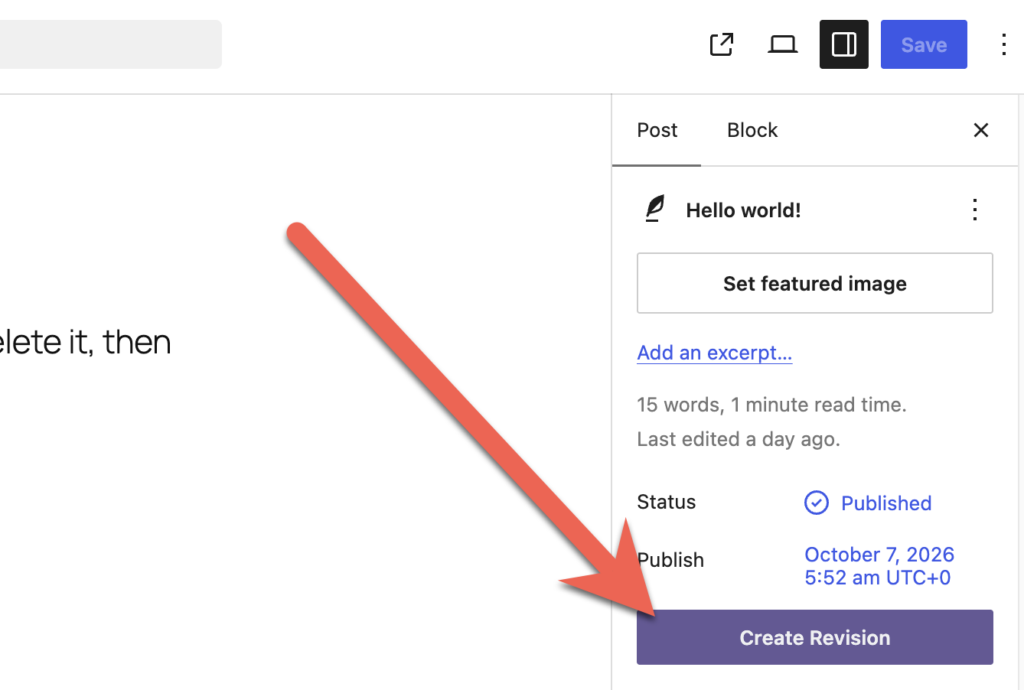
- To get started, find the published post that you want to update in the future. In the right sidebar, click the “Create Revision” button.
You will now be taken to a new copy or “revision” of this post.
- Make some changes to the post.
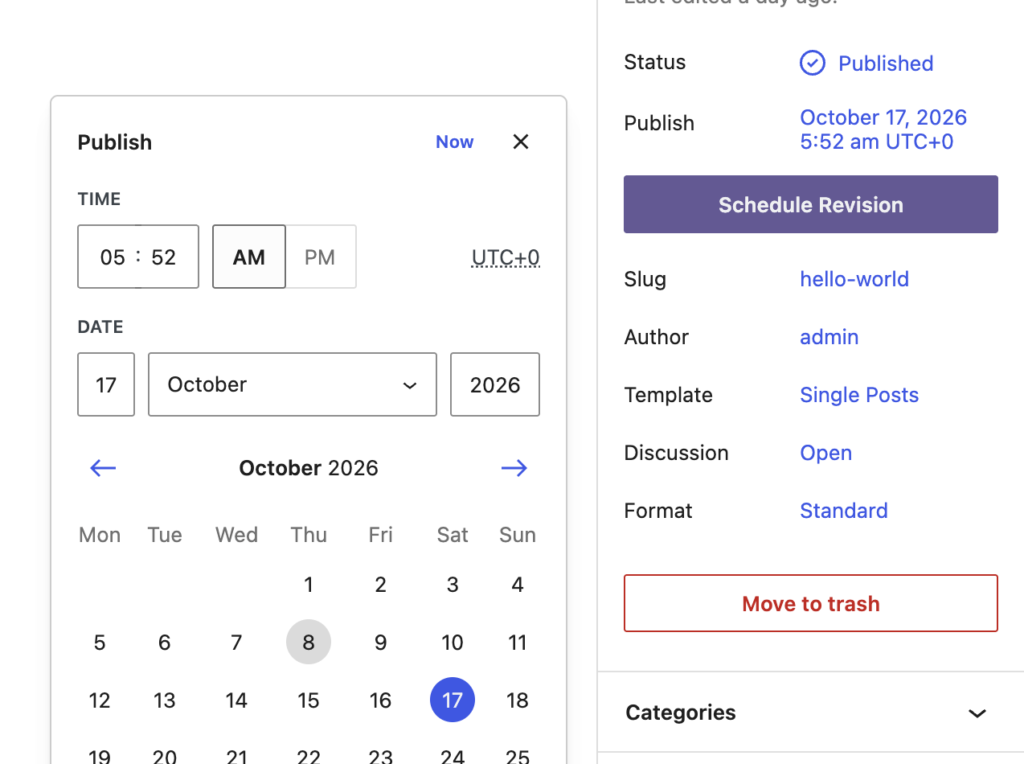
- In the right sidebar, find the “Publish” option. Select the new date and time that your copy of this post should go live.
- Click the “Schedule Revision” button and your update will be scheduled.
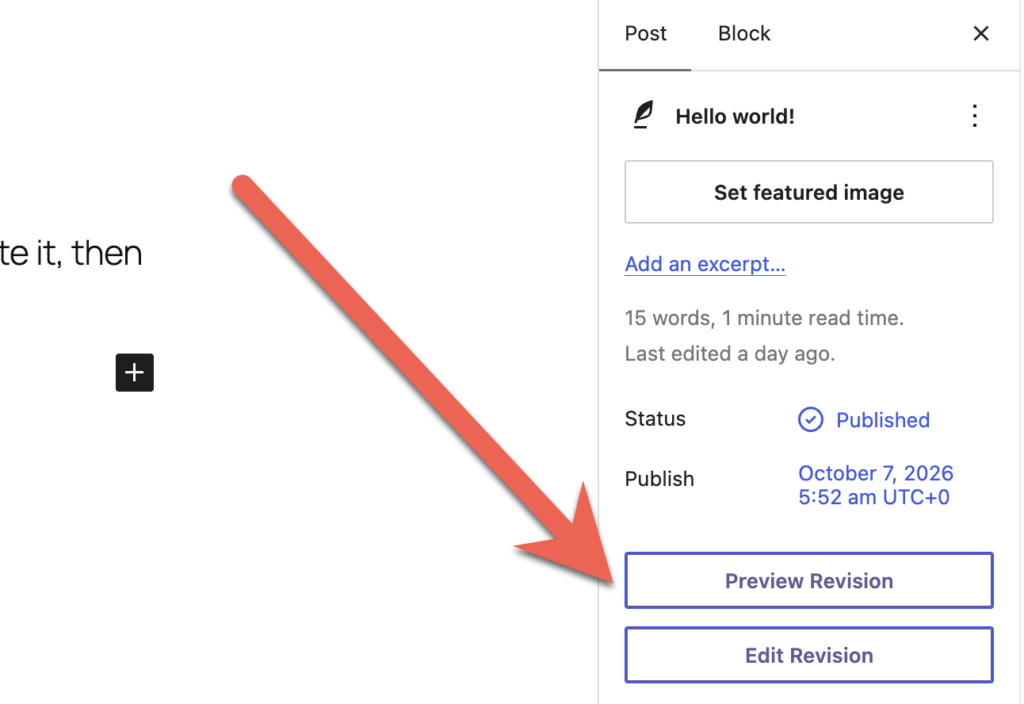
- You will now see two new buttons: “Preview Revision” and “Edit Revision”. The first button will take you to a preview of your changes on the frontend of your site. The second button will allow you to edit and update your changed copy of the post.
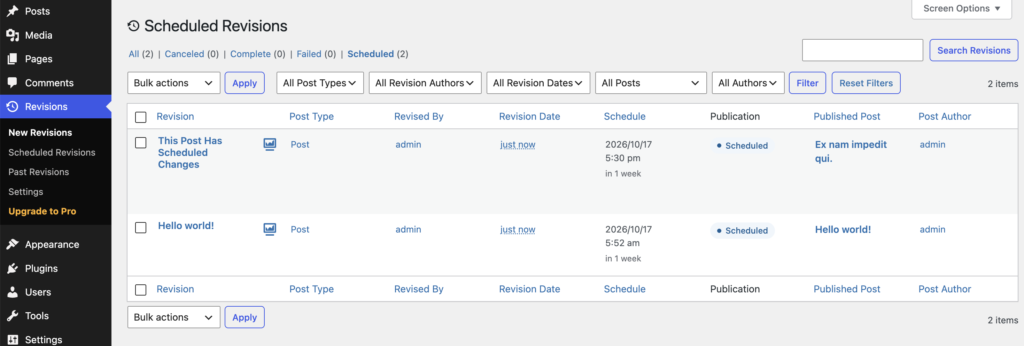
- Go to the “Scheduled Revisions” screen and you’ll see your scheduled revisions:
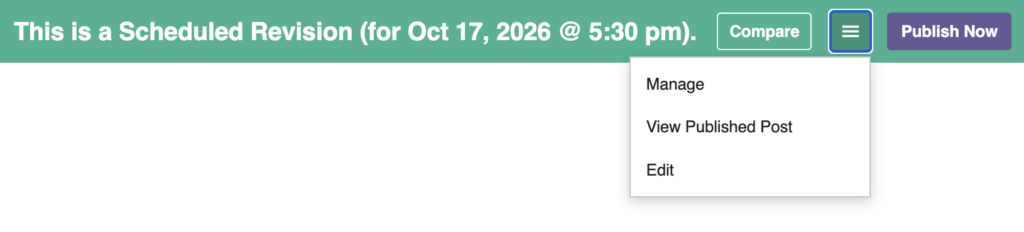
- If you click the “Preview” link, you will see your content changes with a moderation toolbar. You can click on “Compare” to see the changes from the current content, or use the dropdown menu to make changes to the revision. You can also click “Publish Now” to skip the scheduling and make these changes go live.