
In PublishPress Cart, all of the order both one time payment or recurring will be recorded as Order, and it is saved in Orders menu. You can find it on WP Admin > Cart > Orders:
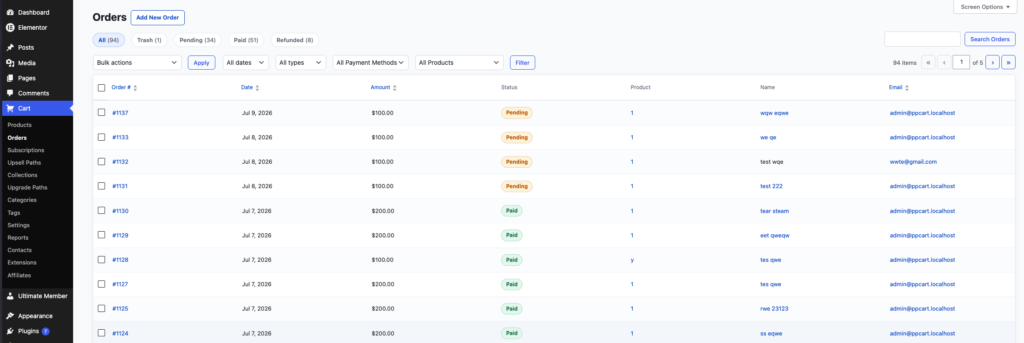
In this screen, you will have overview screen of all of your orders, including the name, email, amount, products, and also the status.
If you open each of the order, you will get more detailed view on the order:
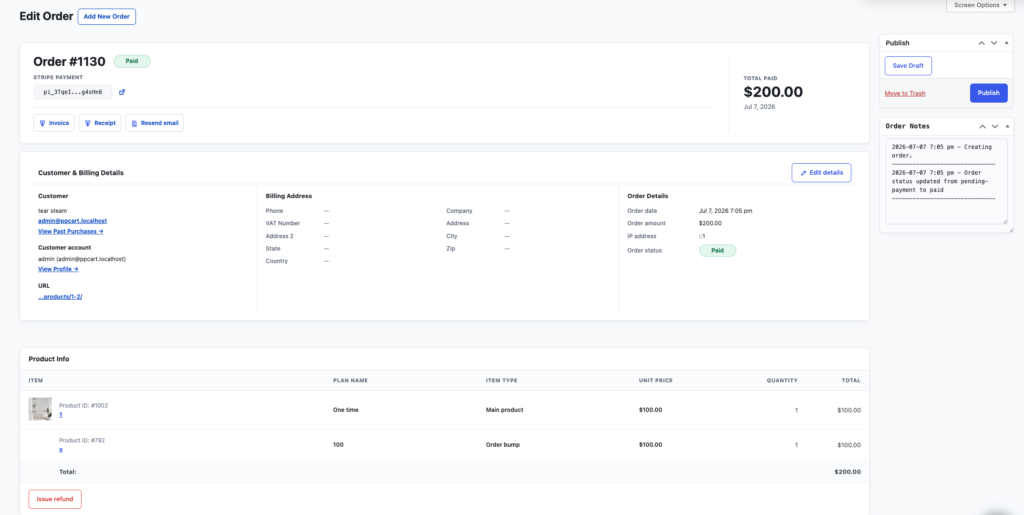
Here are all detailed action that you can do on an order:
- Invoice: Generate an invoice (unpaid) for the order.
- Receipt: Generate an receipt (paid) for the order.
- Resend email: Send a purchase confirmation email again to the customer.
- Edit details: Allow you to edit the order details, including customer and billing details.
- Issue refund: Send refund for that specific order.