
Products are the items, services, programs, memberships, or digital downloads that you sell with PublishPress Cart. Each product can have its own price, payment plans, checkout form, order settings, integrations, and post-purchase flow.
To create a product:
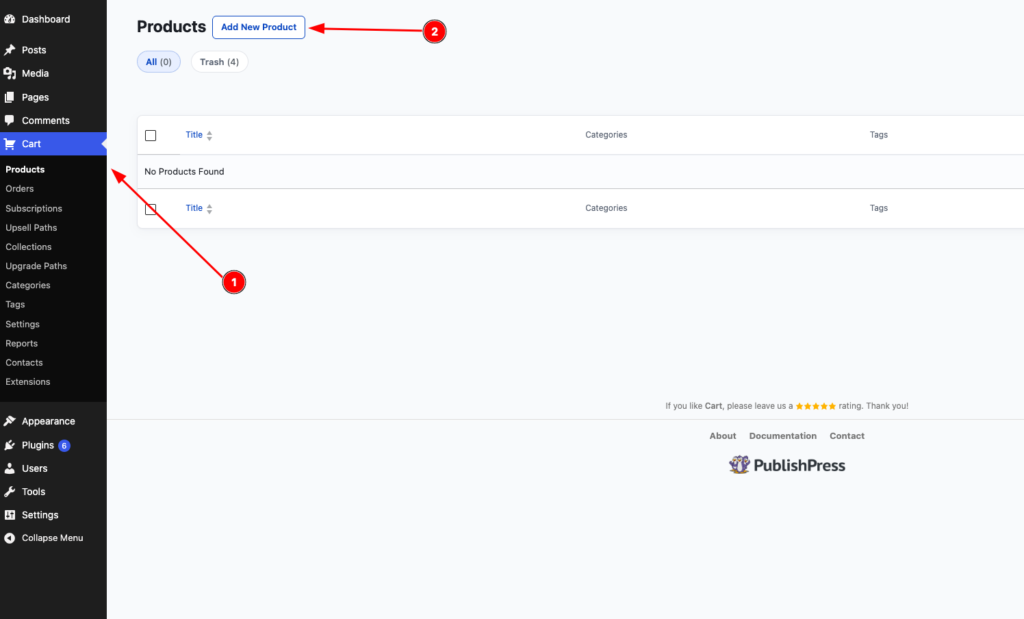
1. Go to Cart > Products.
2. Click Add New Product.
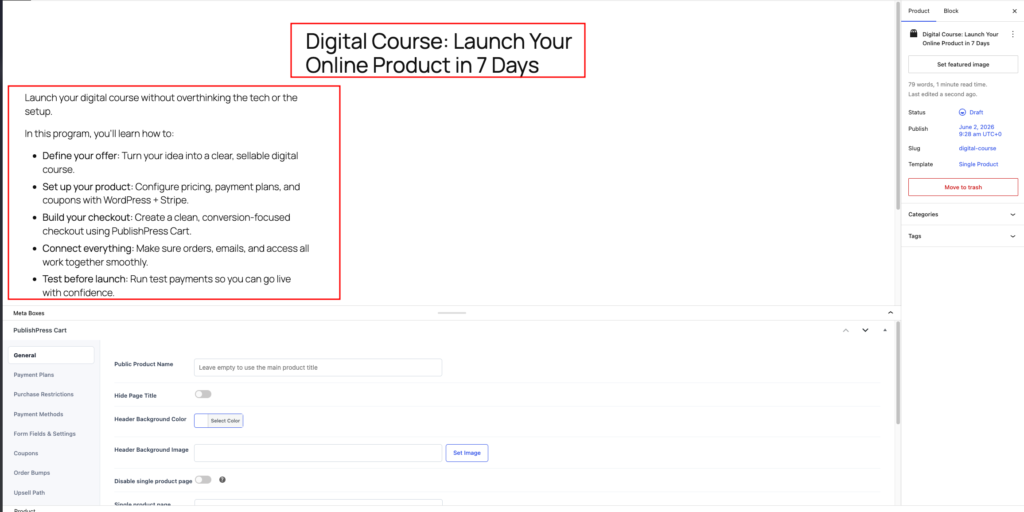
3. Enter the product name in the title field.
4. Add a product description in the main editor.
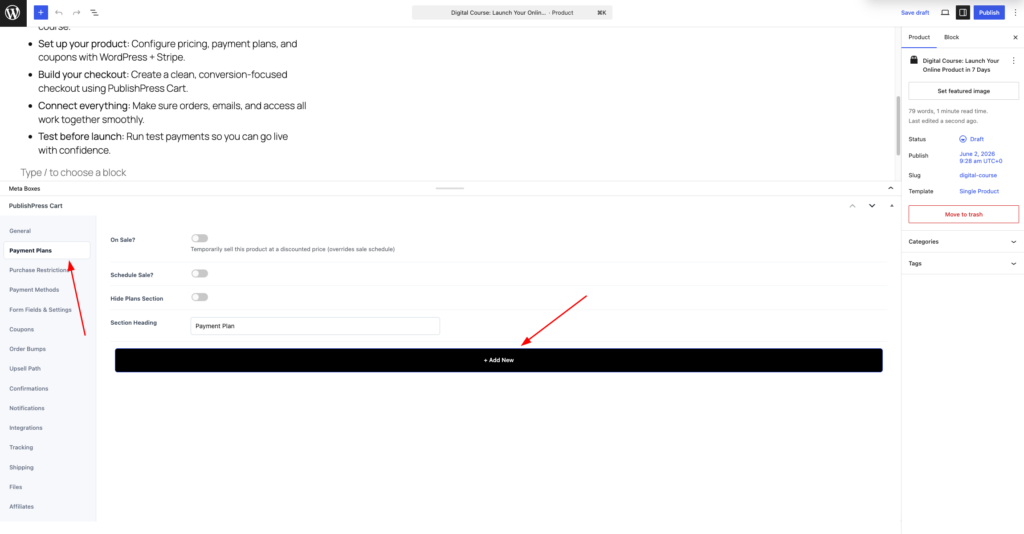
5. Next, go to Payment Plans > Add New.
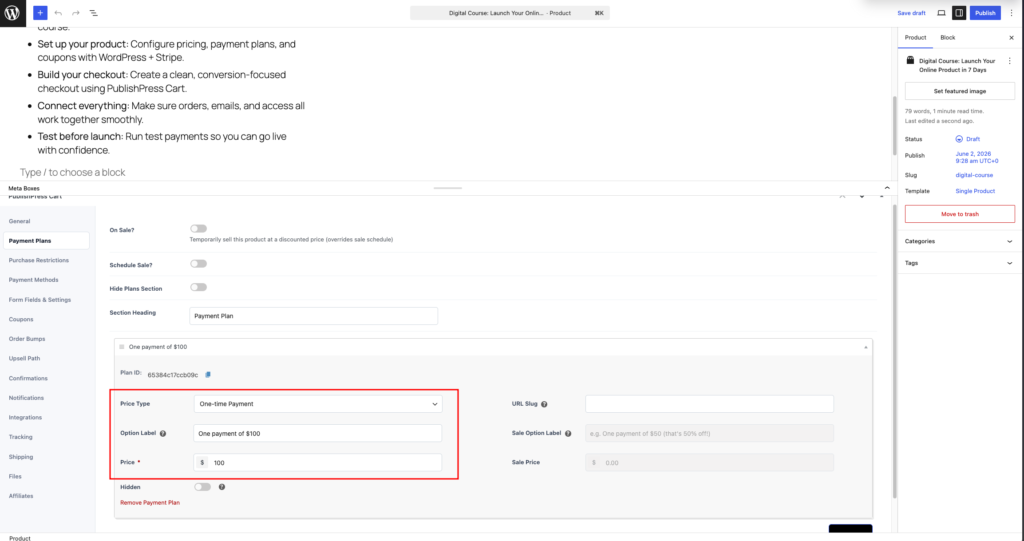
6. Select the Price Type, and filled in the Label, and Price.
7. Lastly, Publish the product.
You can view the product, and you will have something like this:
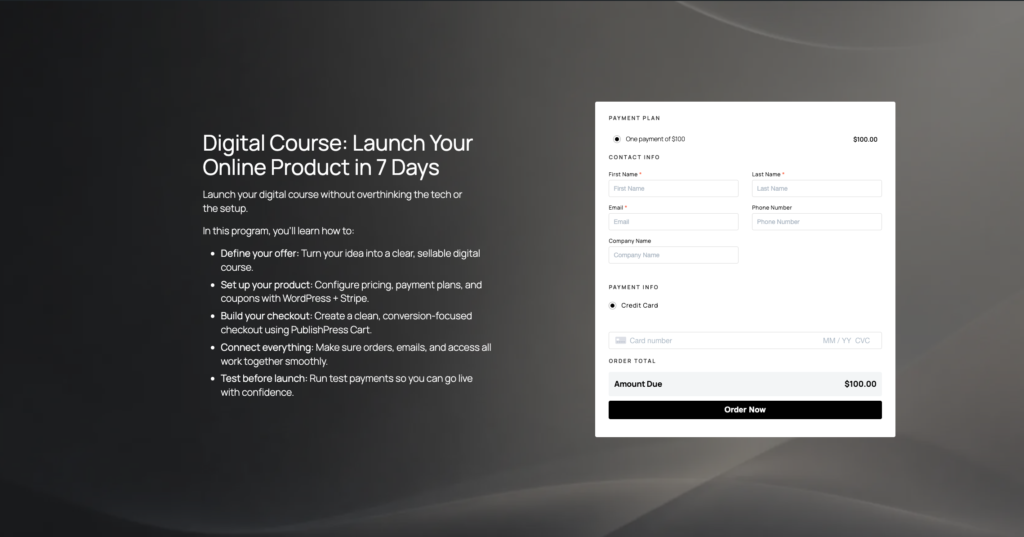
This is the default layout of how product showing in PublishPress Cart.
There are more additional configuration on the product. You could check this guide.
- Additional product configuration
- Customize product template
- Customize product checkout form