If you are using block themes, PublishPress Cart has built-in product template. You can access the template on Appearance > Editor > Templates
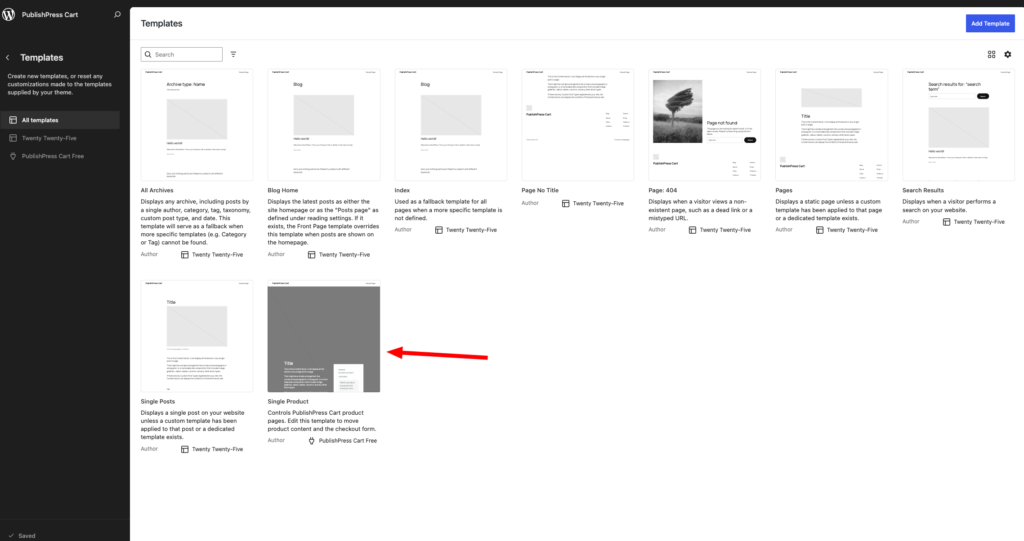
You can make changes to the template here and it will automatically apply to all products from PublishPress Cart.
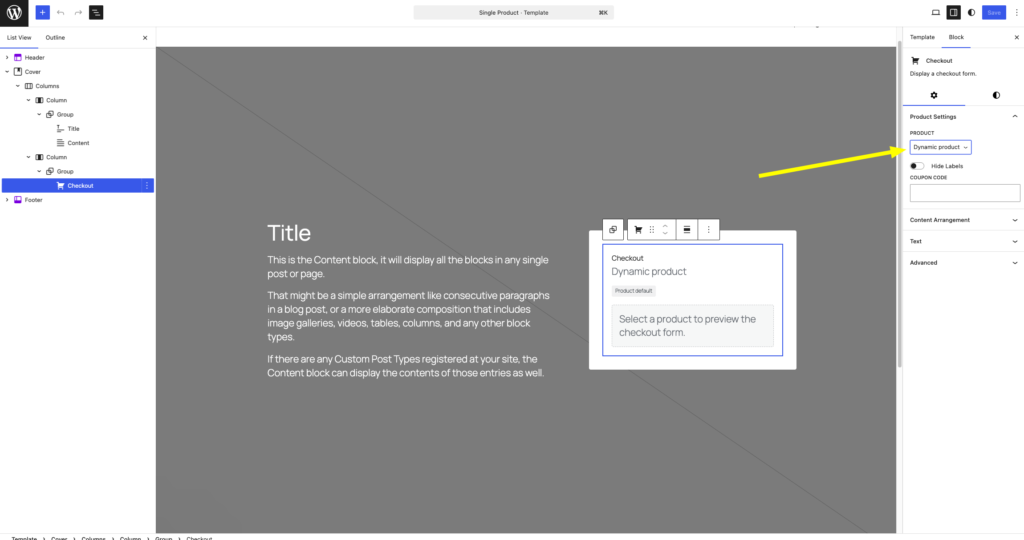
When editing the template, make sure the Checkout block is set to Dynamic Product so it automatically adapts to each product. If you select a specific product instead, that product’s checkout will appear for all products