By default, when revisions are approved and published via the PublishPress Revisions, the original publish date will be changed to the current time.
Here’s an example of that default behavior:
- You have a post that was published on August 2025.
- You make revisions to the post October 2025 and the changed are approved.
- By default, the publish date of the post will be changed from August 2025 to October 2025.
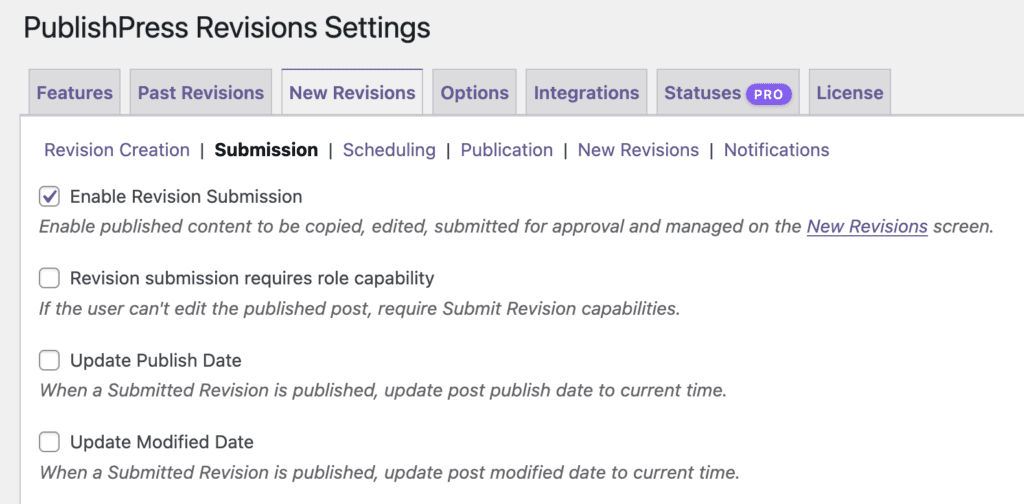
However, It is possible to change this default behavior so that the original published date is kept, even after revisions are approved and published. This is possible by disabling two settings.
- Go to Revisions > Settings > New Revisions > Submission.
- Uncheck the “Update Publish Date” box.
- Uncheck the “Update Modified Date” box.
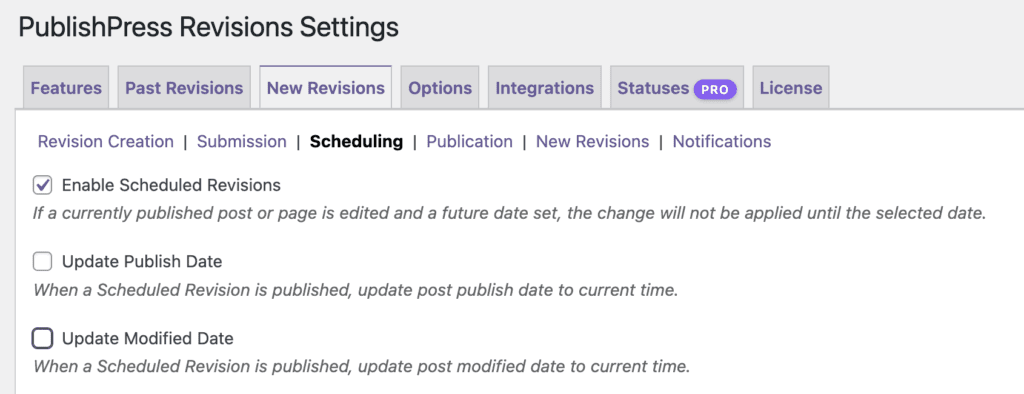
A similar situation applies with scheduled revisions. Here’s how to keep the original publishing date for scheduled revisions:
- Go to Revisions > Settings > New Revisions > Scheduling.
- Uncheck the “Update Publish Date” box.
- Uncheck the “Update Modified Date” box.