
If you have an existing subscription with PublishPress and paid with a credit card, it is possible to update your billing details.
- Log in to your PublishPress account.
- Go to the “Account” page.
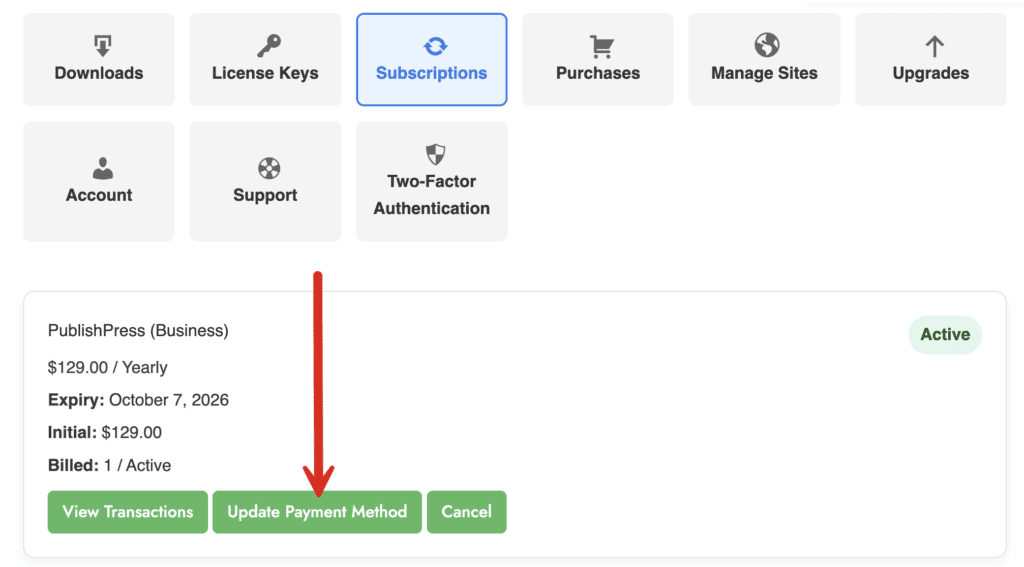
- Got to the “Subscriptions” tab.
- Click the “Update Payment Method” link.
- On the next screen, you can update your payment info. The new details will be used when your subscription renews again.
PayPal users: sorry, PayPal doesn’t allow you to easily make changes like this. Please open a support ticket if you paid via PayPal and want to change your payment details.