
Table of Contents
Do you use Ultimate Member? The Ultimate Member integration allows you to automatically send a welcome email to your new users. You can integrate your account with PublishPress Cart by installing the plugin on your WordPress site.
How To Integrate Ultimate Member With PublishPress Cart #
Get started by installing and activating the Ultimate Member plugin on your WordPress site. You can install it for free from the WordPress plugin directory under Plugins > Add Plugin.

You can add integrations for a single product. Edit the product, open the PublishPress Cart panel and select the Integrations tab. Integrations added here apply to that product only..
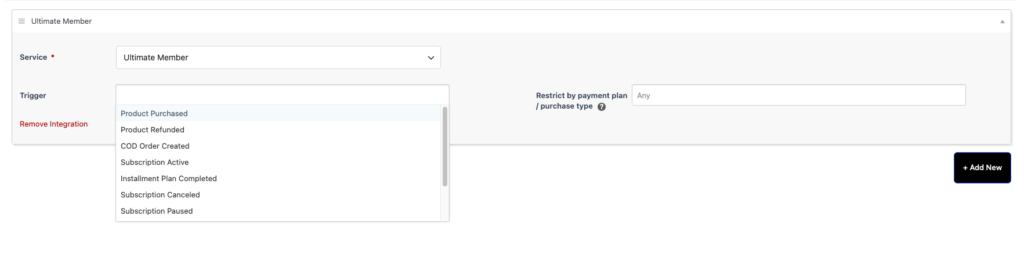
Once the integration is enabled, PublishPress Cart will automatically send the Ultimate Member welcome email to new users created after a purchase.