
Do you use LearnDash? The LearnDash integration allows you to automatically add or remove new users to your courses and groups. You can integrate your account with PublishPress Cart by installing the plugin on your WordPress site.
How To Integrate LearnDash With PublishPress Cart #
Get started by installing and activating the LearnDash plugin on your WordPress site. Then configure the settings in the LearnDash plugin on your WordPress site.
Now you can set up a LearnDash integration by going to a PublishPress Cart product and selecting “LearnDash” from the Service menu in the Integrations tab. From here you’ll see a list of the courses you previously created in LearnDash. Choose the course you would like to link to this product.
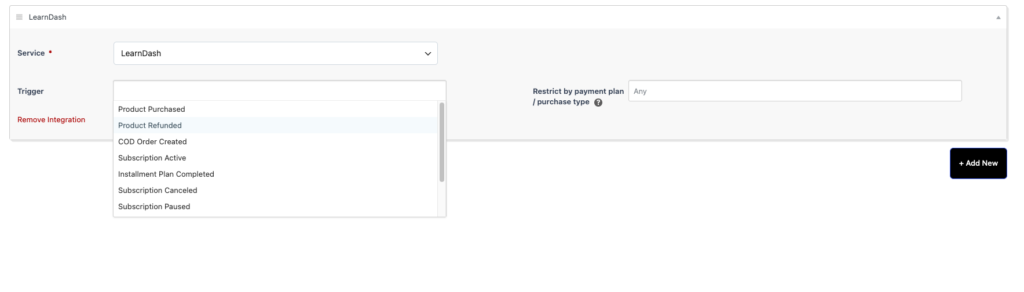
If you have created a Group with this course, choose the name from the Groups dropdown.
In the example below the following will occur from the chosen trigger and payment settings. When a product is purchased with any payment plan a new contact is added to ‘Course 1’ in LearnDash.
You can also review the available course integrations in Cart > Settings > Integrations, under the Courses filter.
Note: LearnDash is a commercial plugin. The LearnDash service appears in the integrations list only when the LearnDash plugin is installed and activated on your site.
Once you have finished filling out all the settings needed for your product, complete the order form by selecting Publish or Update.