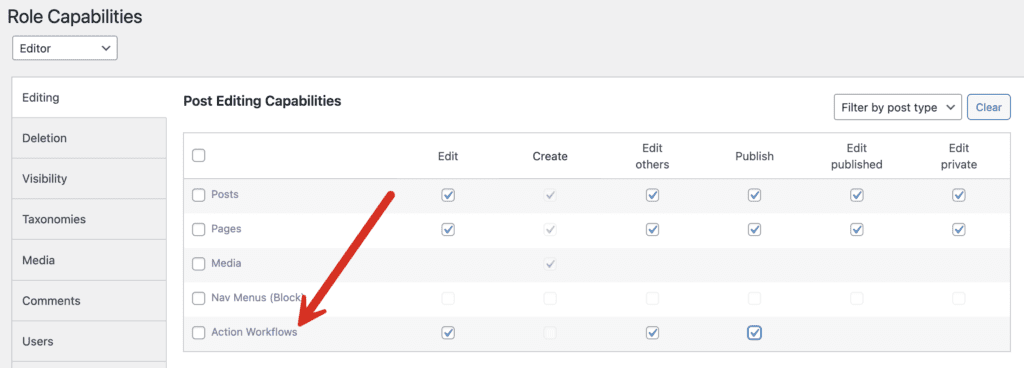
The PublishPress Future plugin allows you to control who can access the “Workflows” screen.
By default, only Administrators can access the plugin screens. If you want to allow other users to access the “Action Workflows” screen, follow these steps:
- Install the PublishPress Capabilities plugin.
- Click “Capabilities” in your WordPress admin menu.
- Choose the role you want to edit in the top-left corner.
- Look for the “Editing” tab.
- Check the boxes for the “Action Workflows” row.
- Click “Save Changes”.