
PublishPress Authors allows you to import date from the Molongui Authorship plugin.
This import will bring across all your author profiles. It will also keep track of which posts the authors are associated with.
- Start with the Molongui Authorship plugin installed on your site.
- Go to the “Plugins” screen and install the PublishPress Authors plugin.
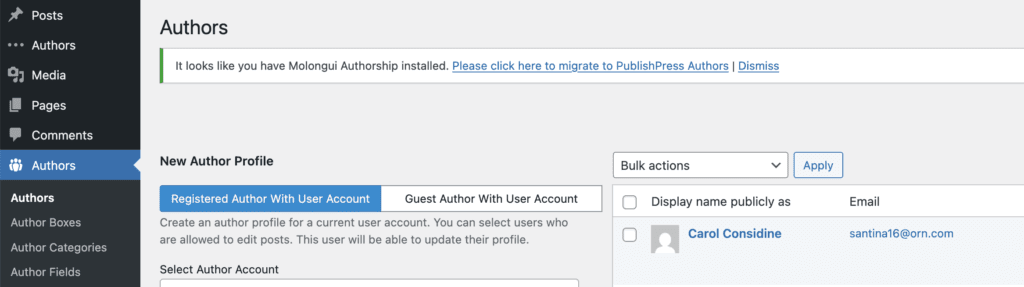
- Go to the “Authors” link in your WordPress admin menu. You will see a message saying that you have “It looks like you have Molongui Authorship installed”.
- Click the link to continue.
- You will be taken to the “Maintenance” tab.
- Click the button labeled “Copy Molongui Authorship Data”.

- You will now see a progress bar as your import progresses.
- When the import is finished, click “Deactivate Molongui Authorship”.

- Go to the “Authors” link in your WordPress admin menu and check to see if the import has worked successfully.
- On the “Plugins” screen, you can delete the Molongui Authorship plugin.