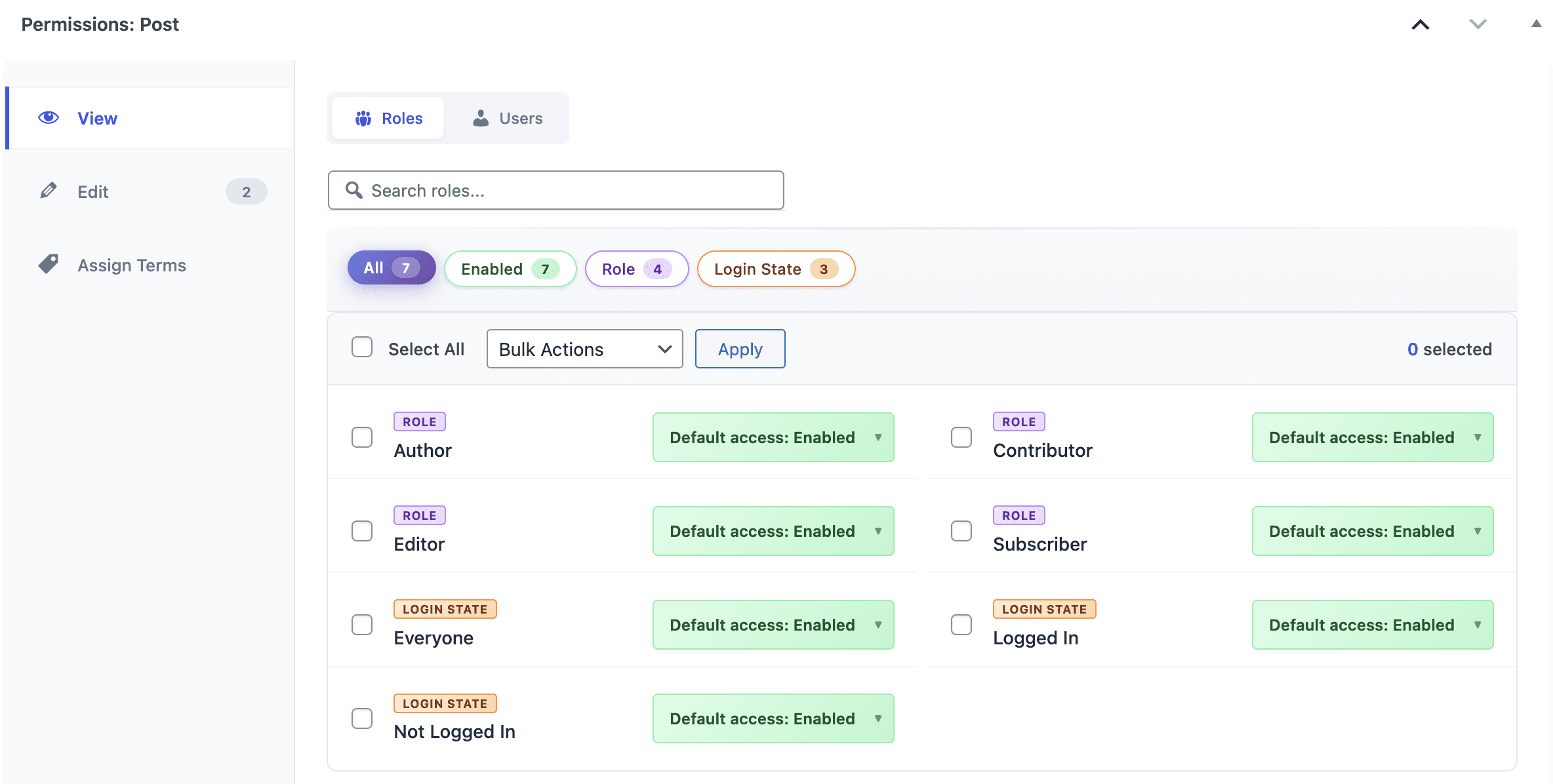
The PublishPress Permissions plugin allows you to customize viewing access for WordPress content. In this guide, you’ll see how to control permissions for roles, or for individual users.
Choose viewing permissions for individual posts #
This feature allows you enable or disable viewing permissions for a single post.
- Open any post and you’ll see the PublishPress Permissions metabox under the content.
- Look for the “View” tab.
- Using this metabox, you can choose permissions for each role, and also login states such as “Logged In” and “Not Logged In”.
- This feature allows you to choose “Enabled” or “Blocked” for any user role or login state.
- Enabled: Anyone in this user role can view this post.
- Blocked: Anyone in this user role can NOT view this post.
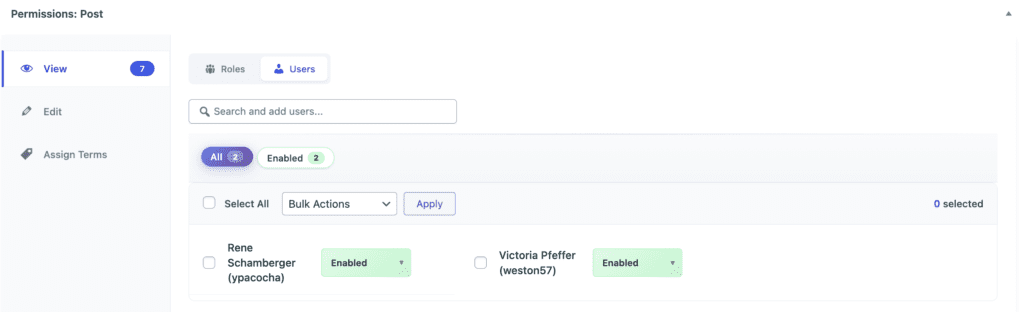
It’s also possible to customize these permissions for individual users.
- Click the “Users” tab.
- Choose a user.
- You can can select choose “Enabled” or “Blocked” for this individual user.
Support for other post types #
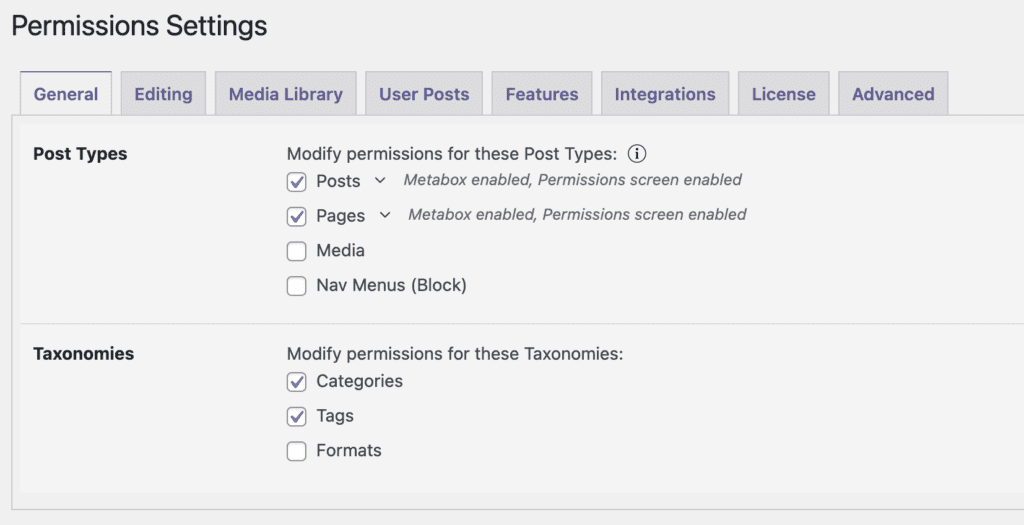
These settings also apply for other post types. You can select the post types by going to “Permissions” then “Settings” in your WordPress admin menu.
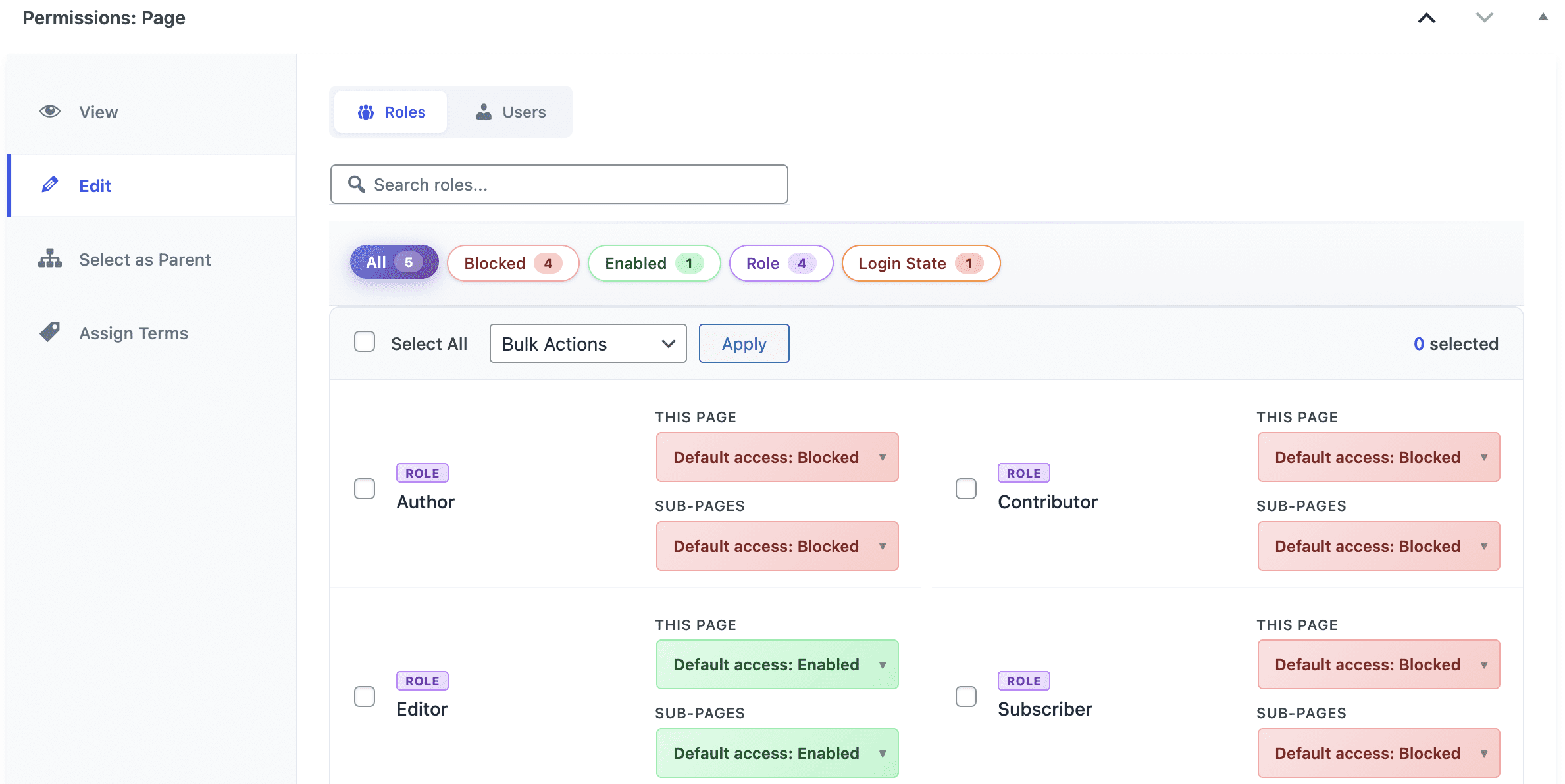
For example, this screenshot shows the metabox that you will see under Pages. In this case, the editing permissions can also be applied to sub-pages: