
The PublishPress Permissions plugin allows you to grant editing access to a specific page and the related sub-pages.
In this guide, we’ll see how to give a low-level user role access to edit a specific group of pages. I’ll show you two approaches, both using the PublishPress Permissions plugin.
Control editing for individual pages and sub-pages #
This first approach is recommended if you have a small number of pages.
- Go to the “Pages” screen. Choose the parent page, which in my case is “Sports”.
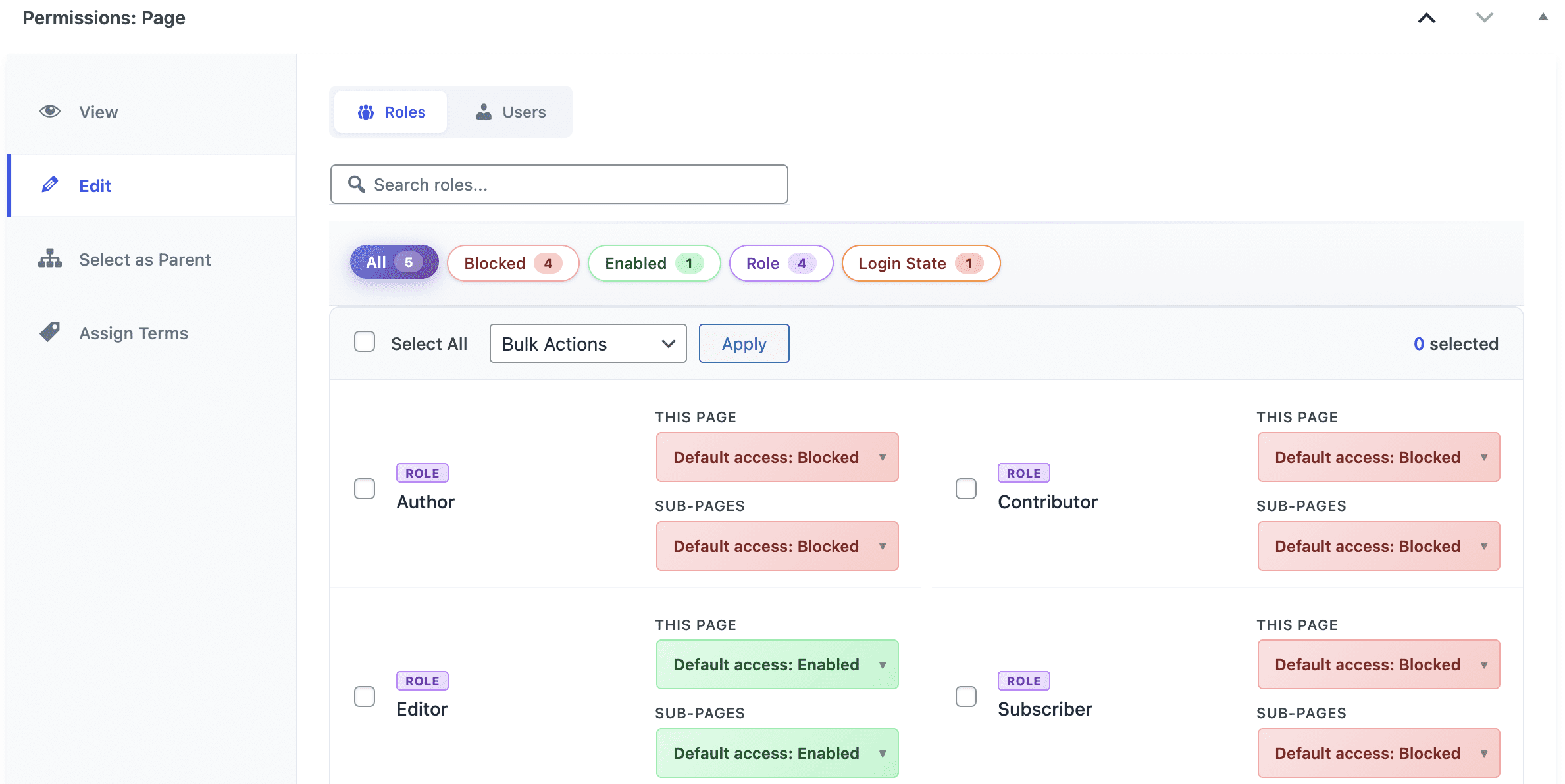
- Scroll down to the “Permissions: Edit this Page” area.
- You will be able to select the permissions for both “This Page” and also “Sub-Pages”.
You can now test the user account. The image below shows an example of a low-level user will see if they have been given access to edit specific pages. They will have very limited access to this WordPress site, except for the pages you have given them editing access to.

Control editing for multiple pages #
This second approach is recommended if you want to grant access to a large number of posts or pages.
- Go to the “Permissions” screen and then click the name of the role you want to modify.
- Post Type: choose “Page”.
- Operation: choose “Edit”.
- Adjustment: choose “Enable”.
- Select Pages: Choose “View All”. You can now scan and give this user editing access to any pages you choose.
- Click “Add Selected”.
- Click “Save Permissions”.

You can now test the user account. As with the method above, they will have very limited access to this WordPress site, except for the pages you have given them editing access to.