In some cases, you want a user role that only be able to edit their revisions and cannot edit other user's revisions.
This is possible in PublishPress Revisions.
Restrict Users to Editing Their Own Revisions #
- Install the PublishPress Capabilities plugin.
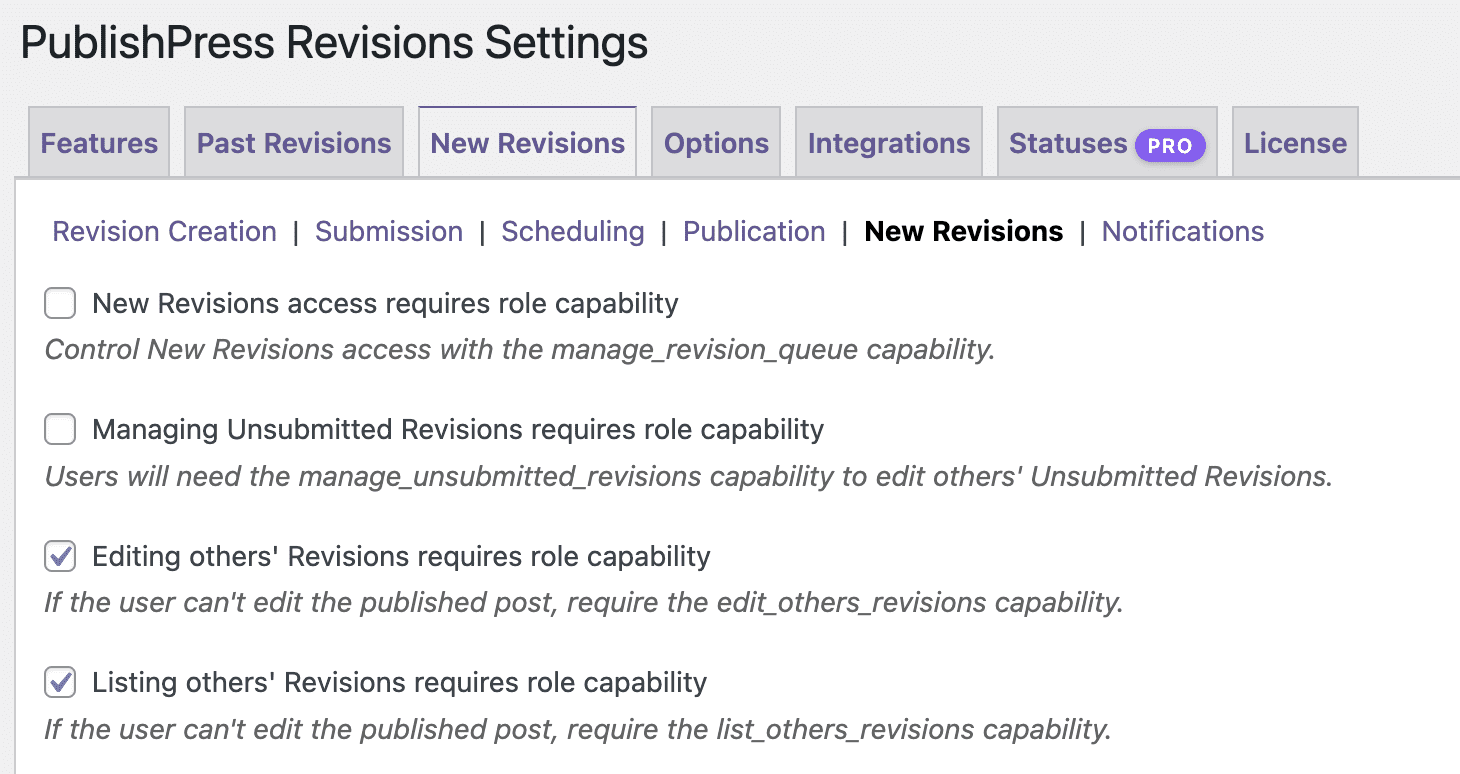
- Go to Revisions > Settings > New Revisions > New Revisions.
- Enable this setting: “Listing others' Revisions requires role capability”.
- Go to Capabilities > Capabilities, and make sure the role have list_others_revisions and preview_others_revisions capability
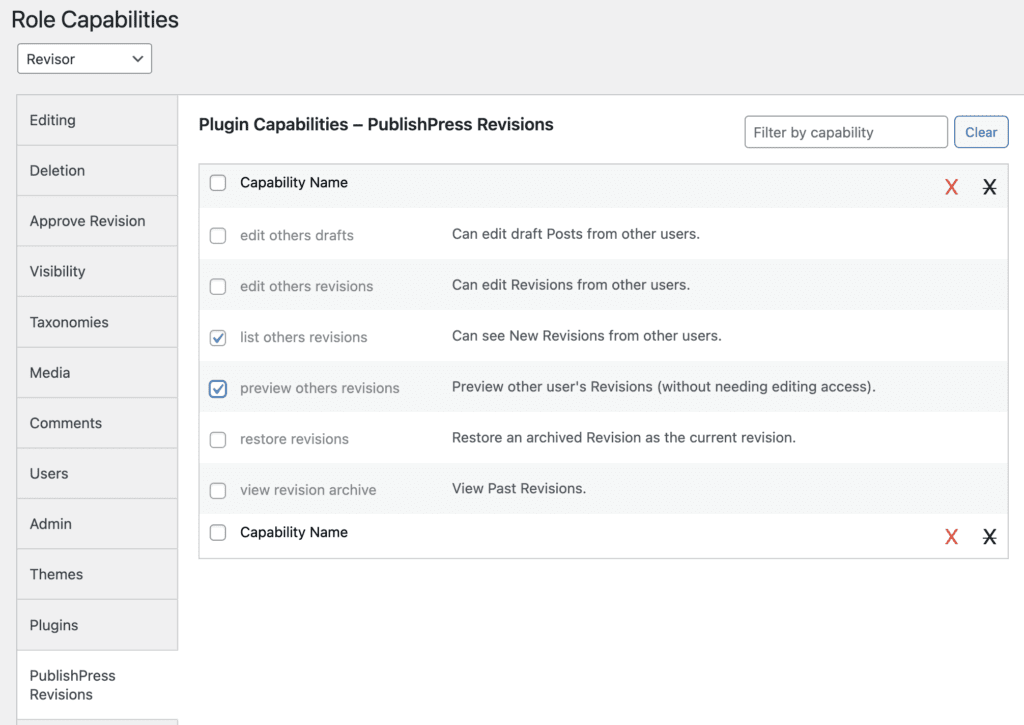
Once you did those 2 crucial steps, the role should be able to edit their own revisions while only be able to preview the other user's revisions.
Integration with Access Circle from PublishPress Permissions #
This feature requires the Pro version of the PublishPress Permissions plugin.
Access Circle are features in the Pro version of PublishPress Permissions allow you to limit access (either view or edit) only to the same Permissions group. We have 2 access circles, you can read about those here:
PublishPress Revisions has full support with Access Circle from PublishPress Permissions. This means PublishPress Revisions can allow a user from specific Permissions Group to see/edit the revisions of other team members in their Permissions Group.
- Make sure you have either the “Access Circles” feature enabled.
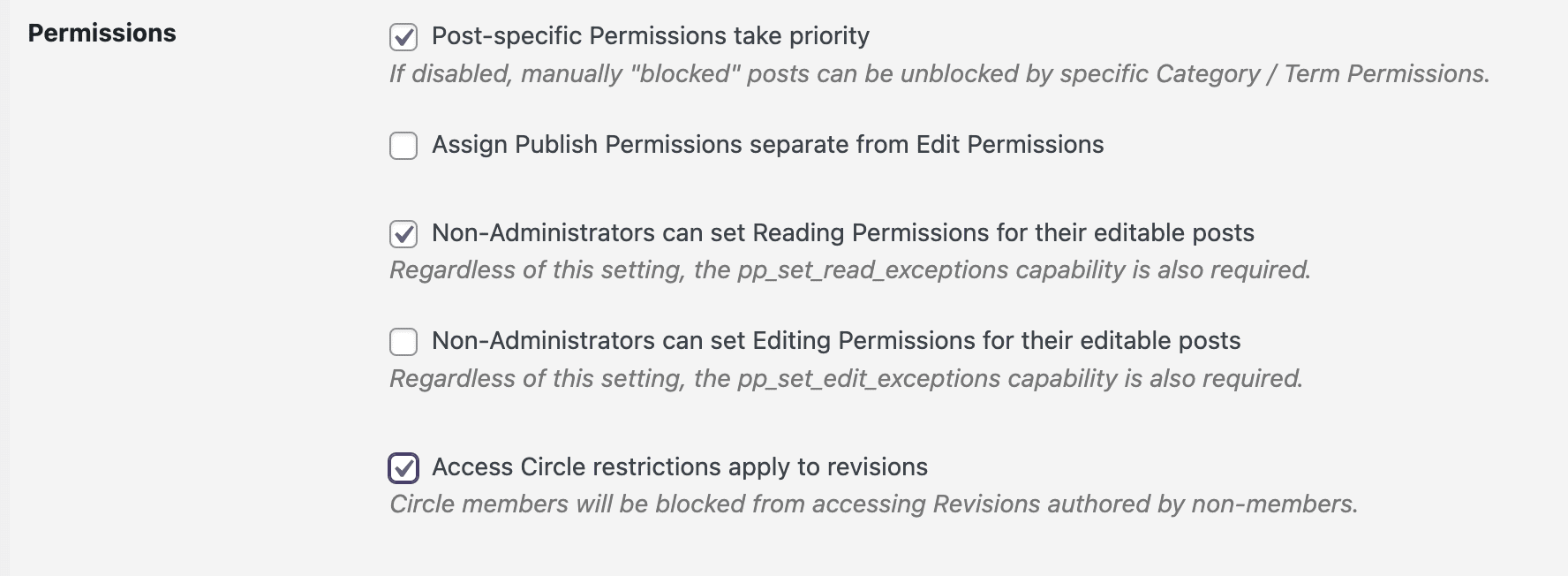
- Go to Permissions > Settings > Advanced and enable “Access Circle restrictions apply to revisions“.
Once you do this, each user from each access circle will be able to view/edit the revisions authored by the same group.