The PublishPress plugins are translated into some key languages.
However, if the PublishPress plugins are not available in your language, there are ways to create your own translations.
Free version language files #
For the Free versions of PublishPress plugins, the language files are located here:
/wp-content/plugins/your-installed-plugin-name/languages/Pro version language files #
If you're using the Pro versions of PublishPress plugins, the Pro language files are located here:
/wp-content/plugins/your-installed-plugin-name/languages/And when you're using Pro version of PublishPress plugins, the Free language files are located here:
wp-content/plugins/your-installed-plugin-name/lib/vendor/publishpress/your-installed-plugin-name/languages/How to Translate the Plugins #
Several translation methods include WordPress.org and Poedit.
One option we highly recommend is the Loco Translate plugin.
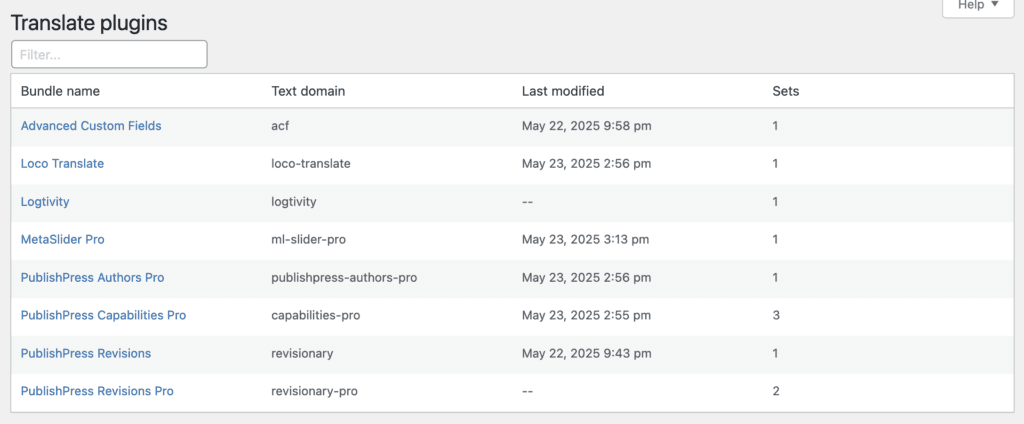
- After installing the Loco Translate plugin, go to “Loco Translate” then “Plugins” in the WordPress admin menu.
- Click on the name of the plugin you want to translate.
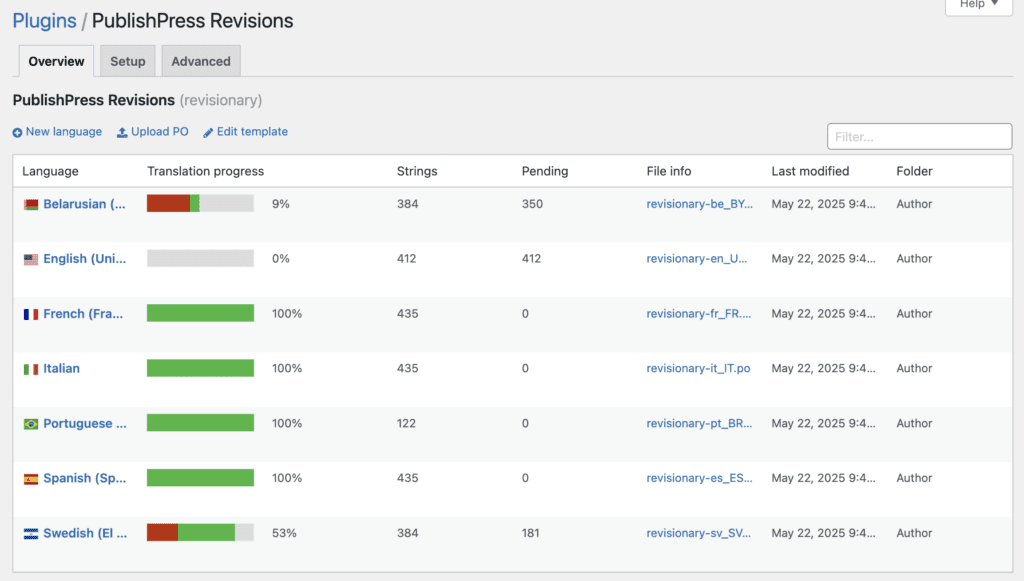
- Click on the language you want to edit. If you want to translate the plugin into a language that is not yet available, click the “New language” link.
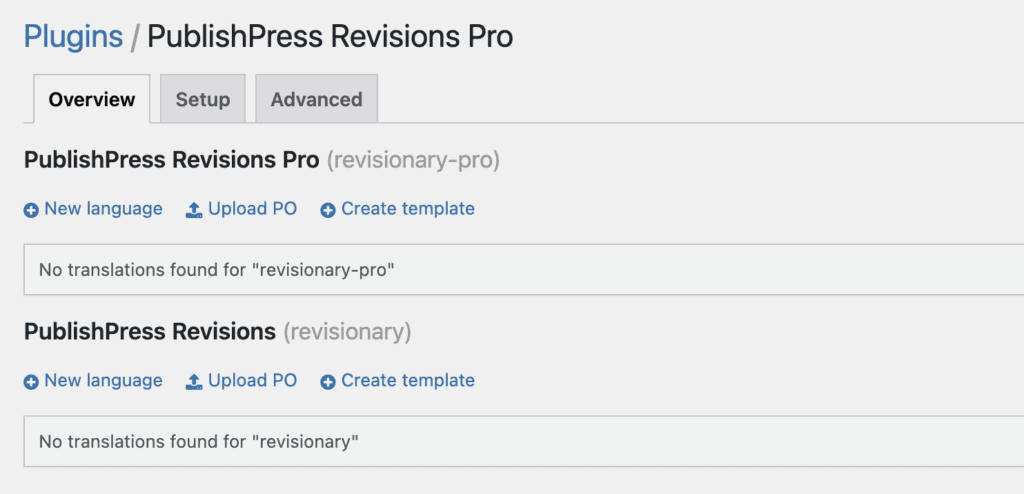
- If you have the Pro version of the plugin installed, please translate both the Free and Pro versions of the plugin. They will be available on the same screen. Here is an example with PublishPress Revisions Pro, showing both plugin translations: