
Permission Groups are one of the most flexible features in PublishPress Permissions.
You can use groups to set permissions for WordPress users. One advantage of this is that a user can be in multiple groups, which isn't possible with the default user roles. Another advantage is that groups can cover multiple roles, for example “Logged In” which is a group that covers every logged-in user.
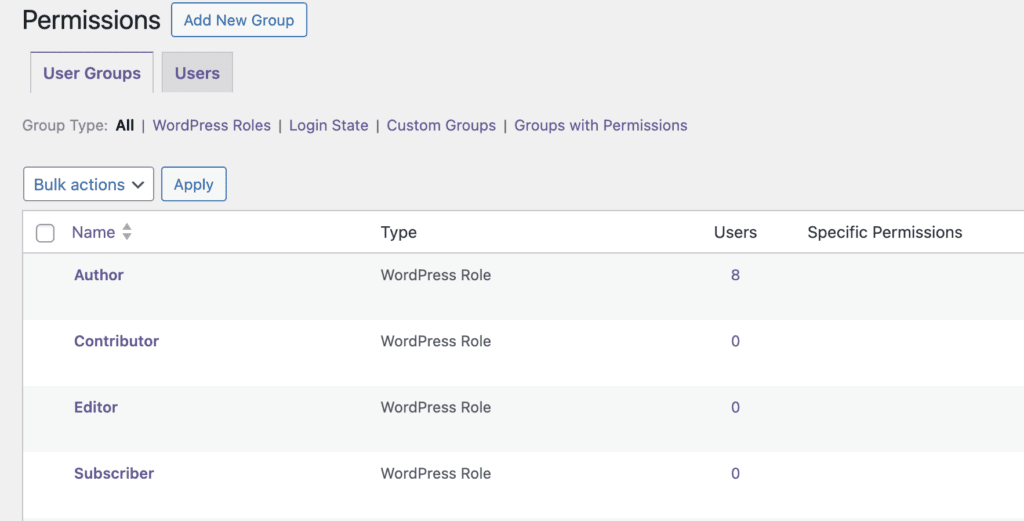
When you first install PublishPress Permissions, some roles will already be set up for you. These are four of the default WordPress user roles:
- Author
- Contributor
- Editor
- Subscriber
PublishPress Permissions will also create three new groups:
- Everyone: This covers everyone, whether or not they have an account.
- Not Logged In: This covers all visitors who are not logged in.
- Logged In: This covers all users who are logged in.
How to Create New Groups #
You can also create new groups by clicking “Add New”.

You can search for and add the users you want to include in this group.
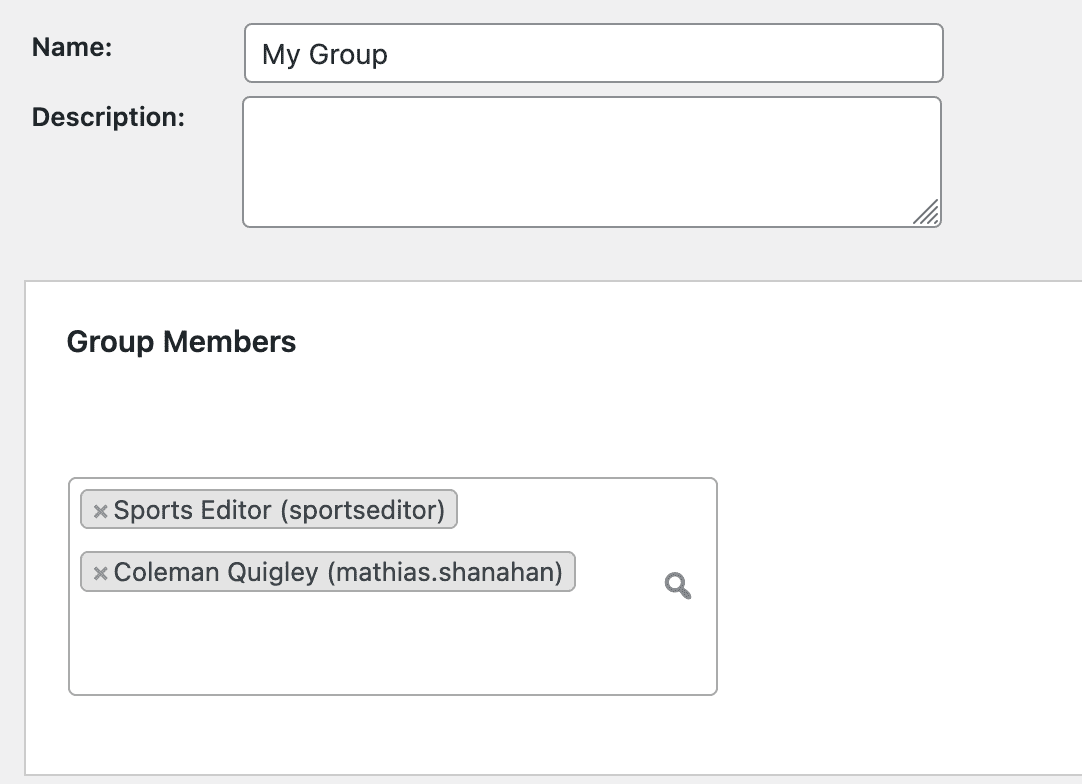
The left side of the screen will show “Search Results”. If you see a user you want to include, click “Select” to add them to the right column. In the image below, “riza” will be part of my new group:
What Can You Do With Groups? #
There many powerful features you can add to groups. Here are some of teh most common ways that people use PublishPress Permissions groups to manage their users: