The PublishPress Revisions plugin does support custom post types. However, there are a few guidelines you need to be aware of enable support for custom post types.
The Post Type Most Support WordPress Revisions #
PublishPress Revisions is built on top of the core Revisions feature in WordPress. Not all plugins support this feature. One easy way to check for Revisions support is to look for this “Revisions” link in the sidebar of the custom post type:

Confirm that your custom post type supports revisions. If you're using a plugin such as “CPT UI” to create the custom post type, check that “Revisions are enabled. For example, in the “Support” section of the CPT UI settings, make sure to enable “Revisions” for our plugin to work correctly.

Enable the Post Type in PublishPress Revisions #
Make sure you have enabled your custom post type inside the PublishPress Revisions settings. Go to Revisions > Settings > Features. Make sure you have checked your post type here.
Issue #3. Set the Post Type to Public #
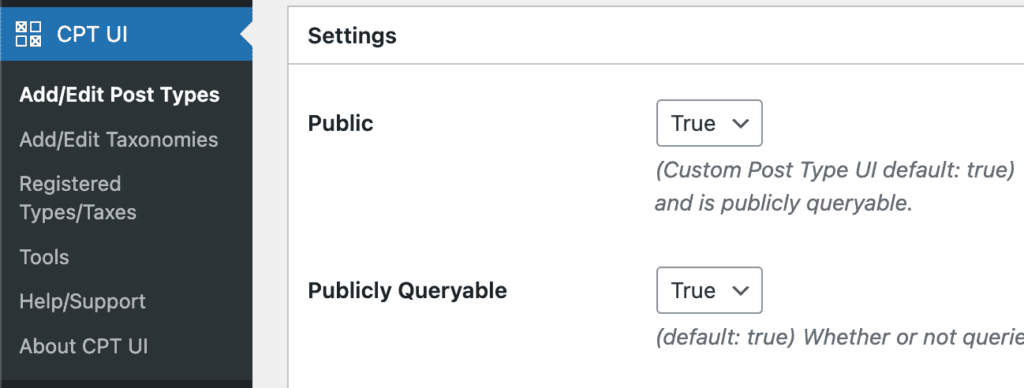
If this post type was creating using code or a plugin, ensure that your custom post type is set to “Public”.
If you've hardcoded the custom post type, set ‘public' to ‘true':
'public' => true,If you're using a plugin such as “CPT UI” to create the custom post type, you should find a setting to set it to public.