
If you're using one of our Pro plugins please use the license key to receive updates directly to your WordPress site.
Here's how to add to receive updates for your PublishPress plugins:
- Log in to your PublishPress account.
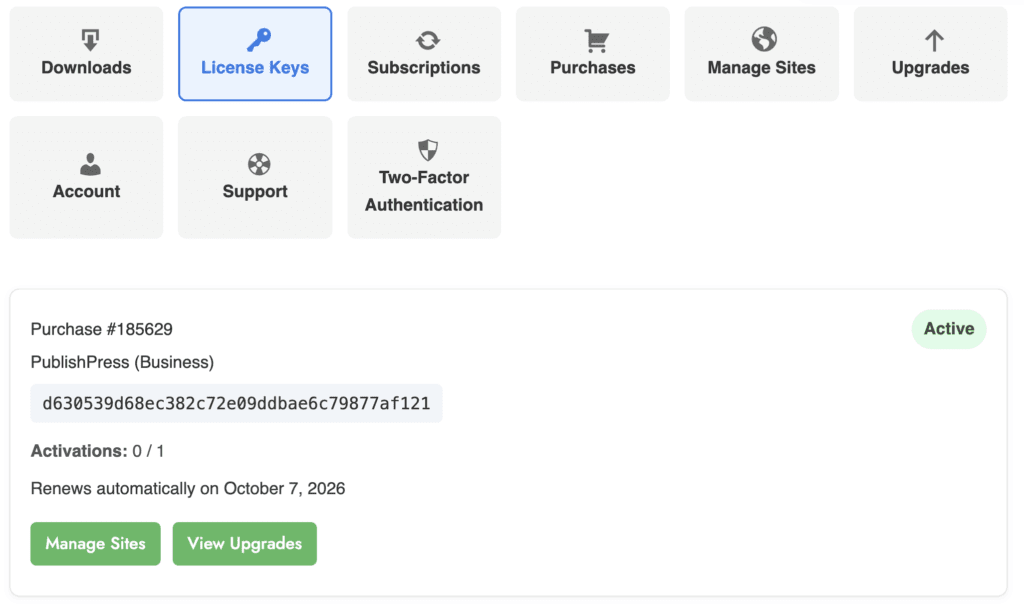
- Go to the “Account” page.
- Go to “License Keys” tab.
- On this screen you will see your license key:
The next step is to add the license key to your site:
- Log in to your WordPress site's dashboard
- Find the plugin that you want to add the license key. In the example of PublishPress Revisions, look for the “Revisions” link.
- Go to the “Settings” area.
- Paste the license key into the “License key” field.
- Click the “Activate Key” button.

If everything is correct, the “Key Activated” message will come up.
