
This guide is a brief introduction to how the PublishPress Statuses plugin stores data. PublishPress Statuses uses a combination of the WordPress core and taxonomies.
How Statuses are Created #
The plugin uses five statuses that provided by the WordPress core. By default, these statuses only exist in the WordPress codebase and the PublishPress_Statuses.php file.
- draft (Draft)
- pending (Pending Review)
- future (Scheduled)
- publish (Published)
- private (Privately Published)
If you use PublishPress Statuses to edit a status, then they will be added to the _terms table as taxonomy terms. If you’re not familiar with how taxonomy works in WordPress, read this guide to how taxonomy data is stored.
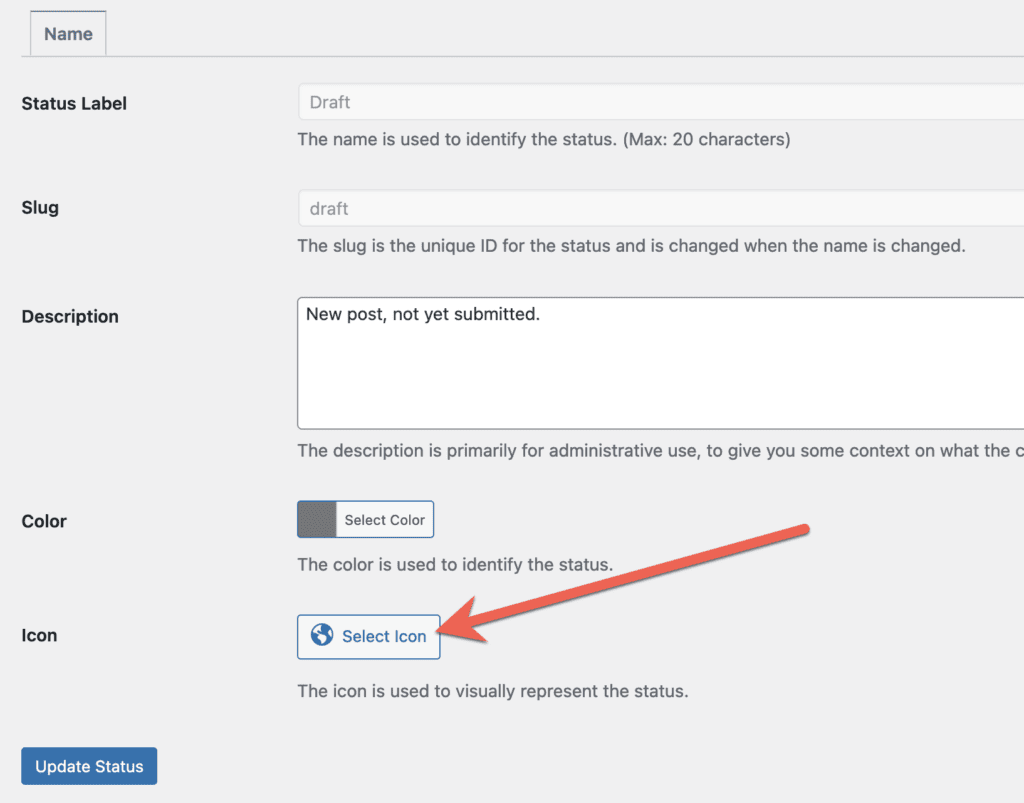
In this example, I will add a new icon to the “Draft” statuses, using the settings in PublishPress Statuses:
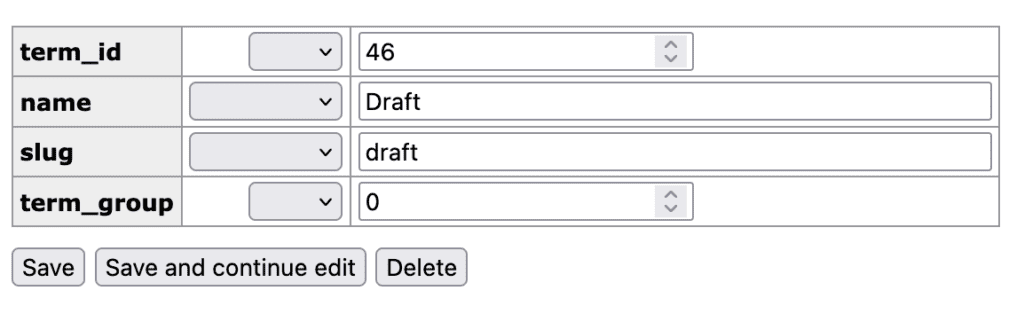
After that change has been saved, you will see “Draft” as an entry in the _terms table, as in this screenshot below:
How Statuses are Stored #
The PublishPress Statuses plugin uses up to three different taxonomies to store the custom statuses.
- post_status is the taxonomy for pre-publication statuses.
- post_visibility_pp is the taxonomy for visibility statuses.
- post_status_core_wp_pp is the taxonomy for core WordPress statuses.
In general, terms are created in those taxonomies only under these two conditions:
- A new status is defined by the user.
- A status has one or more of its properties modified.
The statuses which the plugin makes available by default are fundamentally defined by the PublishPress_Statuses.php file, not by an entry in the _options database table. Status ordering does use option table storage, if the order is modified or a new status added.
The data such as icon and color for each status is saved in the _termmeta table:
