What is the Private status in WordPress? #
“Private” is one of the eight default post statuses available in WordPress. It is possible to create new WordPress statuses if you require more options.
A post in the Private status is only viewable only to WordPress users at the Administrator and Editor user roles.
How to use the Private status #
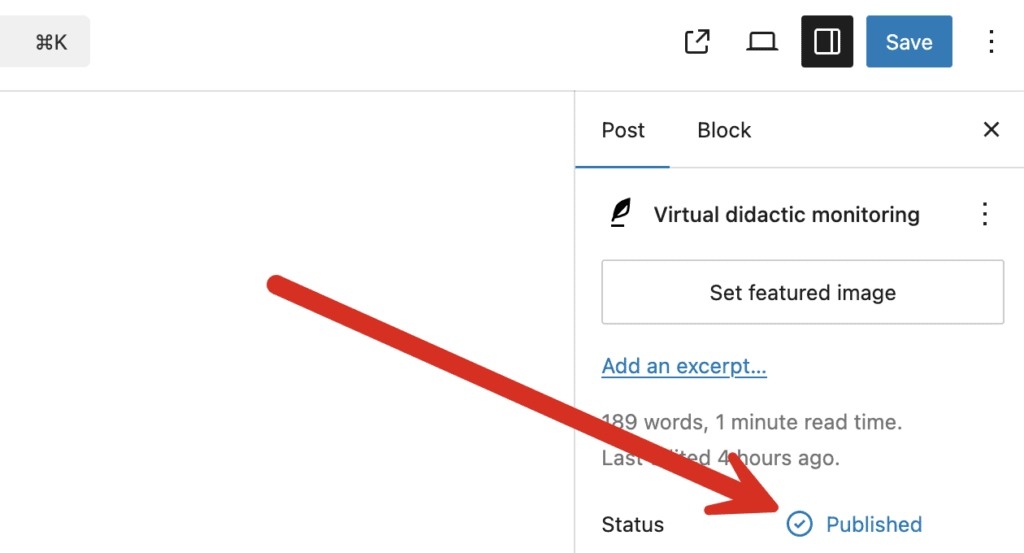
- When you are editing a post, look for the “Status” area in the right sidebar.
- Click the “Publish” link as in this screenshot below:
- Check the “Private” checkbox as in this next screenshot:

This post will now be completely hidden from any user who is not in the Administrator or Editor roles. The only exception to this will be the user is marked as the author of a post.
In the WordPress admin area and on the front of your site, “Private” posts will be completely hidden to other users. They will not even know that Private posts exist.
This post will now be completely hidden from any user who is not in the Administrator or Editor roles.
In the WordPress admin area, this post will be completely hidden.
On the front end of the site, anyone who does not have access will receive a “Page Not Found” message. Even if they know the URL of the post, they will see no acknowledgment that the posts exists.
Images and Files in Private posts #
Please be careful with the media used in Private posts. WordPress only restricts access to the post. Images and Files permissions are treated differently.
Images and files in Private posts can be publicly visible and can also be found by people with access to your Media Library. The best solution to this is the PublishPress Permissions Pro plugin that can extend restrictions from posts to media items in that post.
Change Who Sees Private Posts #
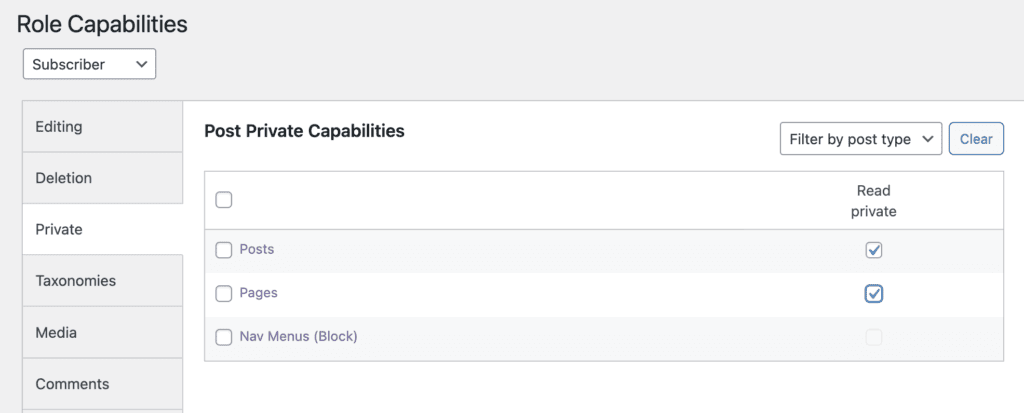
It is possible to change who is able see and manage Private posts. The best way to do this with the PublishPress Capabilities plugin.
This image below shows how you can allow users in the “Subscriber” role to read Private posts and pages. This works by giving users the read_private_posts and read_private_pages capabilities. This will not allow them to see Private posts or pages in the WordPress admin area. However, they will be able to read them on the frontend of your site.