
Table of Contents
Yes, it is possible to move to a higher-level PublishPress plan with more features and the ability to use the plugins on more sites.
For example, if you have a license for 1 site and want to use the plugin on more sites, you are welcome to do that.
How to upgrade your license #
- Log in to PublishPress.com.
- Go to the “Account” screen.
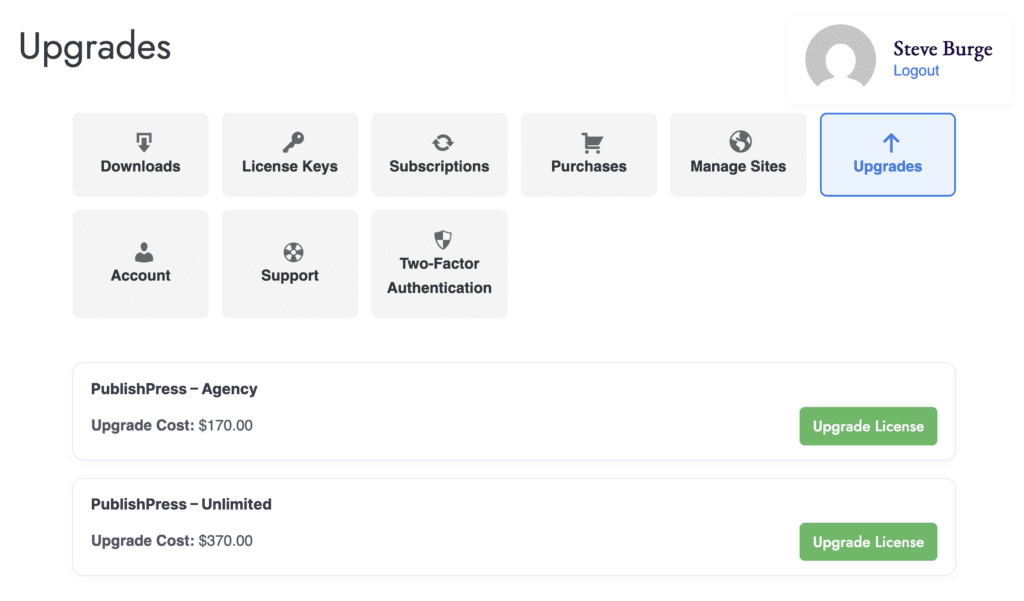
- Click the “Upgrades” link.
- Now you'll be presented with your Upgrade options. The full value of your current subscription will be used as a discount on the upgrade price.
- Click on the “Upgrade License” link for the upgrade of your choice. You will now be in the checkout process, and can complete your upgrade.
How the upgrade cost is calculated #
When you upgrade, you will be compensated for time left on your original plan.
The upgrade cost is based on the price difference between the two plans, plus the time left on your original subscription.
Let's see an example of how this works:
- You purchased a “SAMPLE PLUGIN – 1 SITE” license for $89 on October 1, 2025.
- On March 1, 2025 you upgrade to the “SAMPLE PLUGIN – 5 SITES” license which is $129.
- The price difference is $40 and there are 6 months left in their current subscription.
- You will pay $20 to upgrade.
- On October 1, 2026 the subscription will renew and the customer will pay $129 for the “SAMPLE PLUGIN – 5 SITES”.
As result of this process, when you upgrade, the expiration date of your license will not change.