This feature requires the Pro version of the PublishPress Future plugin.
“Update post details” is one of the steps available in the “Action Workflows” feature of the PublishPress Future plugin. This step updates key information about each post such as the data, title, content, author, and more.
The “Update post details” action is capable of updating these details for each post:
- Post Date
- Post Title
- Post Slug
- Post Content
- Post Excerpt
- Post Discussion
- Post Password
- Post Author
Let's see some examples of how the “Update post details” action works.
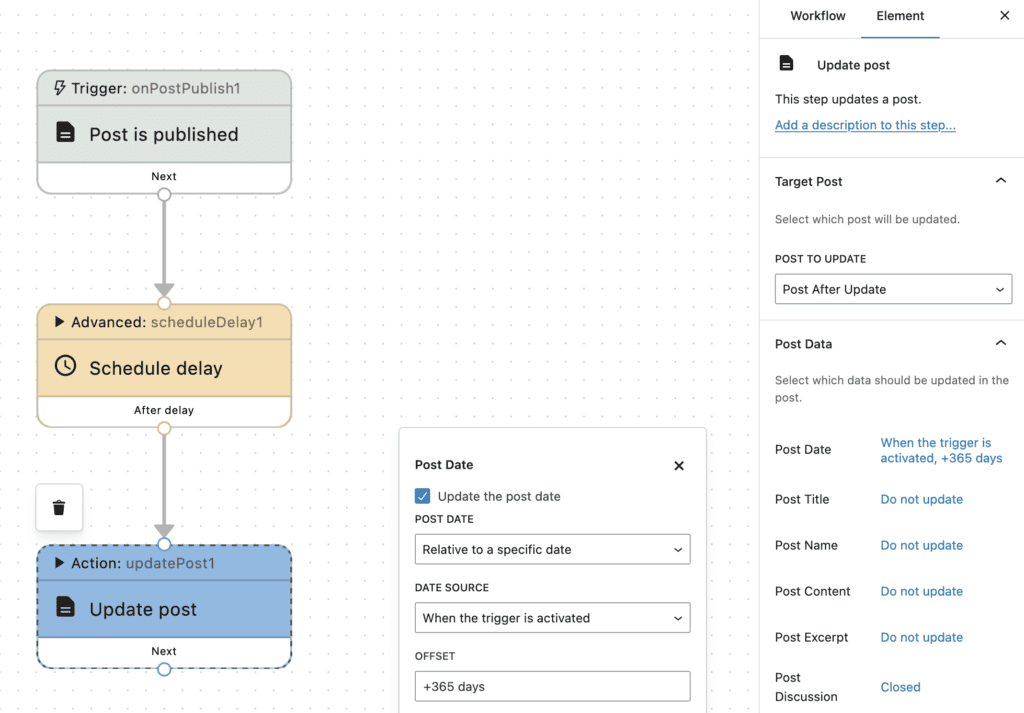
In the first example, shown in the screenshot below, the workflow is scheduling an update to the “Post Date”. This workflow will update the publication date every year. In the “Update post” action, we've set the publication date to update to the current date. And not shown in this screenshot, inside the “Schedule delay” option, the delay is set to 365 days.
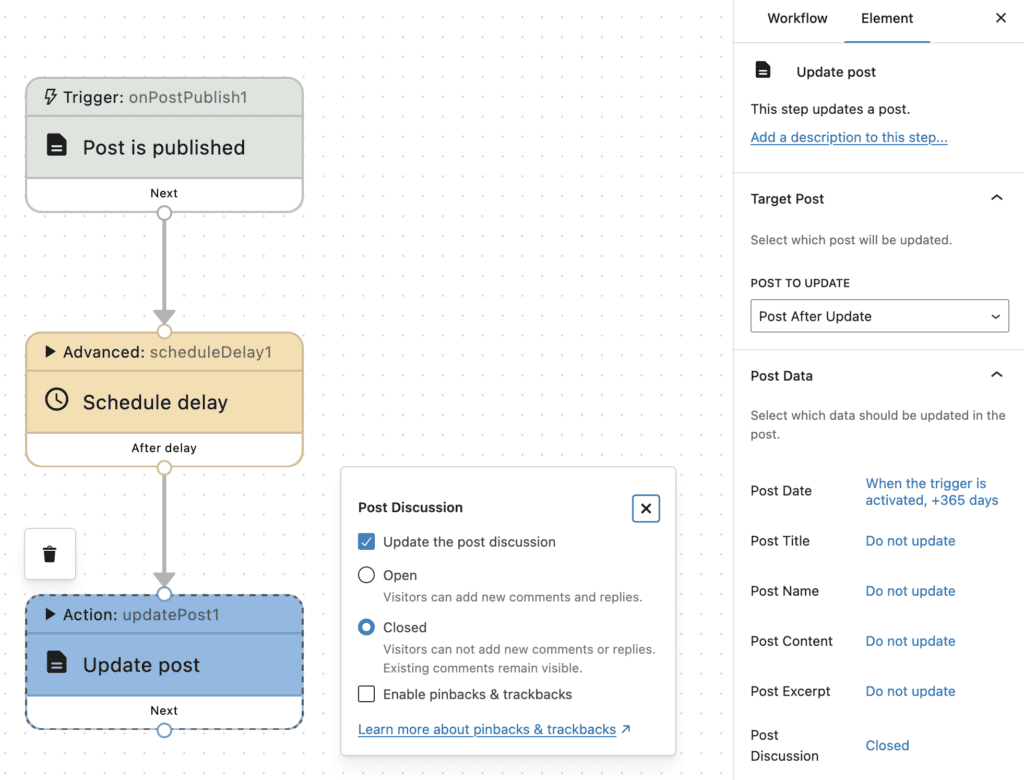
Here's a second example. The workflow in this next screenshot will automatically close comments on a post after 30 days. In the “Update post” action, we've set the “Post Discussion” option to “Closed”. Not shown in this screenshot, the “Schedule delay” action is set to 30 days.
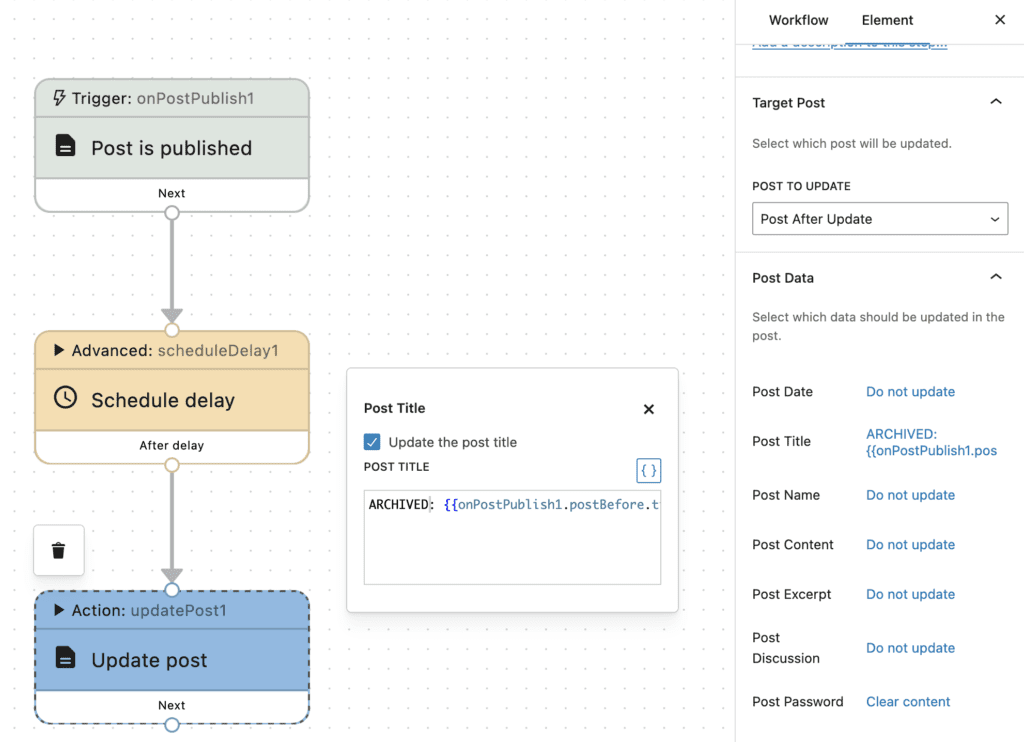
There's a third example in this next screenshot. This workflow will automatically add the word “ARCHIVED” to all post titles after 6 months. In the “Update post” action, we've edited the “Post Content” option. We've included the word “ARCHIVED”, followed by the shortcode for the post title. And to control the timeframe, we can go to the “Schedule delay” option and set the delay to 6 months.