
This guide has solutions to some common issues with PublishPress Authors.
More than One Author Box is Visible #
Many themes will add their own author boxes under posts. If you are seeing more than one author box, you will need to find the setting inside your theme and disable that extra box.
The Author Post Count is Wrong #
If you install PublishPress Authors on a site with many posts, the number of posts for each author may be incorrect. This may impact the display on the “Posts” screen and elsewhere. To solve this, go to “Authors”, then “Settings”, then “Maintenance”. Click the “Sync author and user fields” button. Click here for more details on this feature.
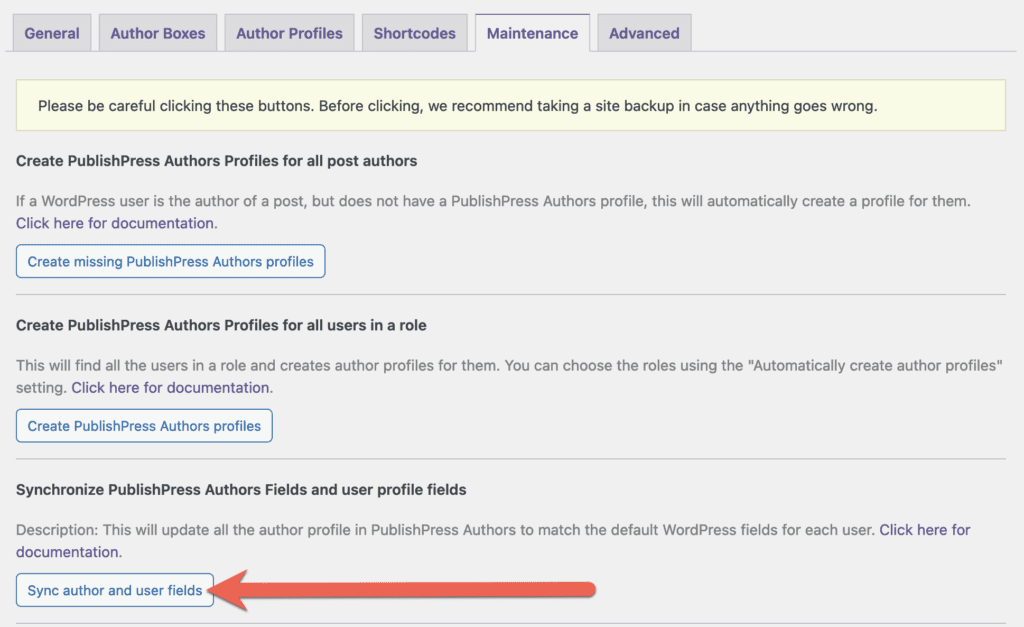
Note: This process default to 10 posts per request so this may take a long time to process on a site with 10,000's of posts. You can speed up the process by adding this to your wp-config.php file:
define('PUBLISHPRESS_AUTHORS_SYNC_POST_AUTHOR_CHUNK_SIZE', 1000);Updates to Author Profiles are Not Showing #
Caches are a common source of issues. If you are having problems with Author profile information not updating on the front of your site, test your site with all caches disabled.
The Authors Dropdown is Not Showing #
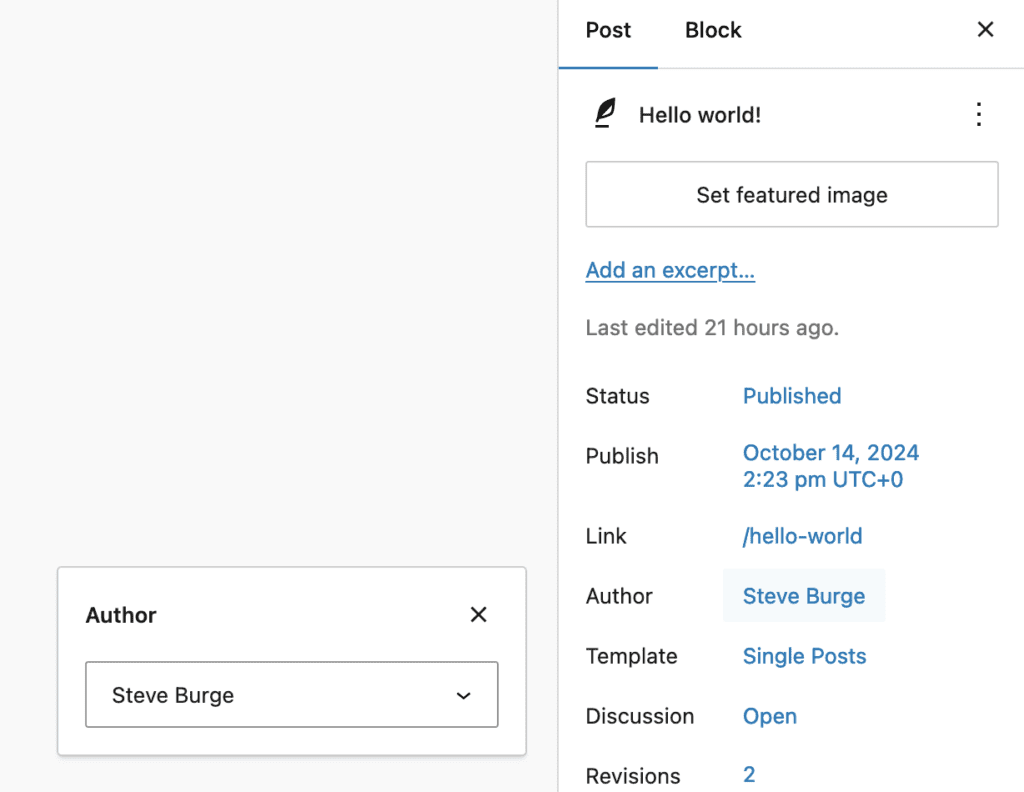
The PublishPress Authors plugin does make some small changes to the WordPress admin interface. This is done to make the plugin easier to use and to avoid confusion. One key change is that PublishPress Authors removes the default “Author” dropdown from inside the WordPress editing screen. This dropdown is shown in the screenshot below, but you won’t see it with PublishPress Authors installed. The only places to add and remove authors is this the PublishPress Authors metabox, or the “Quick Edit” option.
Guest Authors are Missing from Yoast SEO Sitemaps #
The Yoast SEO plugin does offer sitemaps for individual authors. Guest Authors in the PublishPress Authors plugin may be missing from these sitemaps because Yoast SEO has these requirements to include authors:
- Must have “Edit Post” capability.
- Must have a user lever of greater than 0.