
What is the Trash Status in WordPress? #
“Trash” is one of the eight default post statuses available in WordPress. It is possible to create new WordPress statuses if you require more options.
A post in the Trash status is not published and it not visible to the public. You can find posts in the Trash status by visiting the “Posts” screen and clicking the “Trash” link. Any posts in Trash will be permanently deleted after 30 days.
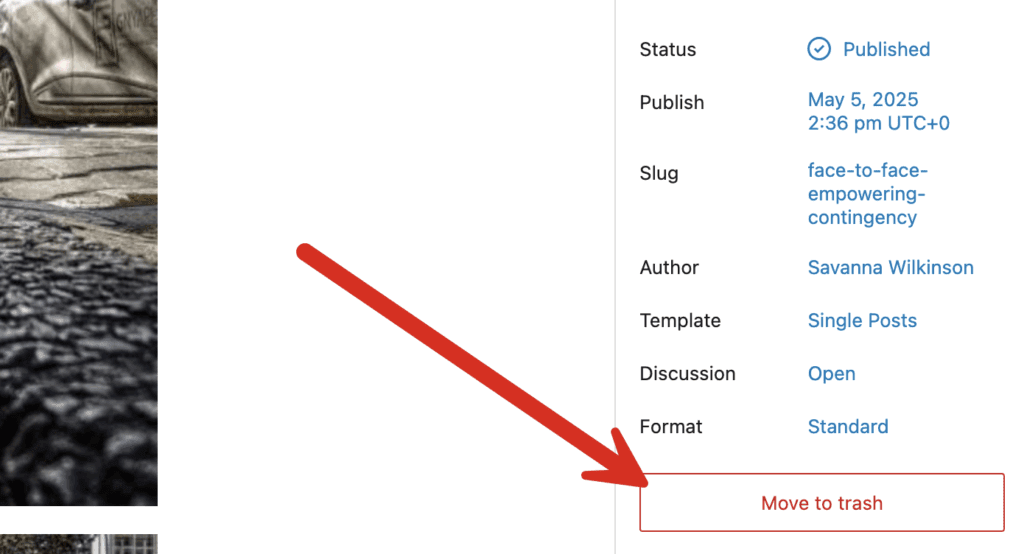
The “Move to Trash” link is available in the right sidebar when you edit posts in WordPress. You can see the “Move to Trash” link is shown below:
How to find Posts in the Trash Status #
You can find posts with the “Trash” status by clicking the “Trash” tab in the “Posts” screen.
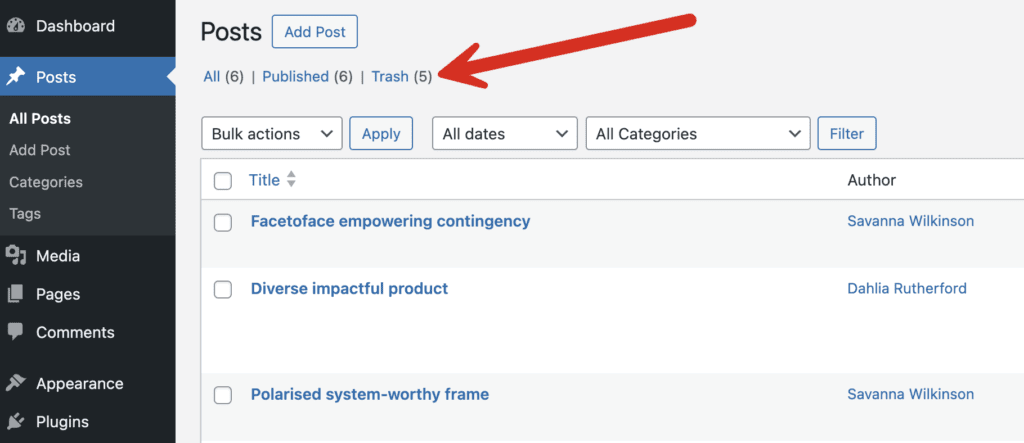
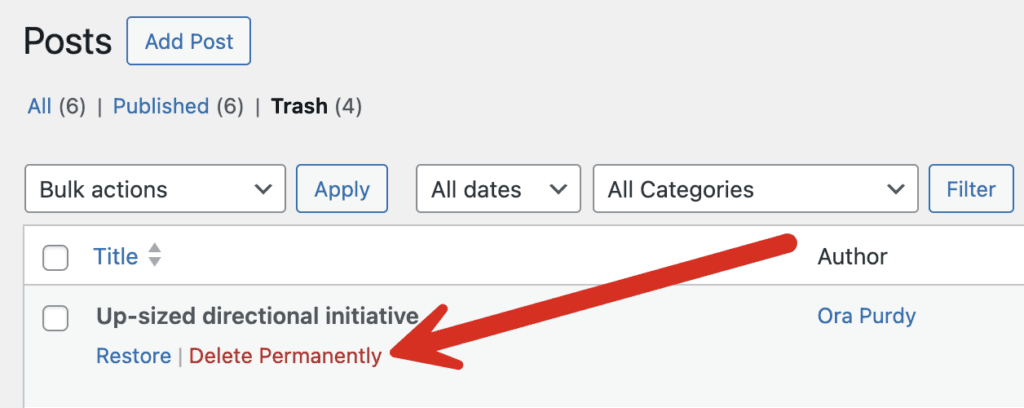
Any post with the Trash status can not be viewed or edited. For every post in the Trash area, you will only have two options:
- Restore: This will move the post back to the same status it had before being trashed.
- Delete Permanently: This will delete the post entirely from your site.
Which users can access Posts in the Trash status? #
By default, any user that can create content can use the Trash status. This means that Subscribers, Contributors, Authors, Editors and Administrators can all move posts to the Trash status. If a user has permission to edit a post, they will also have the power to move that post in and out of the Trash status.
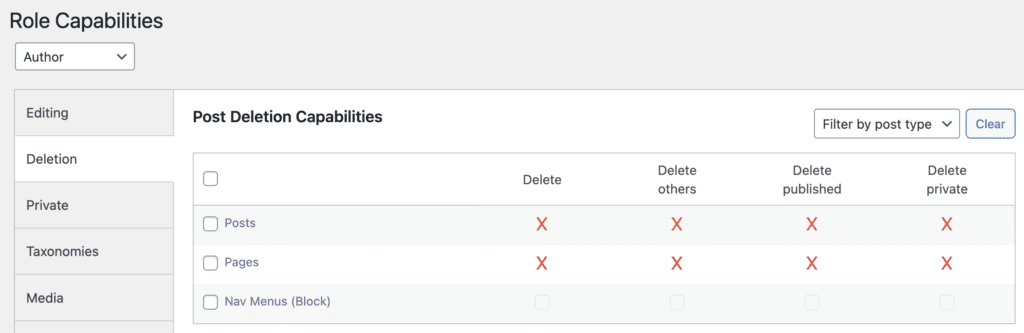
You can control who is able to delete posts using the PublishPress Capabilities plugin. After installing the plugin go to the “Capabilities” and then the “Deletion” tab. Enter a red X into the checkboxes to block that user role from deleting posts or pages.
Automatically deleting Posts in the Trash status? #
WordPress will automatically delete any post that is in the Trash status for more than 30 days. You can change this time frame by adding this code to your site's wp-config.php file. This code will cause posts to be deleted from the Trash after 20 days:
define('EMPTY_TRASH_DAYS', 20); You can disable the automatic deletion feature by changing this setting to 0:
define('EMPTY_TRASH_DAYS', 0); After you make this change, the “Trash” tab will disappear. Your posts will only have a “Delete Permanently” option.

We don't recommend making this change to 0 because it's easy to make a mistake and delete posts by accident. Additionally, in our testing, this feature does not work correctly with the block editor.