A large number of WordPress have sites with custom post types. These custom post types often hold sensitive information and need access control. In this guide, we'll show you how to control who can read, edit and publish content in your custom post types.
Default permissions for custom post types #
By default, nearly all custom post types will inherit the same permissions as Posts. So a user in the “Editor” will role will automatically be able to write and edit in your custom post type.
If you need general permissions for your custom post type, check out this guide to using PublishPress Capabilities.
In contrast, PublishPress Permissions will show you how to create highly customized permissions for your custom post type.
Custom permissions for your post type #
- Install the PublishPress Permissions Pro plugin.
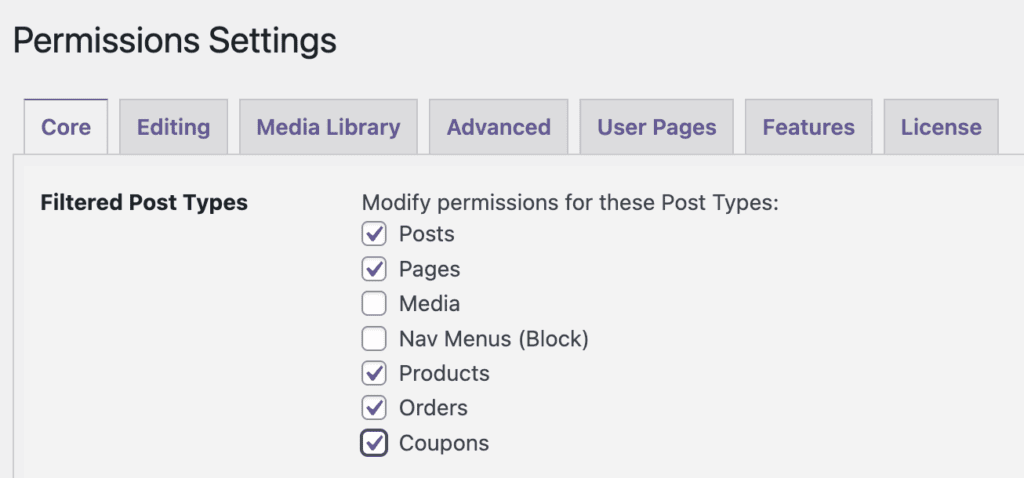
- Go to Permissions > Settings > Core.
- Under “Filtered Post Types”, check the box for your post type. In the image below my post type is called “New Posts”.
- Click “Save Changes”.
- You will now be able to edit any post in your custom post type and see editing permissions.
Your custom permissions will be available in two places:
- Inside the “Permissions” screen of the PublishPress Permissions plugin.
- Inside individual posts for your custom post types.
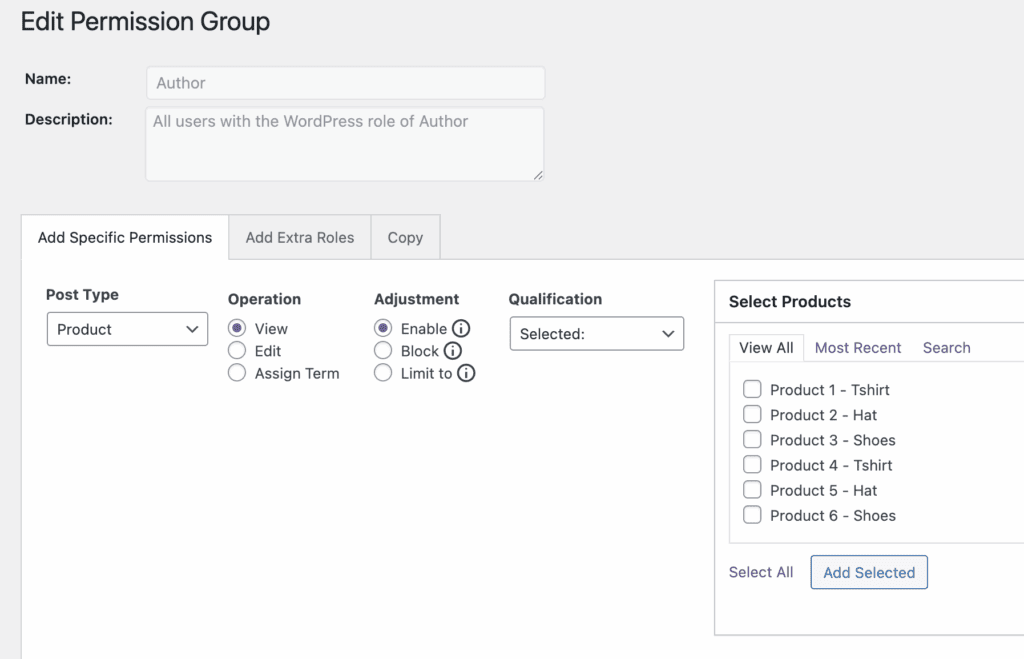
Let's see example for both of these options, using the WooCommerce plugin. First, when you go inside the “Permissions” screen of the PublishPress Permissions plugin, you will be able to select “Product” as an option from the “Post Type” dropdown, as in the image below.
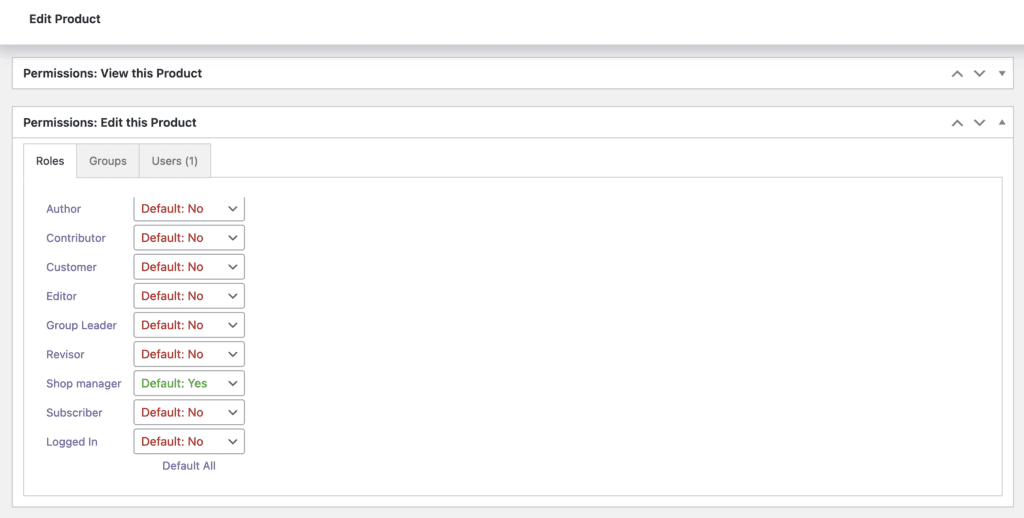
Second, inside individual WooCommerce products, you will be able to choose View, Edit, and Assign Terms permissions for that product, as in the screenshot below: