This feature requires the Pro version of the PublishPress Capabilities plugin.
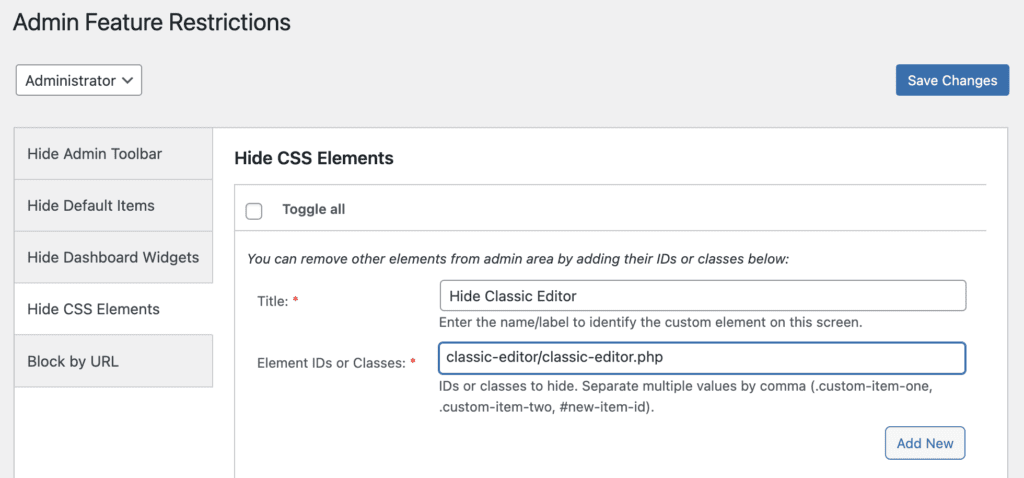
There is a feature available in PublishPress Capabilities Pro that allows you to hide specific plugins from the “Plugins” screen. For example, you may not want user in some roles to see a plugin such as “Classic Editor” is installed. This is possible using the “Admin Features” option in the plugin.

To hide plugins, follow these steps:
- Go to the “Admin Features” area of PublishPress Capabilities.
- Click the “Hide CSS Element Form” tab.
- Enter a label for this setting.
- in the “Element IDs or Classes” box, enter the path to the plugins PHP file. In this example, it is
classic-editor/classic-editor.php