
The PublishPress Future plugin allows you to schedule future actions to run on your posts. There are two major features in the Future plugin:
- Action Workflows: these are multi-step workflows that allow you to make future changes to your content.
- Future Actions: these are single-step actions that allow you to make future changes to your content.
These guides have useful background information as you're getting started:
Introduction to Future Workflows #
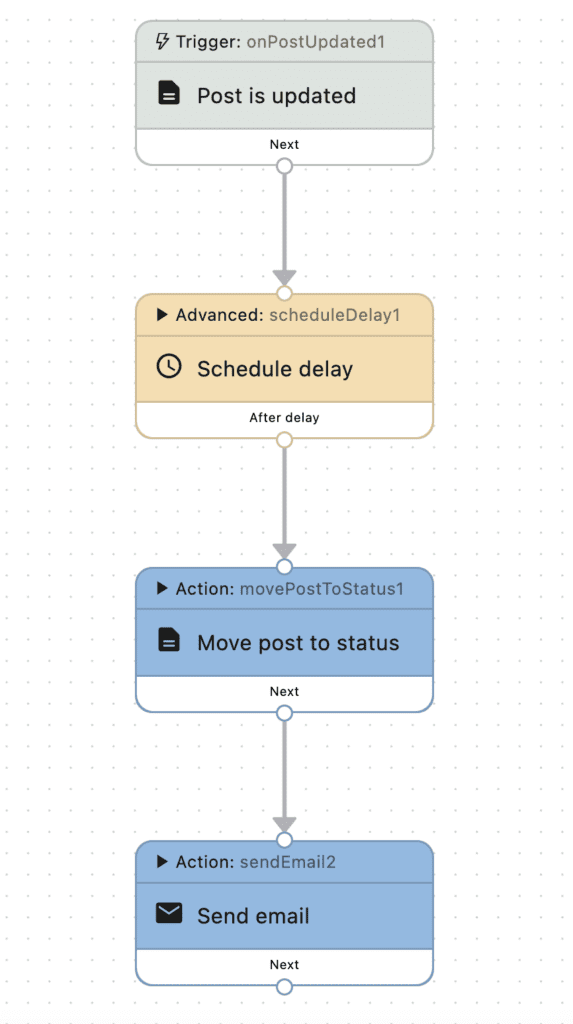
The best way to understand what Action Workflows do is to see an example. This image below shows a sample workflow. This workflow will automatically change the status of a post to “Draft” a week after it was published.In this screenshot below we have four steps:
- Trigger: Post is saved. This trigger activates whenever a post is saved, regardless of whether it's newly created, imported, or updated.
- Schedule delay. This step allows you to schedule the action. For example, you can set the workflow to run 7 days after the post is published.
- Move post to status. This step will move the post a different status such as “Draft”.
- Send Email. This step will send an email to any addresses you choose.
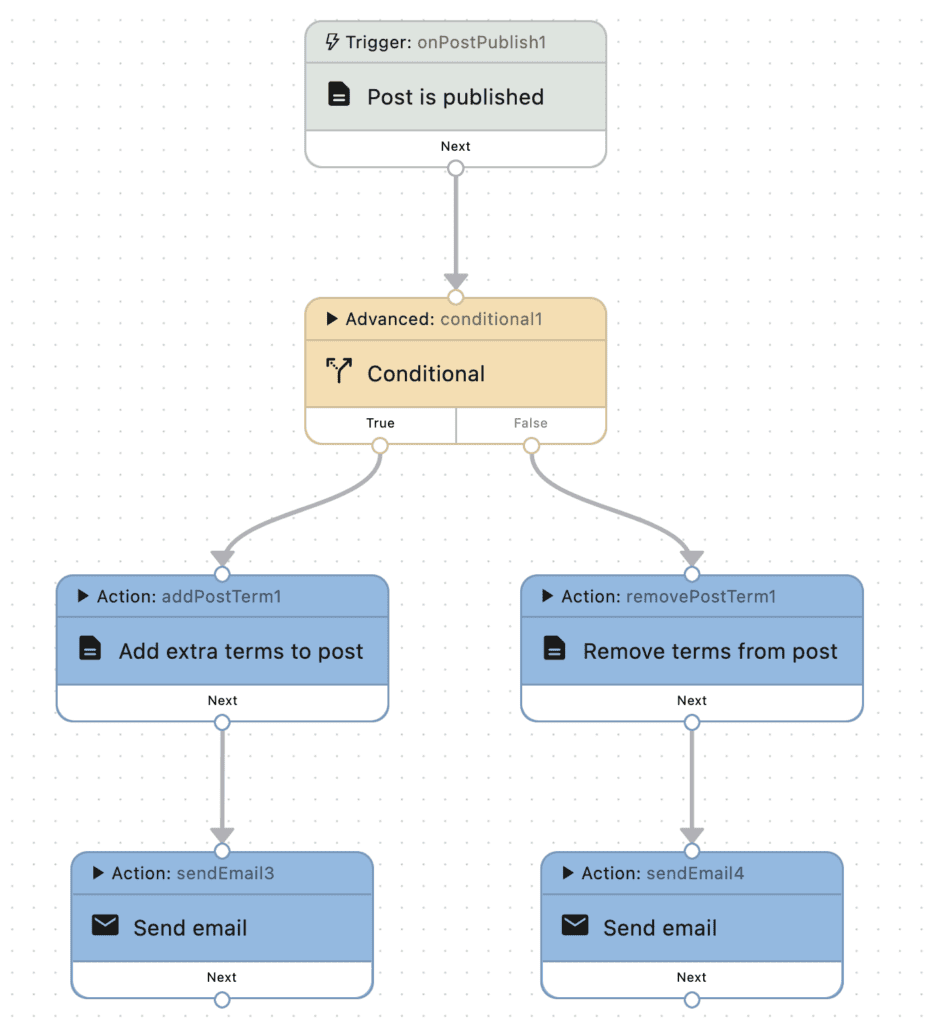
These workflows can become very advanced with many triggers, steps, schedules, if/else switches, and more. This screenshot below demonstrates a more advanced workflow:
Introduction to Future Actions #
After installing the PublishPress Future plugin, you'll see a box in the right sidebar when you're editing posts. You will see the same box on all your post types. You can modify this box for specific post types by going to “Future”, then “Settings”.

The expiration date for each post will be visible in an extra column called “Future Action” on the Posts screen:
