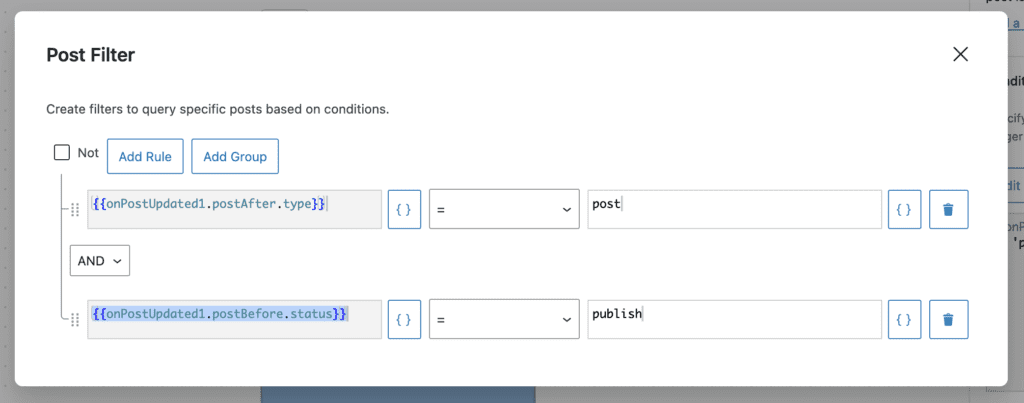
In the “Action Workflows” area of PublishPress Future there are powerful filters available. These filters to help you target the content you want to update.
You can target your workflows based on the post's Title, Post Type, Content, Status, Publish Date, Permalink, Author, Metadata, and much more. You can also choose to filter this workflow based on the condition of the post before or after it was published.
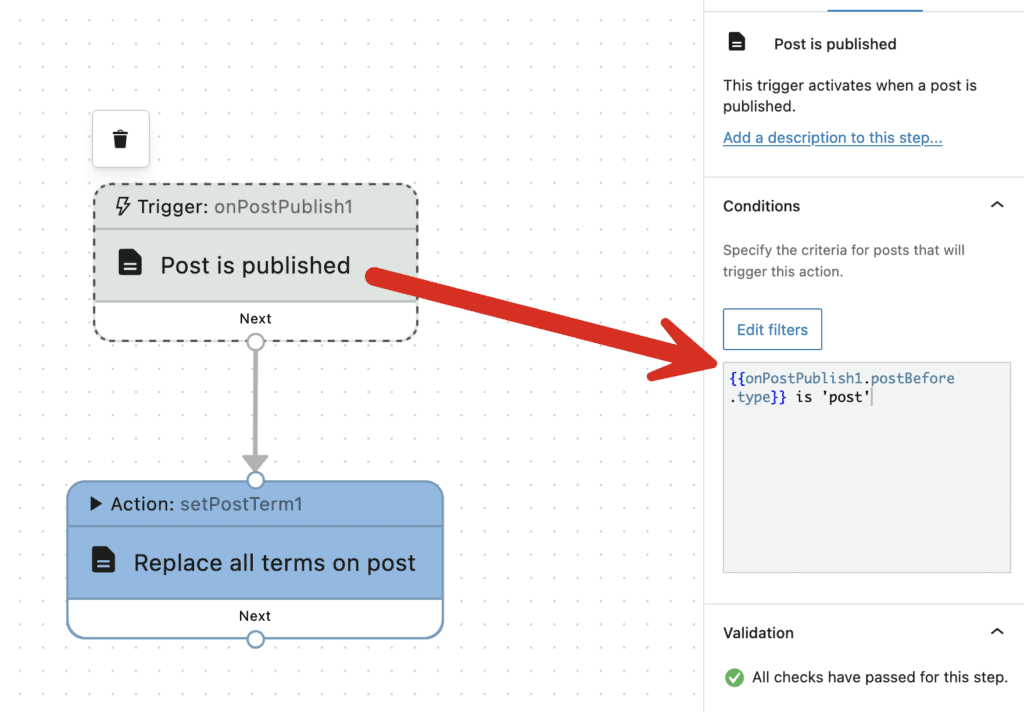
In the screenshot below a filter is set for the “Post is published” trigger. This workflow will only run only for Posts.
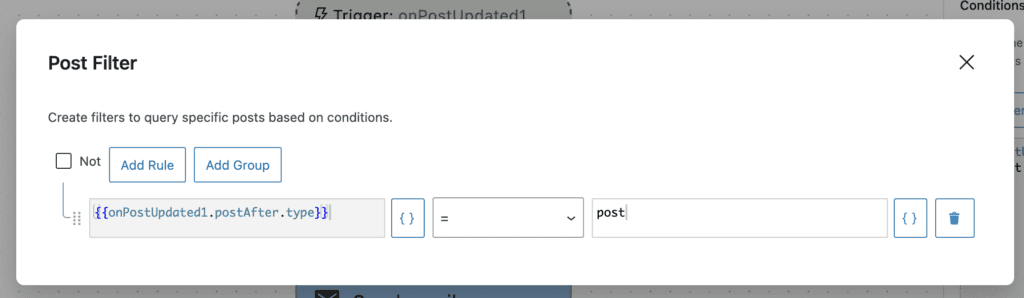
You can click the “Edit filters” button and customize this filter in many different ways. You will see a window that looks like this screenshot below.
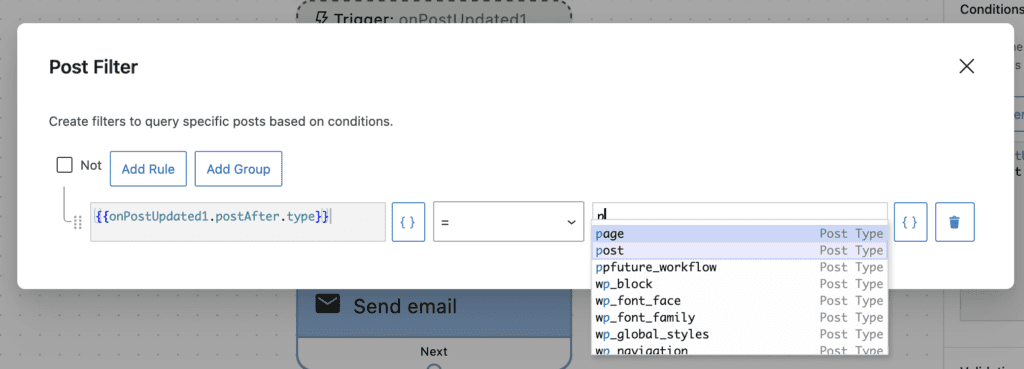
To modify the default filter you can type into the search box. In this screenshot below, I'm changing the filter from “post” to “page”. This workflow will now only work for content in the “Page” post type.
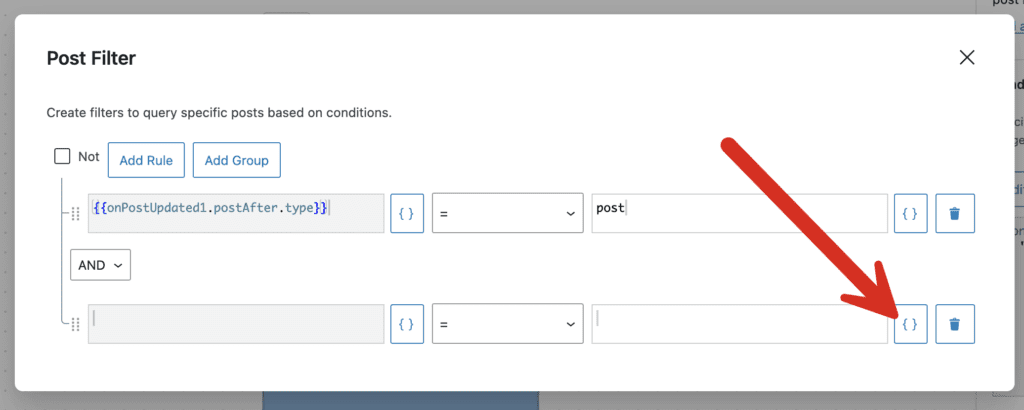
To create your own filters, click the “Add Rule” button. Then click the {} icon as in this next screenshot:
You can now browse though the filter choices including Title, Content, Excerpt, Post Status, Post Type, Publish Date, Permalink, Author, Metadata, and more.
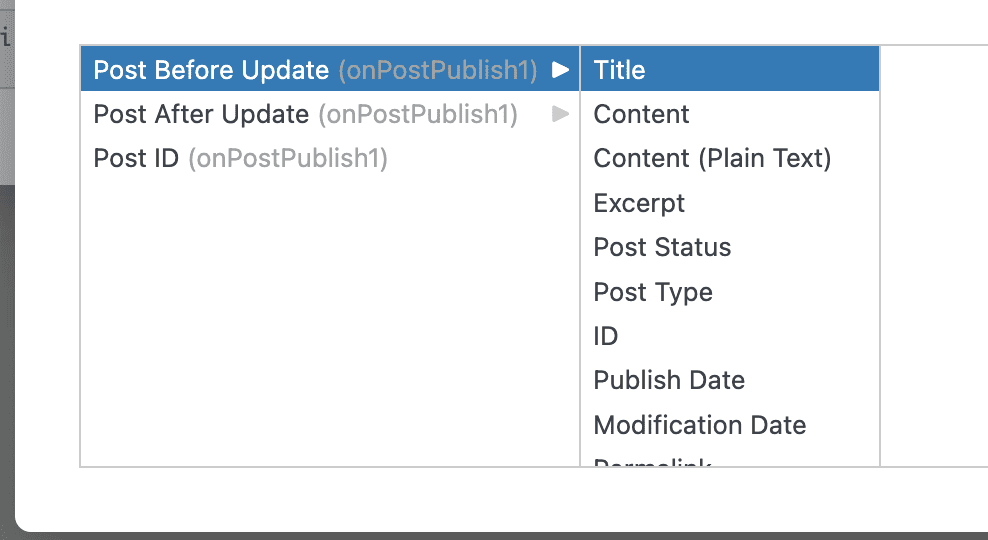
Click on your filter selection and it will be added to the main filter area. In the screenshot below I selected “Post Status” and then chose “publish”. This workflow will now run only for Posts that are published.