This feature requires the Pro version of the PublishPress Future plugin.
“Do action” is one of the steps available in the “Action Workflows” feature of the PublishPress Future Pro plugin. This allows you to integrate PublishPress Future with custom code or third party plugin. When a workflow is running, you can tell PublishPress Future to execute a hook that connects to your custom code or plugin.
There is also a similar trigger available called “On custom action” which can be used to start a workflow.
This screenshot below shows an example of the “Do action” step. In this example, when a post is published, the workflow will trigger the custom code.
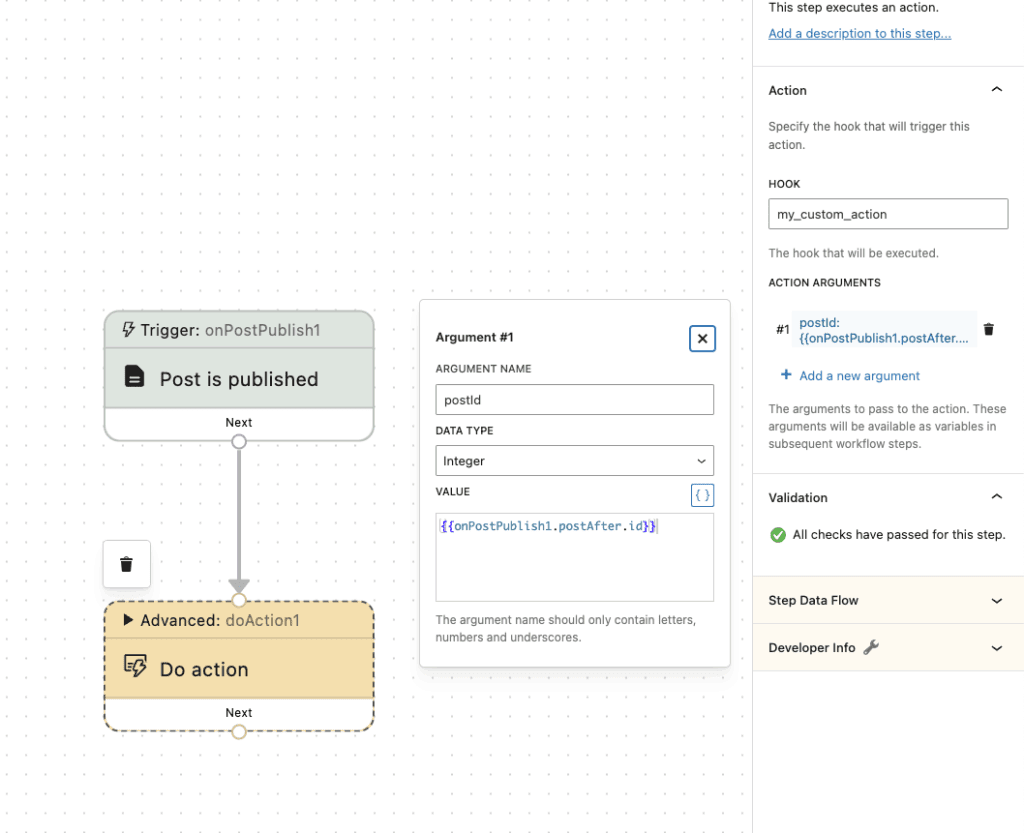
Let's see an example of the “Do action” step. We're going to use the following custom code as an example of how to integrate with the “Do action” step.
<?php
/**
 * Plugin Name: Custom Action Listener
 * Description: A simple plugin that listens to my_custom_action
 * Version: 1.0.0
 * Author: Your Name
 */

/*
 * Hook into the custom action.
 *
 * Replace 'my_custom_action' with the action you configure in the
 * Hook setting for the "Do action" step of the workflow.
 *
 * @param int $postID The ID of the post that triggered the custom action
 */
add_action('my_custom_action', 'handleCustomAction', 10, 1);

/**
 * Callback function for my_custom_action
 *
 * The arguments passed to this function are the same as the arguments
 * mapped in the "Action arguments" setting for the "Do action" step of the workflow.
 *
 * @param int $postID The ID of the post that triggered the custom action
 * @return void
 */
function handleCustomAction($postID) {
    // Get the post object
    $post = get_post($postID);

    // TODO: Implement the logic to handle the custom action
    // ...
}
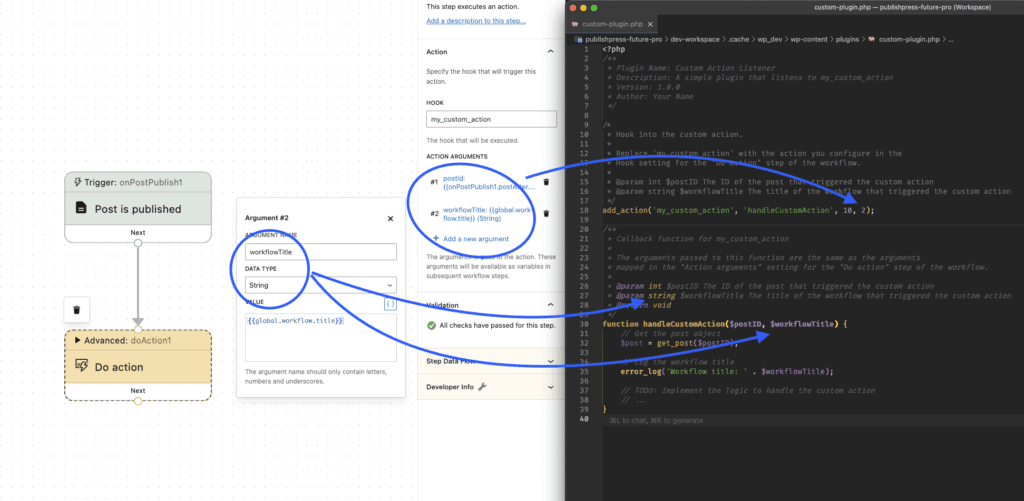
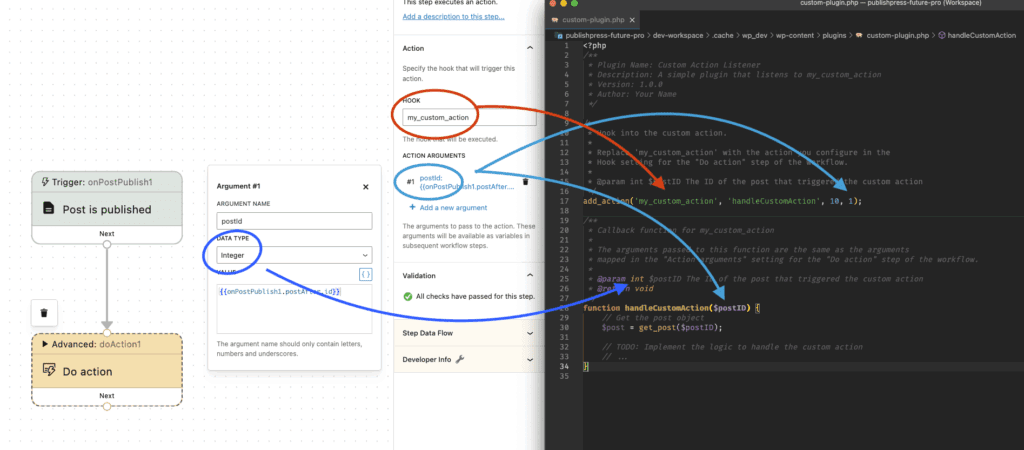
Now let's see how PublishPress integrates with the code shown above. Here are the details we'll need:
- Hook: Enter the name of the hook that will executed.
- Argument name: You can enter as many arguments as you want. The arguments will pass to the action. These arguments will also be available as variables in subsequent workflow steps.
- Data type: Choose from the following options:
- Integer
- String
- Boolean
- Object
- Array
- Post User
This first example below uses my_custom_action as the hook, and postid as the argument name. This data type is an integer as that is how WordPress stores the Post ID.
Here's a second example of PublishPress Future integration with this code. Again we're using my_custom_action as the hook but this time the argument name is workflowTitle. This data type is a string as that is how PublishPress Future stores the Workflow Title.