
If you are using the the Groups feature in the PublishPress Permissions plugin, you may see some differences between how the “Block” options are handled for groups and user roles.
By default, PublishPress Permissions does provide “Block” settings for user roles, but not for groups. In this guide, we'll explain how and why the “Block” settings are different for groups and user roles.
Differences between Groups and User Roles #
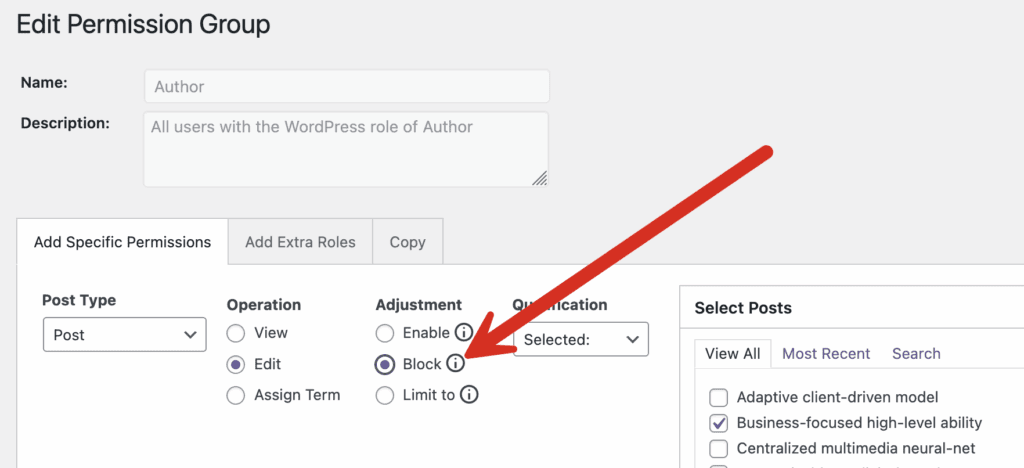
When editing a WordPress user role such as “Author”, you can set “Block” as an adjustment. This is shown in the next screenshot:
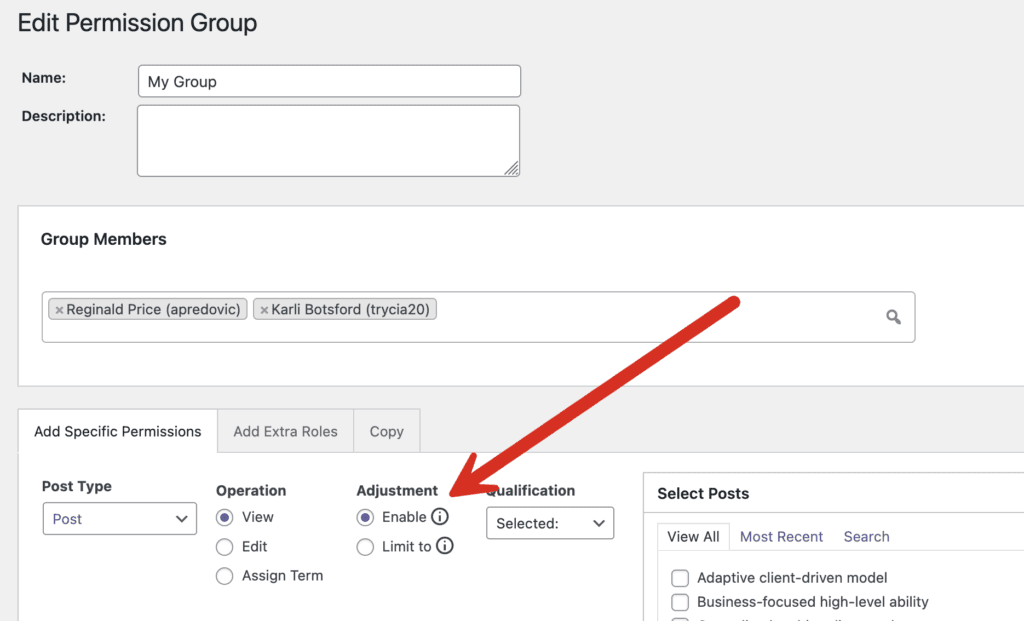
However, when you are editing a custom group, you will not find this option. This next screenshot shows the options for a custom group.
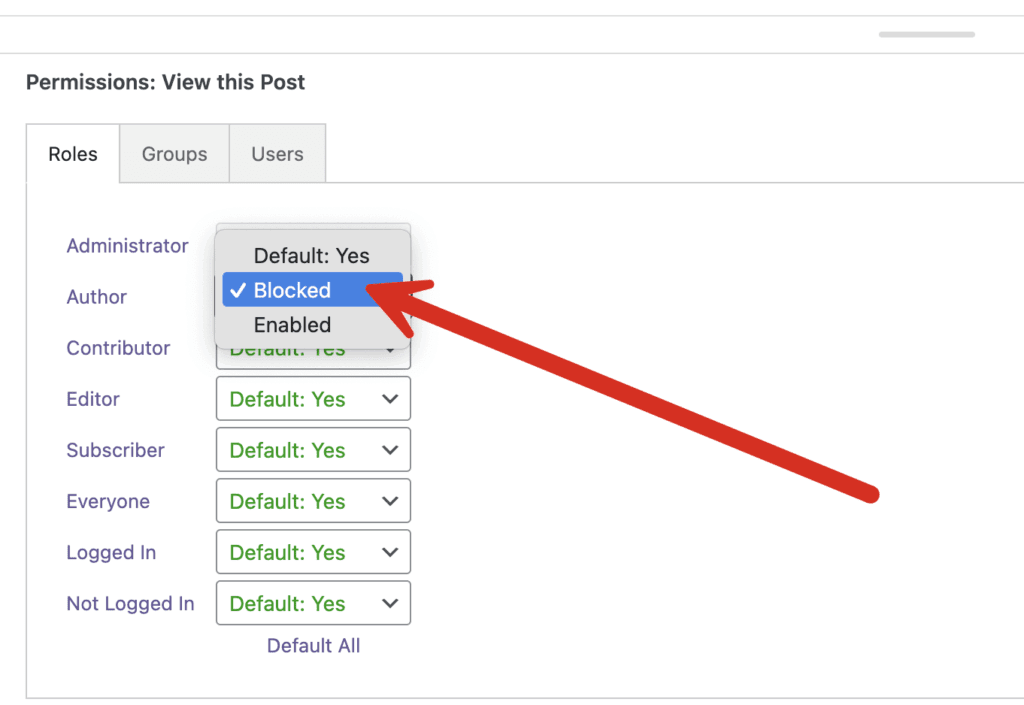
The same thing will happen when you tried to configure the permissions directly on the post type. For user roles, you will find the “Blocked” option, as in this screenshot below:
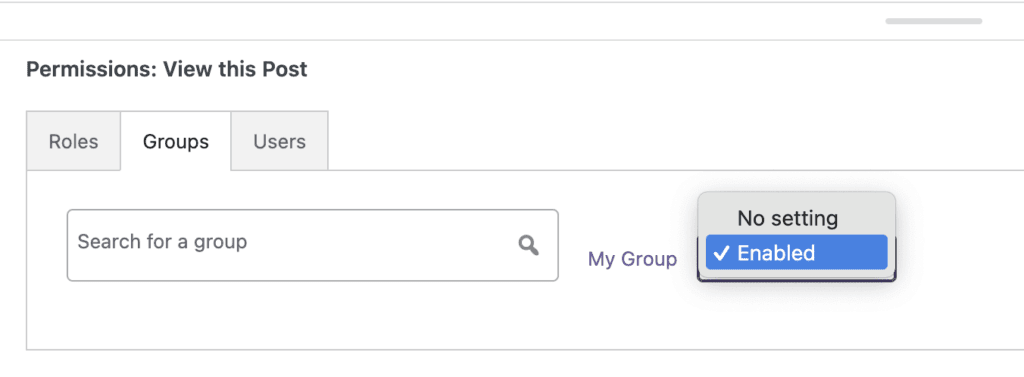
However you will not find the same “Blocked” option for custom groups, as shown in the next screenshot:
Why is “Block” Not Available for Groups? #
The “Block” option is not available by default for groups because it can lead to overly complex configurations. Our advice is that it's best to use “Block” for user roles.
If you do need the ability to block groups, it can be enabled by adding this constant definition to wp-config.php (just below existing constant definitions):
define(‘PP_GROUP_RESTRICTIONS', true);
You can add the constant right before /* That's all, stop editing! Happy publishing. */
