
The PublishPress Capabilities plugin allows you to control access to the links in your WordPress admin menu. You can add admin menu restrictions to each user role. You can do this via the “Admin Menus” screen in PublishPress Capabilities.
- In the top-left corner of this screen, choose the role that you want to edit.

- Scroll down and you can enter a red X for any menu link that you don’t want users to access.

In the image below, users in the “Author” role will not be able see or use any of the menu links marked in red.

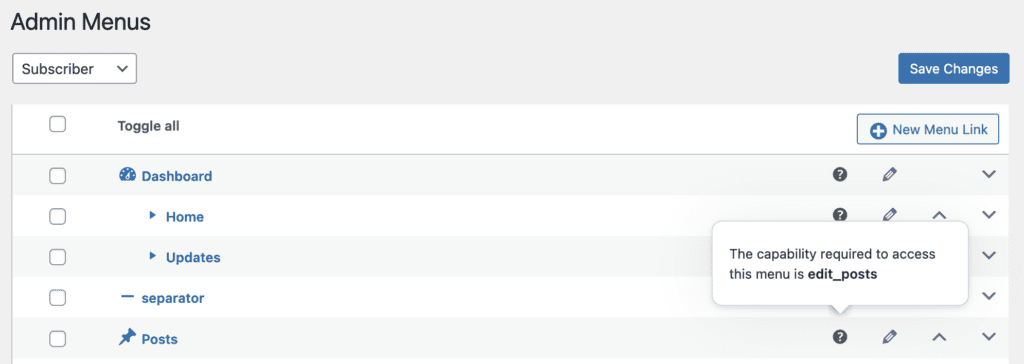
The Admin Menus screen also allows you to see what WordPress capability is controlling access to each menu link. Hover over the question mark icon and you’ll see a tooltip with details. These capabilities can be given to users via the Capabilities screen.
Things to note for Admin Menu access:
- The Admin Menus feature allows you to remove access for a user role. It does not to give access to a menu link if a user role does not already have access.
- “Blocked” always wins. If a user is in multiple roles and one role is allowed to access a menu link and one is blocked, then the user will be blocked from the menu link.