Extra roles is a feature in the PublishPress Permissions plugin. Extra roles can be added to any WordPress role, to a custom group, or directly to an individual user.
Advantages of Extra Roles #
Extra roles have several advantages over editing WordPress roles directly.
The most important advantage is performance. Extra roles do not impose any additional database query clauses. Using Extra Roles is the most lightweight way to control user access, and will provide the best performance.
A second advantage for some use-cases is that Extra Roles do not remain if the plugin is deactivated.
An Example of Extra Roles #
By default, Authors can create, edit, and publish Posts but they have no permissions for Pages. In this example, we would like for them to have the same permissions for Pages.
Here’s how that process would work:
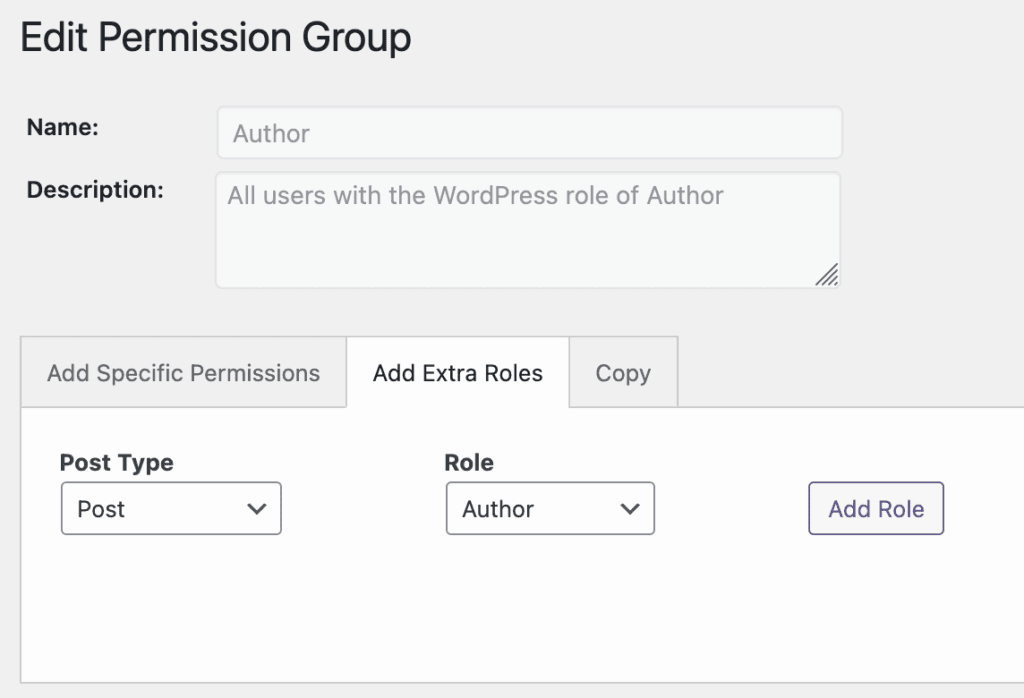
- Go to “Permissions” in the WordPress admin menu.
- Click “Edit” for the “Author” role.
- Choose the “Add Extra Roles” tab.
- Post Type: choose “Page”.
- Role: choose “Author”.
- Click “Add Role”.
- Click “Save Role”.
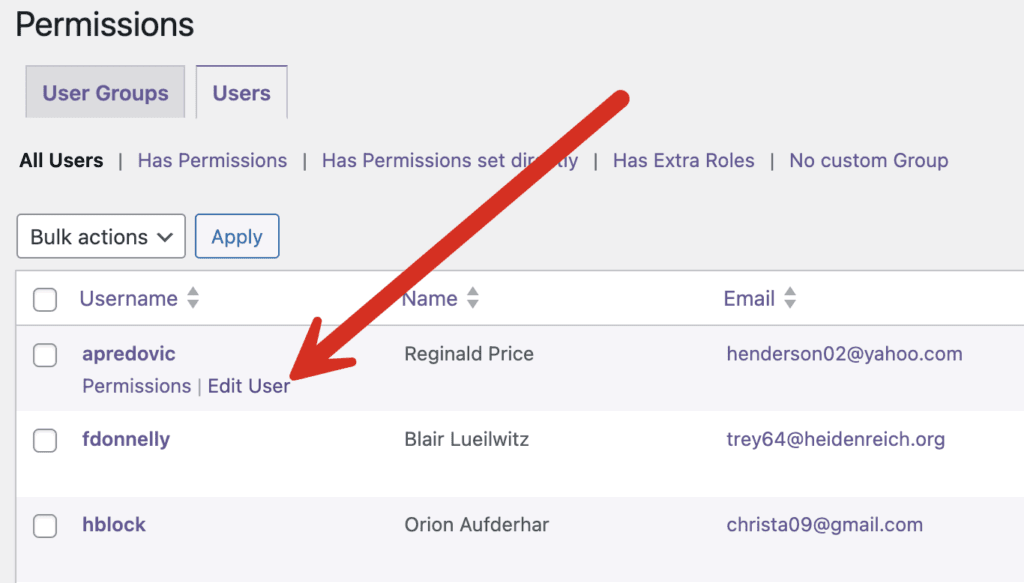
Once you complete this process, Authors will be able to create, edit, and publish Pages in the same way that they can with Posts. It is also possible to assign extra roles to individual users. You can do this by going to the “Permissions” screen, clicking the “Users” tab and editing any user.