When you’re writing a draft post, do you sometimes need to share it with someone who doesn’t have access to your site? PublishPress Shortlinks is the answer.
PublishPress Shortlinks allows you to share posts before you make them public. If you’ve written a draft of a post, you can share a preview with other people. You can protect these links by combining this with other features, including password protection and automatic expiry of links.
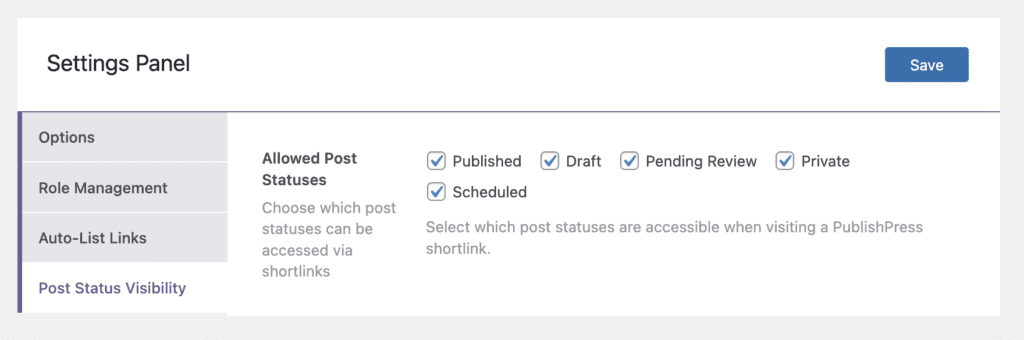
In your admin menu, go to Shortlinks > Settings > Post Status Visibility. Here you can choose which post statuses will be accessible via shortlinks. The options are shown in the screenshot below.
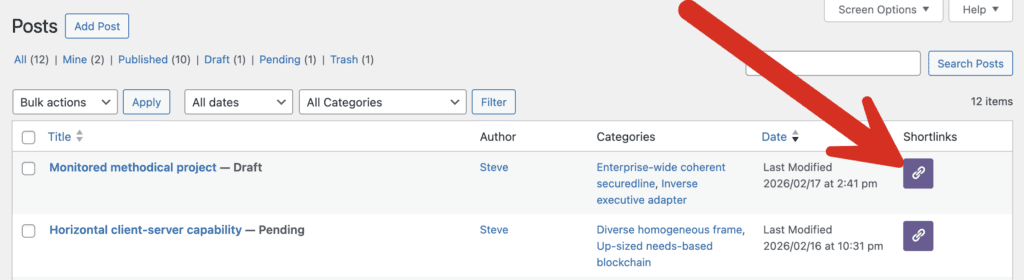
In the screenshot below, you can see one post in the “Draft” status and another post in the “Pending Review”. The location of these shortlinks is shown below. You can also access these shortlinks from inside the Post Edit screen.