
Control Who Can View Your WordPress Posts
Who can view the posts on your WordPress site? Normally you have only two choices:
1. Everyone can view (Published status)
2. Only Administrators or Editors can view (Private status)
That’s it! Those are normally the only two options in WordPress.
So what happens if you need some more advanced options? Here are some common examples:
- Only logged in users can view your posts
- All logged in users can view posts, except users in role X
- No logged in users can view posts, except users in role Y
- Only two users can view posts: “John Smith” and “Jane Doe”
You can do all of this with the PublishPress Permissions plugin. We’ve just released an update to make it even easier to control who can view your posts. You’ll find a new design with colorful, modern settings.
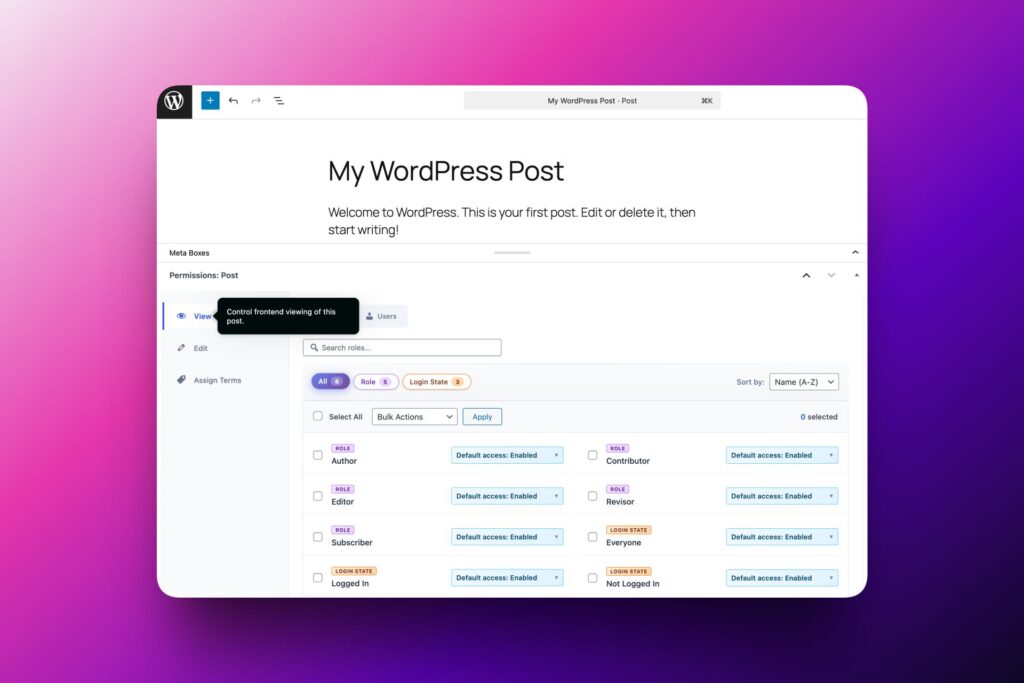
Table of Contents
Old Design vs New Design
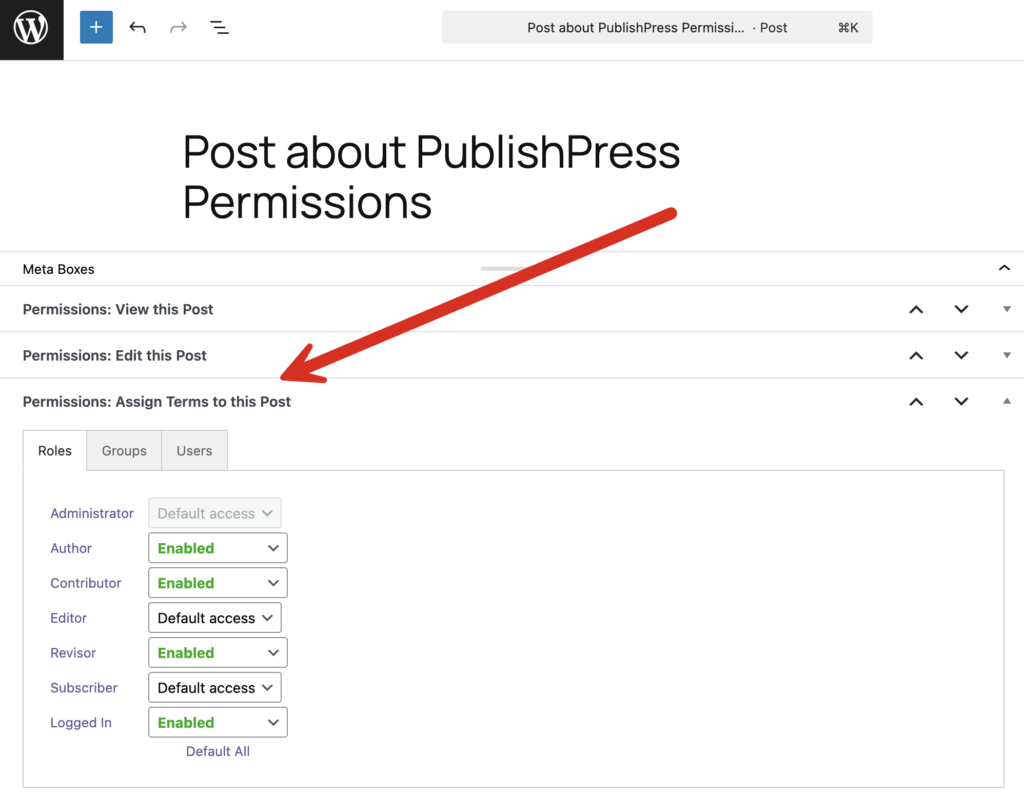
The screenshot below shows the old design for the plugin. There were several key problems with this old design:
- Duplication: There are three separate metaboxes for “View this Post”, “Edit this Post” and “Assign Terms to this Post”. If you installed other PublishPress plugins, there could be more metaboxes.
- Didn’t Scale: This design became difficult to manage for sites with dozens or hundreds of user roles. There weren’t any filters to search for a specific user role or user.
- Dated Design: Visually, the layout and colors of this metabox hadn’t changed much in over 10 years.
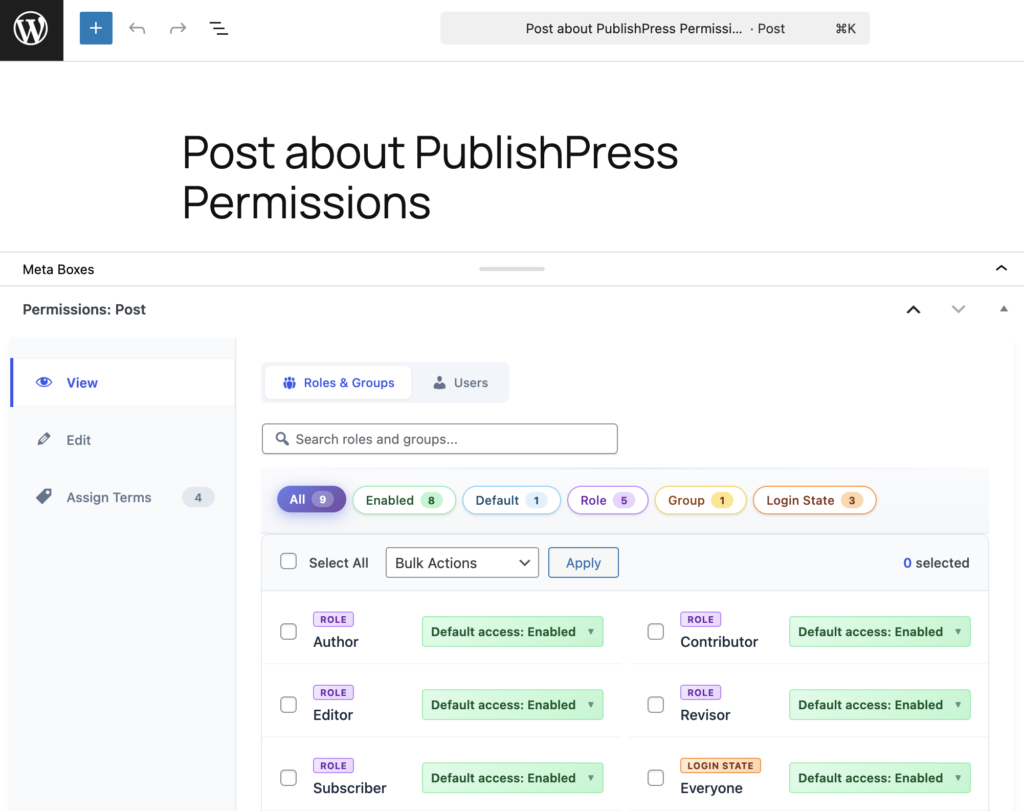
This next screenshot shows the new design for Permissions. Here’s how we’ve solved the big problem with the old design:
- Unified: There is now only one metabox. “View”, “Edit” and “Assign Terms” are now tabs.
- Scale: There are now search boxes and filters. So, if you want to find a specific user role or user, you can do that easily.
- Design: This updated version is more modern and colorful.
Features in the New Design
Let’s take a closer look at some of the improvements in the new version of PublishPress Permissions.
First, let’s focus on the unified design. We hope that moving to one single metabox will make the plugin easier for you to use.
In this screenshot below, we also have the PublishPress Revisions plugin installed. There are now five ways to control what users can do with this post. All of these options are available via tabs in just one metabox.
- View: Who can view your post
- Edit: Who can edit this post
- Create Revision of: Who can create a revision of this post
- Submit Revision of: Who can submit a revision of this post
- Assign Terms: Who can assign terms to this post
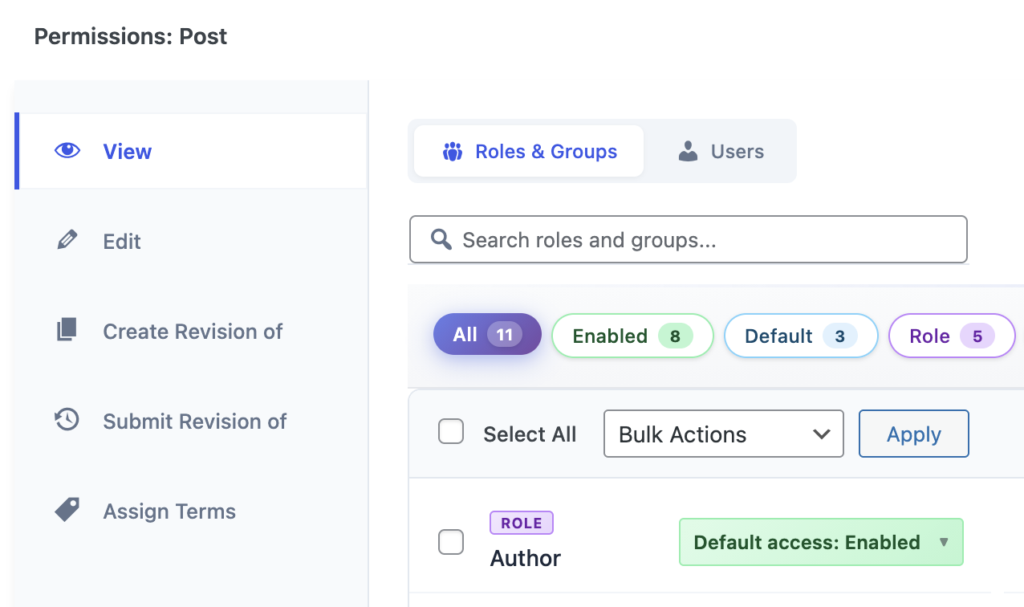
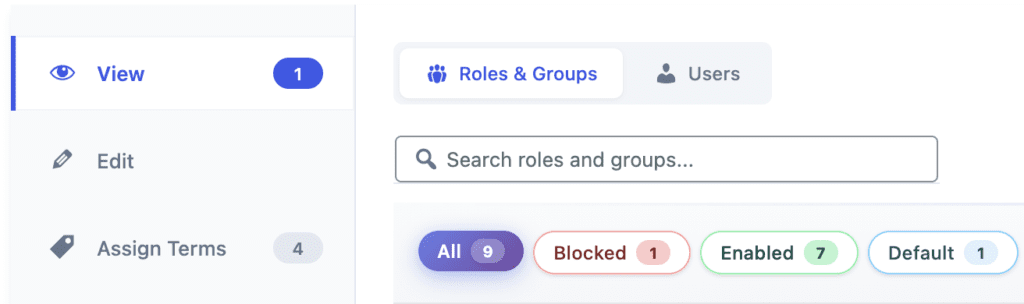
Second, the plugin can now scale better for large sites. In the screenshot below, you can see the new search box: “Search roles and groups”. You can also see some of the new filters: “Blocked”, “Enabled” and “Default” allow you to quickly find user roles in one of those states.
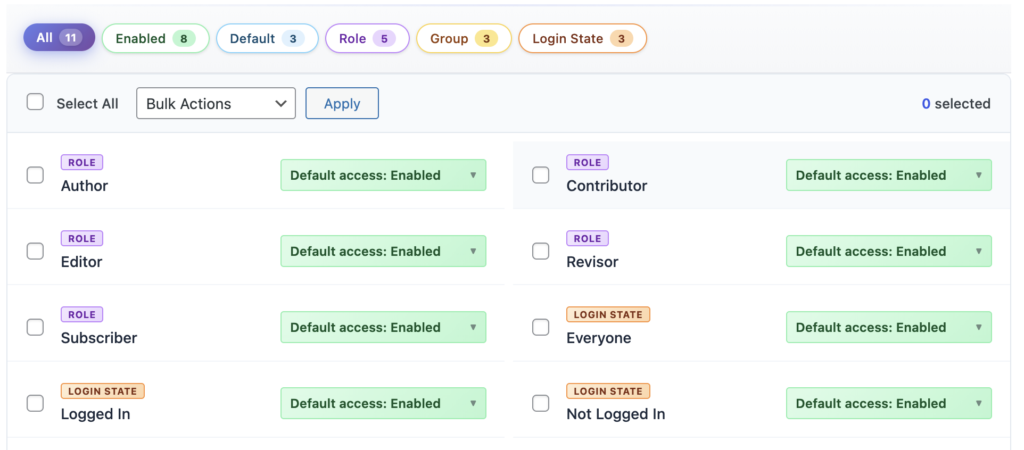
There are also filters for the different ways that users are organized. You can see three of those filters in the next screenshot: “Role”, “Group” and “Login State”.
Finally, the new design of the plugin is more modern and colorful. You’ve seen lots of examples in the screenshots above. Our aim was to make PublishPress Permissions feel like a modern WordPress plugin or SaaS platform.
Control access to your content
PublishPress Permissions allows you to enable or deny access to posts, pages, categories, tags and more. You can control who can view and edit your WordPress content.
