
PublishPress Shortlinks 1.8: Link Reports are Now Available
This post is about a release of the PublishPress Shortlinks plugin. This is the link manger for WordPress. The plugin is ideal for affiliate marketers or anyone who needs to track the performance of links on their website.
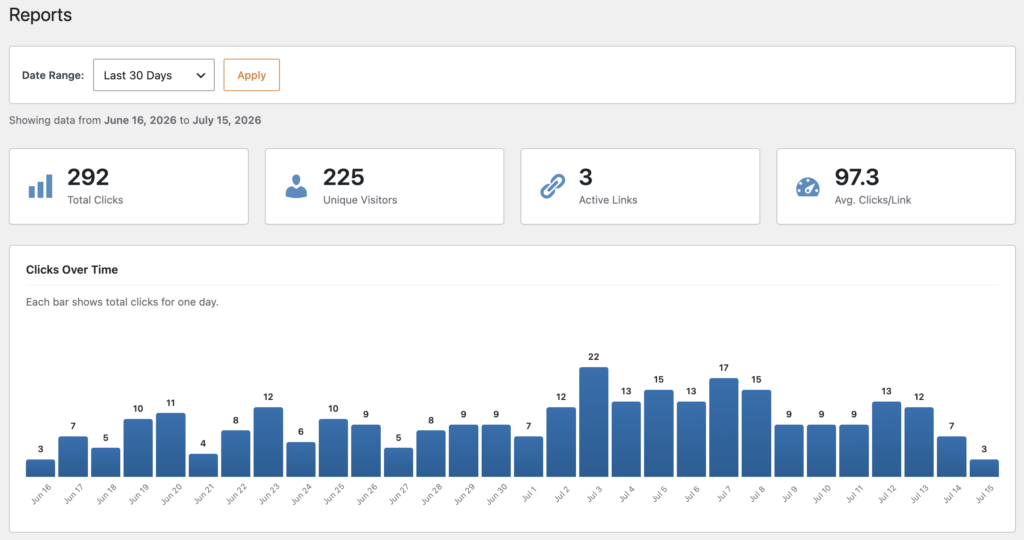
The PublishPress Shortlinks v1.8.0 is available now. The headline addition is a new “Reports” feature. You can see how many people are clicking on your links during a specific time period, and which links they’re clicking on.
Table of Contents
Link reports
This new is available by going to the “Reports” option in your admin menu. You can now see your shortlink performance data on this new screen. This makes it easier to understand which links are getting attention.
More highlights
- Post type controls: Choose which post types can use shortlinks, including posts, pages, or supported custom post types. You can find this option in Shortlinks > Settings > Post types.
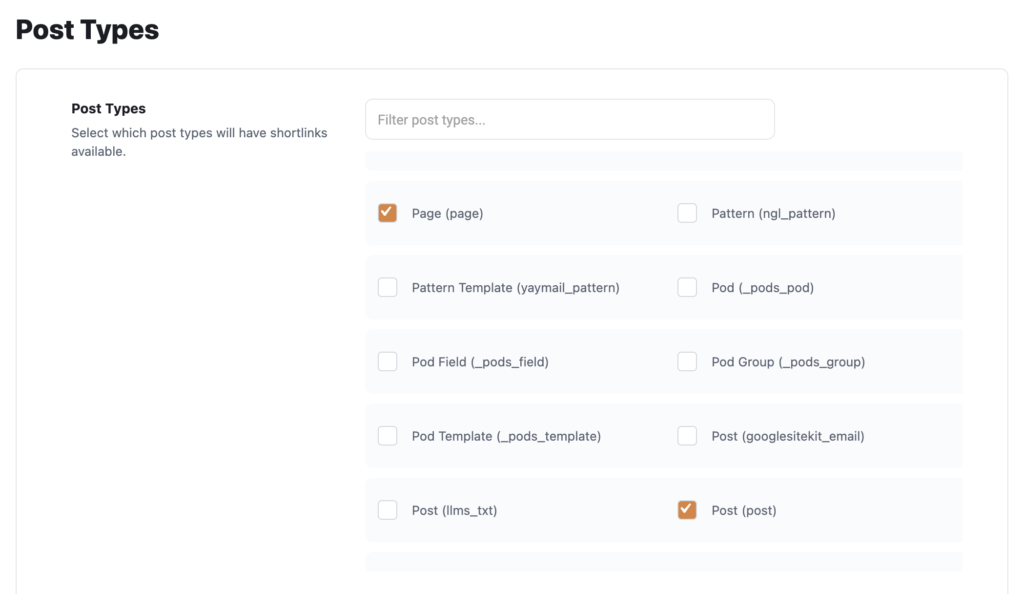
- Redesigned settings: You can now manage Shortlinks options from a cleaner settings interface that is easier to scan and configure.
- Migration tools: It’s easier to move your existing shortlink data into the plugin when moving from another plugin.
Other improvements and fixes
- Shortlink page fix: Resolved a 404 error that could appear on the shortlink page when Shortlinks was active.
- Cleaner shortlink records: Prevented WordPress auto drafts from creating shortlink entries before real content exists.
- Contributor documentation: Added pull request template documentation to improve the project workflow.
This post provides an overview of the new features in this release of the PublishPress Shortlinks plugin. The complete changelogs for both Free and Pro versions are available in our Docs area.

The link manager for WordPress
With PublishPress Shortlinks you can create custom links for your posts. These links are brandable, trackable, and can have custom view permissions.
