With the PublishPress Shortlinks plugin, every post has its own customizable URL. This is different from the normal permalink URL that is given to each post.
By default, the final part of the customizable URL will be a unique combination of 5 characters. By default, your shortlink will look like this: https://example.com/go/8vi3n.
However, you can customize two parts of this URL. You can customize or remove the “go” folder in the URL. You can also customize the slug for each link.
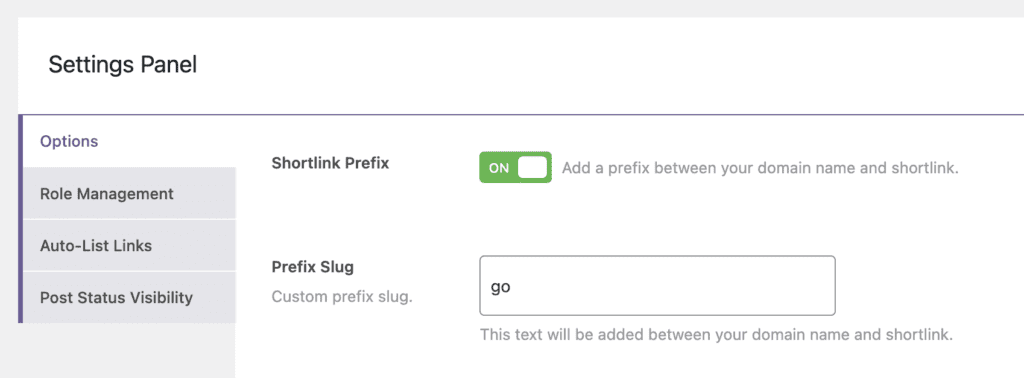
Go to Shortlinks > Settings > Options. You can use the “Shortlink Prefix” option to remove the “go” folder completely. You can use the “Prefix Slug” option to change the name of the “go” folder.
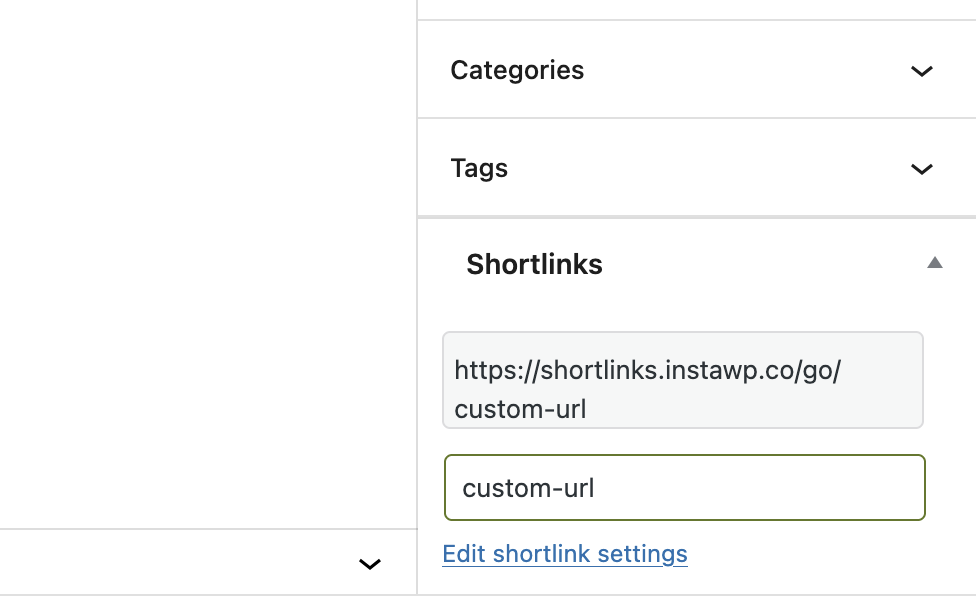
It's also possible to change the last part of the URL. When you're editing a post, look in the sidebar under the “Shortlinks” heading. You will be able to customize the final characters of the shortlink. In the screenshot below, the final characters will be “custom-url”.