
With the PublishPress Checklists plugin, you can require a maximum and minimum number of tags for your WordPress posts. This feature also supports taxonomy terms from other plugins or custom post types.
If the correct number of tags aren't added, you can choose to show a warning, or prevent the post from being published.
Having the correct number of tags is important for your site's SEO. This guide shows how to choose the number of tags.
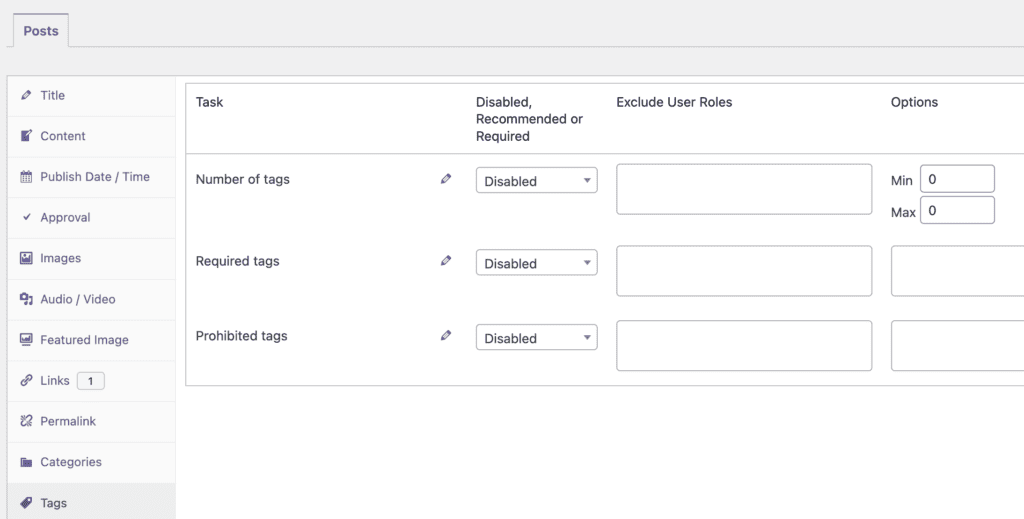
- Click the “Tags” tab. The image below shows the tags option.
- You can choose from “Disabled, Recommended, or Required” options.
- You can enter choices for “Min” and “Max”.
If you enable this tags option, it will be visible when you edit content. If you add an incorrect number of tags, this task will be marked in red in the sidebar:

If you add a correct number of tags, this task will be marked in green in the sidebar:
