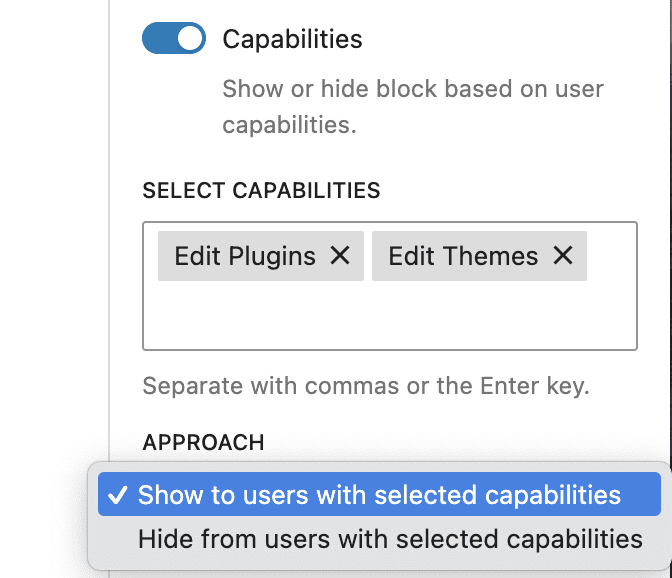
The “Capabilities Control” option is part of the Block Controls feature in the PublishPress Blocks plugin. This option allows you to show and hide blocks based on capabilities stored for the users viewing your website. This option will only work with users logged in to your website.
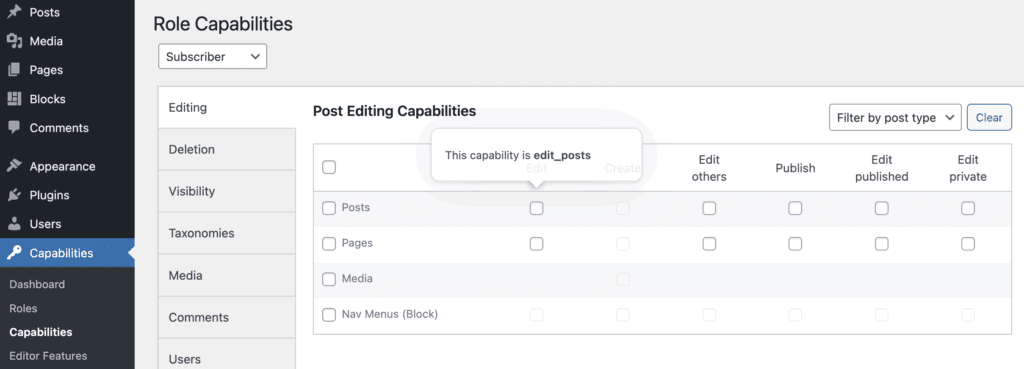
This post has details on where capabilities are stored in the WordPress database. Capabilities data is also visible using the PublishPress Capabilities plugin. You can hover over the options to see the name of each capability. The example below is edit_posts.
Here are the settings for the Capabilities Control feature:
- Select Capabilities: You can choose the capabilities that will be used with this option.
- Approach: You can choose either “Show to users with selected capabilities” or “Hide from users with selected capabilities”.