
With this requirement, you can stop content from being published unless it has been approved by a user in a particular role.
This is an excellent way to allow some users to “sign off” on content before it is published.
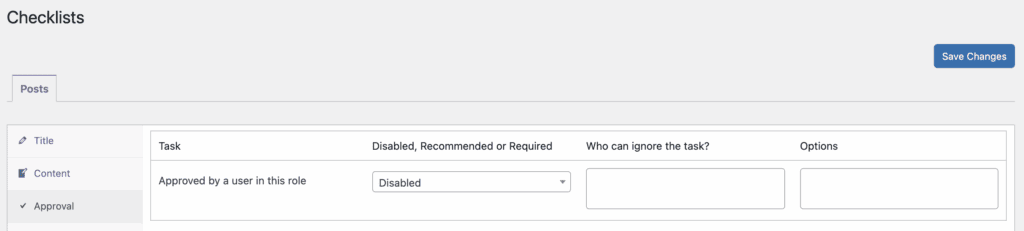
- Click the “Approval” tab. The screenshot below shows the approval option.
- You can choose from “Disabled, Recommended, or Required” options.
- In the final box, you can choose which roles can approve posts. In the image below, posts can’t be published unless they are approved by an Administrator or Editor.
If a user is in one of the selected roles, they will see a checkbox like the one shown below.

If the user approves the post, they can check the box and the content can be published.
