
What is the Edit Posts Permission in WordPress?
When organizations with larger teams start using WordPress, permissions quickly become one of the trickiest things to get right. Who can write posts? Who can upload images? Who can see the admin at all?
Many of these questions come back to a single capability: edit_posts. Despite its narrow-sounding name, this permission controls access to a surprisingly wide range of WordPress features.
For example, if you don’t have the edit_posts capability, you won’t be able to access the “Posts” area of WordPress at all. Also, if you don’t have edit_posts, you won’t be able to create new Posts or upload new media.
This isn’t the only confusingly named capability in WordPress. Check out the “read” capability for another example and the moderate_comments capability.
Table of Contents
How to see the edit_posts capability in action
Let’s start exploring the Edit Posts permission. Contributors, Authors, Editors, and Administrators do have the edit_posts capability. But to see how it works, we’ll start by looking at a group of users who do not have this capability: Subscribers.
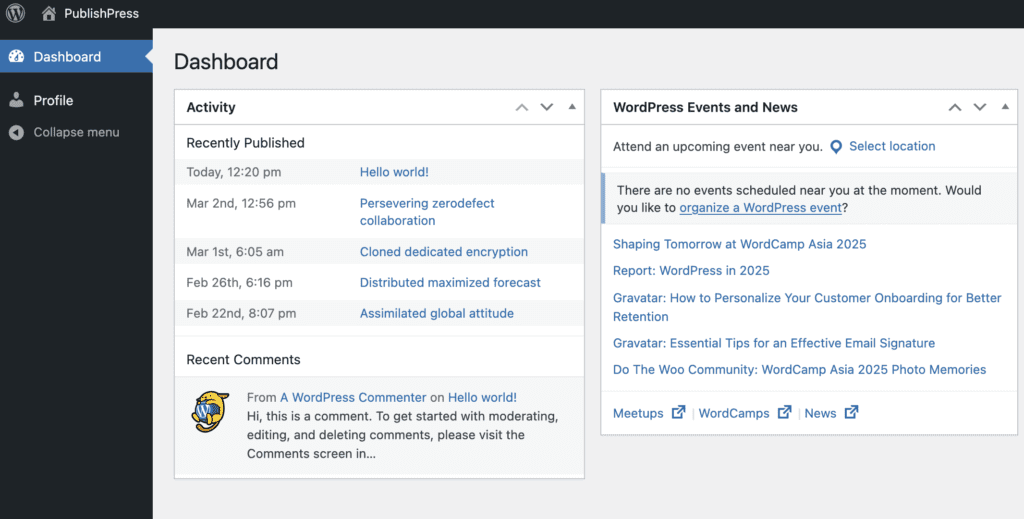
This image below shows what people in the Subscriber role will see when they log in to WordPress. They are able to edit their profile, but that’s it. They have zero access to the Posts screen.
How to change who has the edit_posts permission
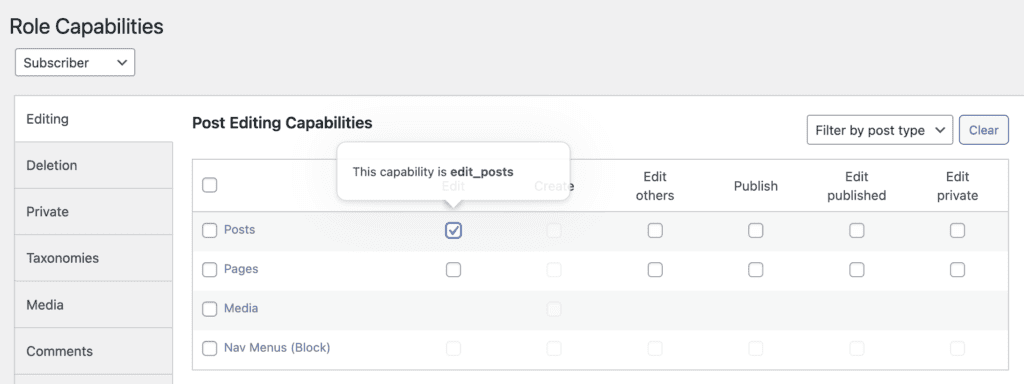
However, let’s see what changes if we get the Edit posts permission to Subscribers. In this image below, I’m using the PublishPress Capabilities plugin to control access.
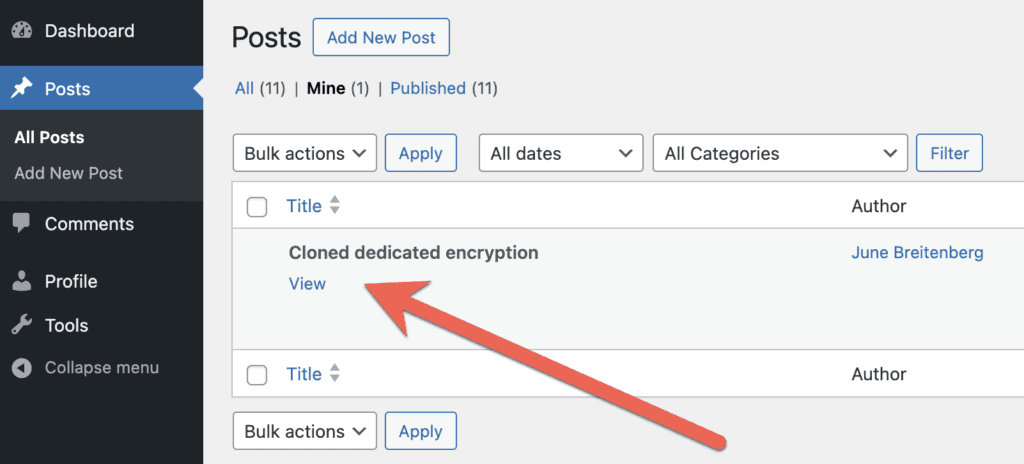
This next screenshot below shows a user that does have the “Edit Posts” permission. This user has access to the “Posts” screen and also the “Comments” screen. Oddly, they also have access to the “Tools” screen, even though it is blank. You’ll notice that this user does not have editing access to other people’s Posts, but they can see all of them. In the screenshot below, you’ll see that the “Edit” link is missing for the Subscriber. To edit those posts will need the edit_others_posts capability.
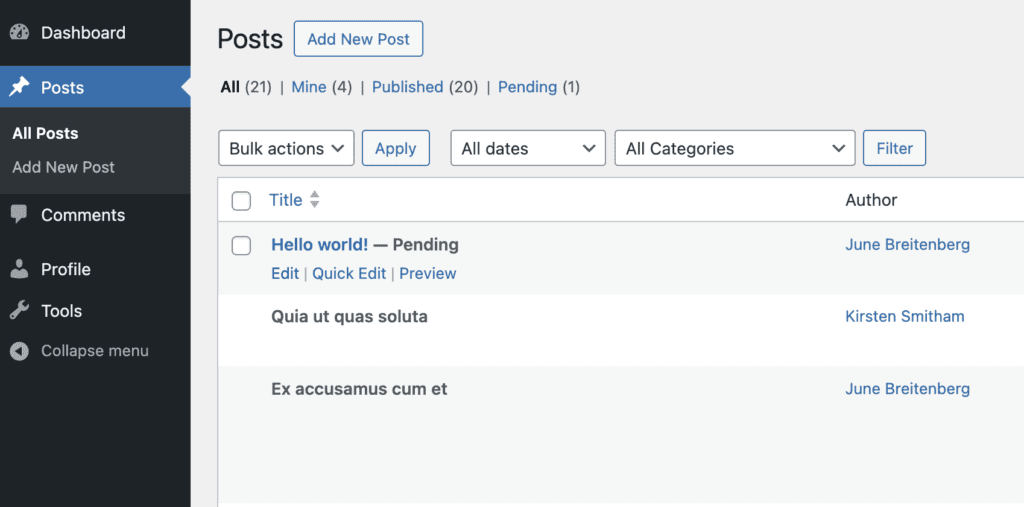
Any user with the “Edit Posts” permission also has access to the “Add New” button. This means that they can write new posts, although they can only send them to the “Pending Review” status.
Now we finally get to reason behind the “Edit Posts” name. Yes, a user with this permission can edit their own unpublished posts. They have no ability to edit anyone else’s posts or their own published posts.
In the Comments area, a user with the Edit Posts permission can edit any comments only if they are attached to a post they wrote. Click here for more on comments permissions.
Editing media with the edit_posts permission
Users with the “Edit Posts” permission can write new Posts, but they can not upload or access images. If you want to give Media access, you need to give users the “upload_files” permission. Technically, in WordPress, this is because Media are Posts. Every media item uploaded to WordPress gets a Post ID.
Similar permissions for other content types
It’s worth noting that the Edit Posts permission does not cover any other post types. However, there are almost identical permissions for other post types.
For example, the “Edit Pages” permission performs the same role for Pages. A post type called “Projects” will have a permission called edit_projects.
Summary of the edit_posts permission
Yes, the Edit Posts permission is strangely named.
The Edit Posts permission gives WordPress users access to far more than the ability to edit posts. The Edit Posts permission grants access to all these features:
- Accessing the Posts screen.
- Creating new Posts.
- Editing your own unpublished Posts.
- Accessing the Comments screen.
- Accessing the Tools screen (although it’s useless).
The WordPress permissions model does allow for separate control of post creation and post update capabilities: check out our guide to the create_posts permission.
The edit_posts capability is just one piece of the larger WordPress permissions puzzle. Once you understand how it works, it’s worth exploring the other capabilities that work alongside it.
- If you want to control whether users can submit new posts at all, see our guide to the create_posts permission.
- If you need users to be able to upload images and media, they’ll also need the upload_files permission.
- To understand what your most basic logged-in users can do, read about the permissions for Subscribers in WordPress.
- For a closer look at how comment moderation is controlled separately, see the moderate_comments capability.
- And if you want to give users fine-grained control, including letting them edit posts that have already been published, the PublishPress Capabilities plugin makes all of this manageable without touching any code.
WordPress permissions can seem complex at first, but once you understand how each capability builds on the others, you’ll have precise control over exactly what every user on your site can see and do.

Control your WordPress users
PublishPress Capabilities enables you to customize what users see in every area of WordPress from editing posts and pages to admin menus, profile pages.
