
The PublishPress Statuses Plugin is Now Available
This month we've got some exciting news to share with you. We've released a new plugin called PublishPress Statuses.
Have you ever wanted to label a WordPress post something other than “Draft” or “Pending Review”?
PublishPress Statuses allows you to create additional statuses for your posts. For example, you can add statuses such as “In Progress”, “Needs Work”, or “Rejected”.
You can also control which users can move posts to each status. This is really helpful for moderating and proof-reading content before it goes live on your site.
PublishPress Statuses is a new plugin that we've been working on for almost a year. It is now available to download on WordPress.org.
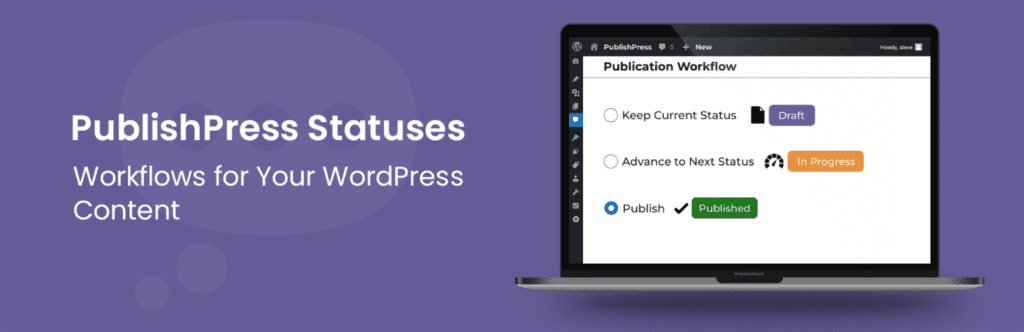
Table of Contents
Why We Built PublishPress Statuses
Until now, we have had some support for custom statuses in other plugins, including PublishPress Planner and PublishPress Permissions.
However, custom statuses are a really important feature for WordPress publishers. We've had numerous requests to improve how statuses work in WordPress.
So we've built a new plugin that does nothing except manage custom statuses. The new plugin has two key advantages for you:
- If you want custom statuses, you don't have to install a separate plugin with unrelated features.
- You avoid duplication. Previously the statuses features in Permissions and Planner were solving the same problem.
You May Need to Update Other Plugins
This new plugin does integrate with our existing plugins. For example, PublishPress Planner will show your custom post colors and icons from PublishPress Statuses.
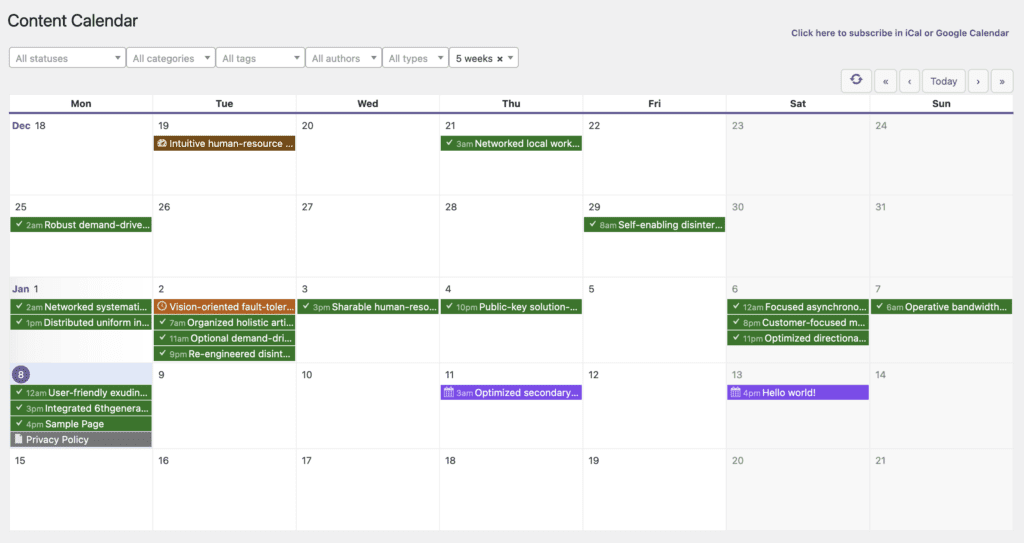
So if you are using one of our plugins to customize your post statuses, those features now require the PublishPress Statuses plugin.
The release of PublishPress Statuses does impact several other plugins. There are also releases for other plugins:
- Capabilities 2.11.1
- Capabilities Pro 2.11.1
- Permissions 4.0
- Permissions Pro 4.0
- Planner 4.0
- Planner Pro 4.0
If you are using the Capabilities, Permissions, or Planner plugins, you will see a message prompting you to install PublishPress Statuses. If you are using those plugins to customize your post statuses, you should install PublishPress Statuses.
Video Introduction to PublishPress Statuses
How to Use PublishPress Statuses
To start using the plugin, go to the “Statuses” screen. You will see a feature called the “Main Workflow“. This is the required workflow that all your posts must pass through before they are published.
The “Draft” status is fixed because moving it would break other parts of WordPress. But after “Draft”, you can customize the other workflow steps. You can drag-and-drop the statuses into new positions. You can also change the icon and color for each statuses.

One very useful feature is that you can choose which users are able to move posts to each status. In this screenshot below, only users in the Administrator role can move content to the “Assigned” status.

This next screenshot shows how the plugin shows the statuses in the block editor. You can choose to keep the current status or move the post to the next status. You can also publish the post if you have enough permissions.

What's Next for PublishPress Statuses?
The PublishPress Statuses plugin is already used on hundreds of websites and we're releasing regular updates to respond to your feedback. We're already planning the next steps for the plugin. Here are some key items on our roadmap:
- Improve the Visibility Statuses option so you can control the status of published content.
- Integrate the plugin with PublishPress Revisions so you can have statuses for moderating content changes.
- Add an “Archive” status so you can keep a copy of your content but also create a 301 or 410 redirect.
Here's the plugin download link from WordPress.org and here's the documentation. Please give the plugin a try and let us know about any extra features that would improve your WordPress publishing.

The Best Plugin to Create Workflows for Your WordPress Content
PublishPress Statuses allows you to add custom statuses for your posts. You can use these statuses to create custom publishing workflows.

The Best Plugin to Approve and Schedule Changes to Your WordPress Posts
PublishPress Revisions is the ultimate tool for making content changes in WordPress. This plugin offers a safe space for users to work on content updates.

The Best Plugin to Plan and Manage Your WordPress content
PublishPress Planner has all the tools you need to plan and schedule WordPress content, including a Content Calendar, Kanban Board, editorial notifications and more.

The Best Plugin to Control Access to Your WordPress Content
PublishPress Permissions allows you to enable or deny access to posts, pages, categories, tags and more. You can control who can view and edit your WordPress content.

Hi Steve,
What is the progress and ETA on the archive status being added to this plugin? I am really keen for that with older posts that I don’t want live anymore but don’t want to trach either!
Hi Tash. We’ve completed the other two items on this list but not the Archive status yet. I’ll ask our team to look at it again.