
The Post Expirator Plugin is Joining PublishPress
The Post Expirator plugin allows you to choose an “expire” date for WordPress posts.
When your post is automatically unpublished, you can delete the post, change the status, or update the post categories. The plugin has over 100,000 users and has been working reliably for years.
We’re delighted to say that Post Expirator is now part of PublishPress.
See the Post Expirator listing on WordPress.org.
Our aim is to improve your WordPress publishing, and so we acquired this plugin because of your suggestions. PublishPress users kept asking how to add an expiration date to content.
After the first few requests, we started talking to Aaron Axelsen, the developer of Post Expirator. When the requests kept coming in, we stepped things up and agreed to acquire the plugin.
Right now, we’re working on documentation for Post Expirator, plus some small bug fixes. The main plugin will remain free, and we’ll add a Pro version soon.
Post Expirator is the 8th entry in this line-up of professional publishing plugins:
- PublishPress Authors
- PublishPress Blocks
- PublishPress Capabilities
- PublishPress Checklists
- PublishPress
- PublishPress Permissions
- PublishPress Revisions
PS. To match our goals for Post Expirator, it will soon get a new name: “PublishPress Future“. Our plan is for the plugin to support many kinds of future actions, not just unpublishing. Here’s a first sketch of the new WordPress.org header for the plugin 🙂
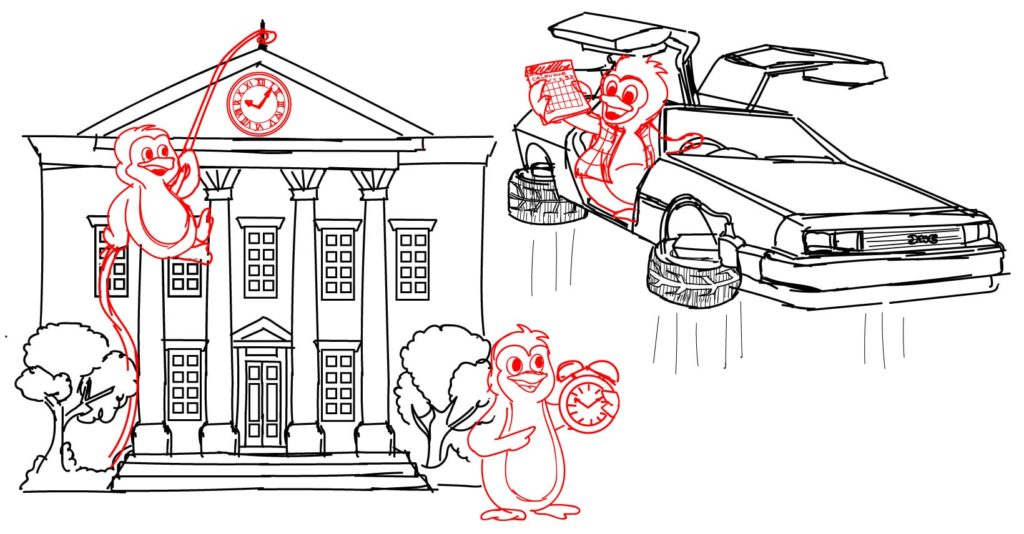

Table of Contents
Approve and schedule changes to your posts
PublishPress Revisions is the ultimate tool for making content changes in WordPress. This plugin offers a safe space for users to work on content updates.

Plan and manage your WordPress content
PublishPress Planner has all the tools you need to plan and schedule WordPress content, including a scheduling calendar, Kanban Board, editorial notifications and more.

Control access to your content
PublishPress Permissions allows you to enable or deny access to posts, pages, categories, tags and more. You can control who can view and edit your WordPress content.

Schedule changes to your WordPress content
The PublishPress Future plugin allows you to schedule automatic changes to posts. You can update your content using custom workflows involving multiple steps.

Control your WordPress users
PublishPress Capabilities enables you to customize what users see in every area of WordPress from editing posts and pages to admin menus, profile pages.

Make sure all your posts meet your standards
When you use PublishPress Checklists, you can define tasks that authors must complete before content is published. You can ensure that all your WordPress posts meet your high standards.

The author profile plugin for WordPress
The PublishPress Authors plugin allows you to create beautiful profiles for your site’s authors. You can add social media links, recent posts, custom layouts and much more.
