
PublishPress Capabilities 2.53: Admin Menus is Now in the Free Version!
This post is about a release of the PublishPress Capabilities plugin. This is the best plugin to control permissions in WordPress. You can completely customize what your users can do inside your website.
PublishPress Capabilities 2.53.0 makes one of the plugin’s most useful admin management tools available to more sites: thhe Admin Menus feature is now included in the free version!
This release also adds command line tools for listing and restoring backups, improves the User Capabilities screen, and includes several fixes for Admin Styles, Profile Features, accessibility, and third party integrations.
Table of Contents
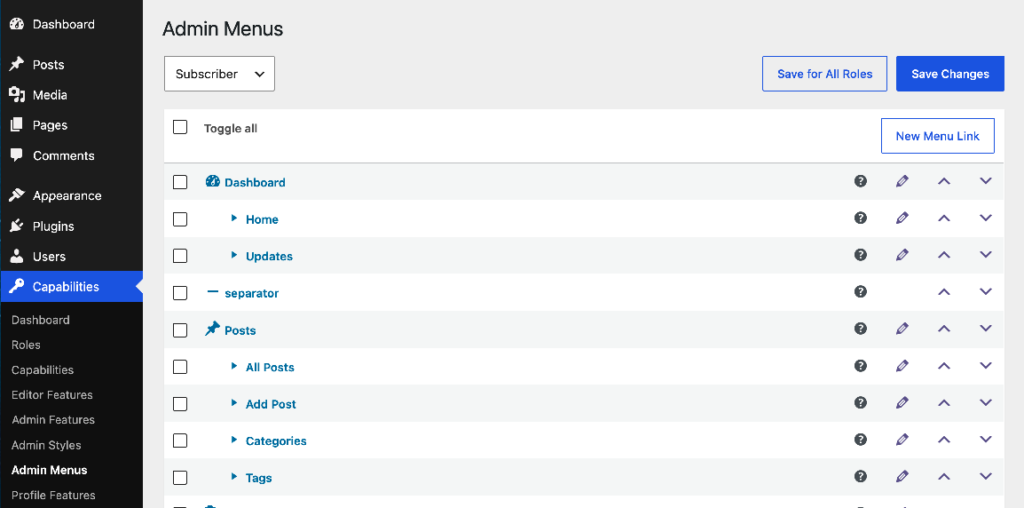
Admin Menus in the Free Version
If you’re using the free version of PublishPress Capabilities, you can use use the Admin Menus screen. If you manage client sites, membership sites, editorial teams, or any WordPress install with multiple user roles, this gives you more control over the admin experience.
Here are the key features on this screen:
- Control who can access each menu links.
- Re-arrange the menu links.
- Change the name and icon for links.
Command line backup recovery
You can now use WP-CLI to list and restore PublishPress Capabilities backups:
# List available backups
wp capabilities backup list

# List as JSON
wp capabilities backup list --format=json

# Restore the newest backup
wp capabilities backup restore --last

# Restore a specific backup
wp capabilities backup restore --id=capsman_backup_initial

# Skip the confirmation prompt
wp capabilities backup restore --last --yes
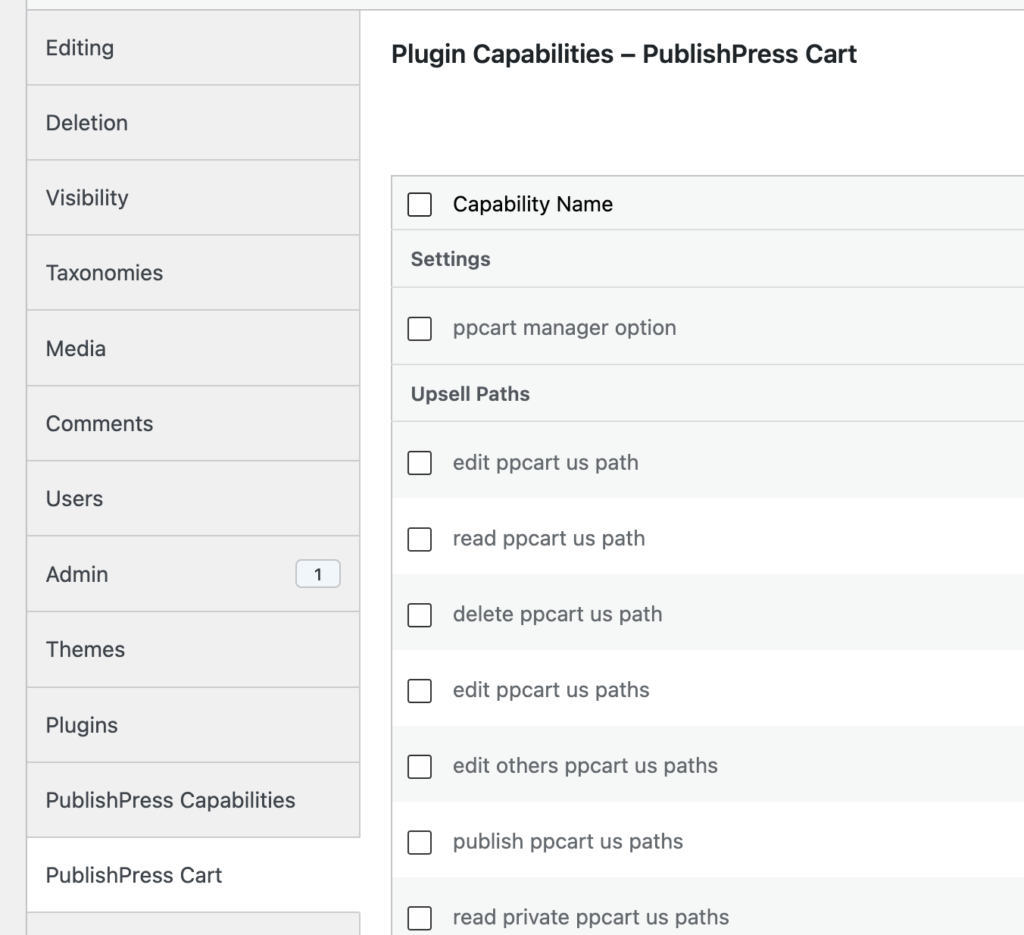
PublishPress Cart integration
This release adds capability integration for PublishPress Cart. You’ll see a new “PublishPress Cart” tab with capabilities for our newsest plugin release.
Other improvements and fixes
- Admin Styles reliability: The plugin now prevents fatal errors when custom Admin Styles are saved with invalid role settings.
- Better button styling: Custom Admin Styles button colors now apply more consistently to WordPress and Gutenberg components, including hover and focus states.
- Profile Features on multisite: Capture failures on multisite sub-sites are no longer silent, and warnings appear only after a capture attempt.
- User Switching usability: User Switching suggestions now stay open while search text is being entered.
- Accessibility fixes: Decorative SVGs, external link icons, generated image previews, plugin selectors, checkboxes, textareas, and style controls received accessibility improvements.
- Interface polish: Text separators now better match normal admin menu typography, entered case is preserved, and the inline Statuses Pro promotion has been restyled.
For developers
The new WP-CLI backup support is the main developer facing improvement in this release. It gives teams a faster way to inspect available backups and restore them during maintenance, deployment, or support work without relying only on the WordPress admin screens.
This post provides an overview of the new features in this release of the PublishPress Capabilities plugin. The complete changelogs for both Free and Pro versions are available in our Docs area.

Control your WordPress users
PublishPress Capabilities enables you to customize what users see in every area of WordPress from editing posts and pages to admin menus, profile pages.
