
Which WordPress Users Can Delete Files From the Media Library?
You won’t be surprised to learn that WordPress is very, very careful about who can delete media files.
Only Administrators are able to delete images and files in your Media Library.
Anyone who is a Subscriber, Contributor, Author and Editor roles is not permitted to delete media items.
If you want to change who is allowed to delete files, I recommend that you install the PublishPress Capabilities plugin.
- Go to “Capabilities” in your WordPress admin area.
- In the top-left corner of the screen, load the user role that you want to customize. In this image below, I’ve chosen the “Editor” role:

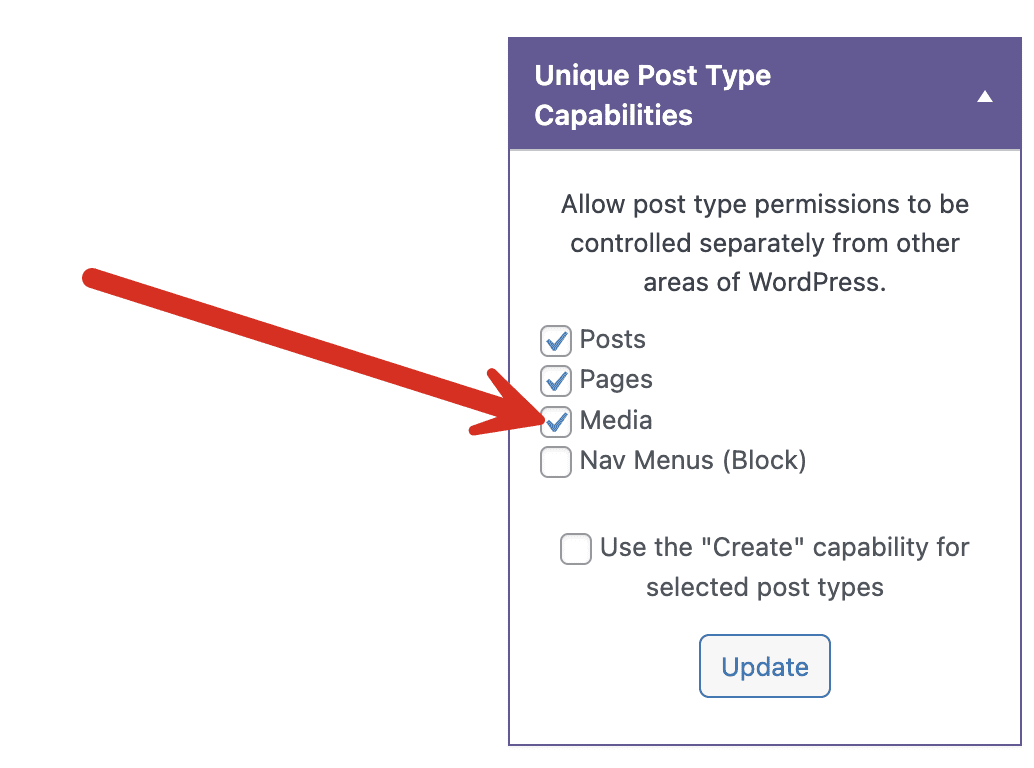
- In the right sidebar, check the “Media” box under “Type-Specific Capabilities”. Doing this will allow you more control over permissions for the Media Library.
You can now set the delete permissions. Click the “Deletion” tab. If you want to allow people in the Editor role to delete anything in your Media Library, check all the boxes in the “Media” row.

- Click “Save Changes” at the bottom of the screen.
It’s as simple as that. Now whenever a user in the “Editor” role goes to the Media Library, they’ll see a “Delete permanently” link for any file they see:


Control your WordPress users
PublishPress Capabilities enables you to customize what users see in every area of WordPress from editing posts and pages to admin menus, profile pages.
