
Rearrange WordPress Metaboxes in the Gutenberg Editor
One PublishPress user asked us if it's possible to rearrange metaboxes in the WordPress post editor. They are using the block editor (Gutenberg)
This user has installed the PublishPress Checklists plugin and wanted the checklist area to be at the top of sidebar when writing posts. This image shows the move they wanted:
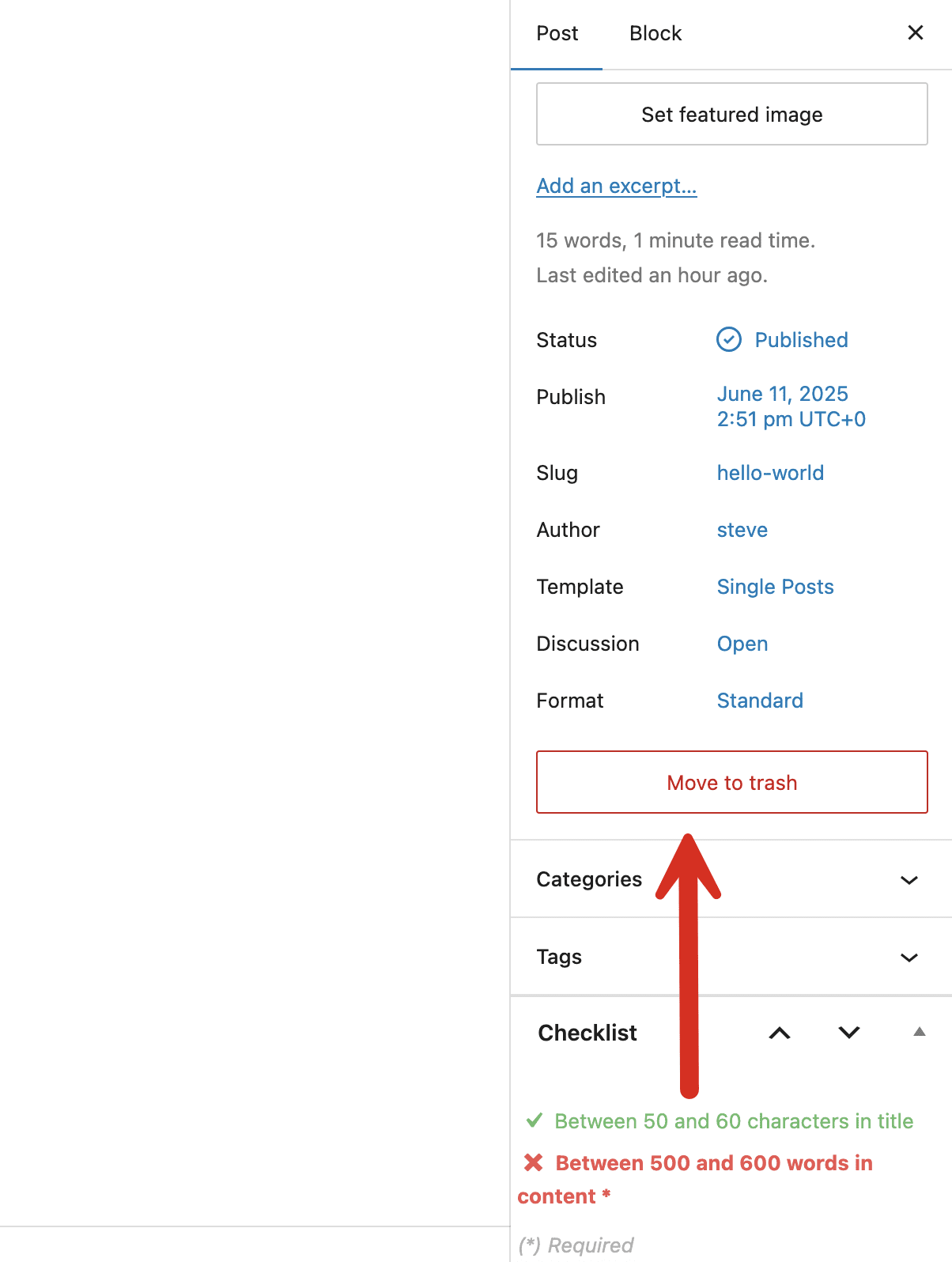
In the older “Classic Editor”, this move was possible. Users could drag-and-drop all the metaboxes into a different order.
Unfortunately, in the Gutenberg editor, the are limited options for re-ordering metaboxes.
One limitation is that you can not reorder the default metaboxes. This means that you can't easily change the order of the main “Post” metabox, plus “Categories” and “Tags”. Those will always be the top three boxes unless you disable them (that is possible with the TaxoPress plugin).
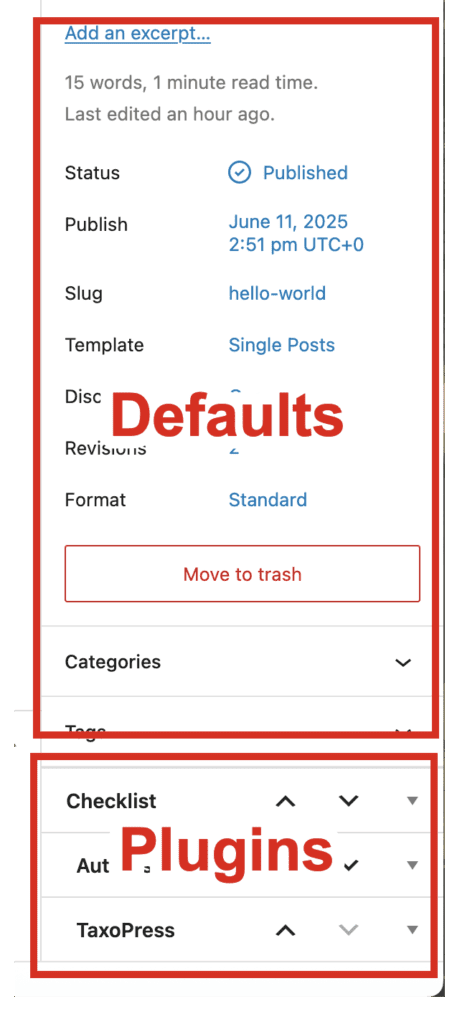
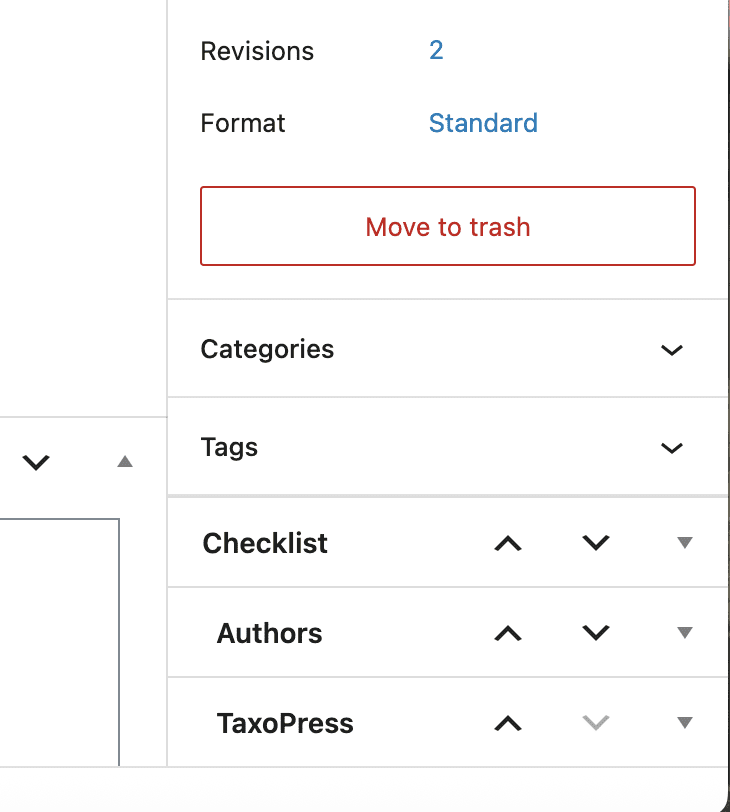
However, you can rearrange metaboxes in the lower section. So, in the image below, you can reorder “Checklist”, “Authors”, and “TaxoPress”. These arrows also allow you to move Gutenberg metaboxes to-and-from the sidebar.
Although Gutenberg is a step forward for WordPress, some elements are confusing. We’ve written about how to add GIF images and show code in Gutenberg, plus how to hide image captions.
Long-term, we're very positive about Gutenberg. If you do want more options for your blocks in Gutenberg, check out the PublishPress Blocks plugin. We're also looking forward to cool new features, such as collaborative editing in WordPress.
Table of Contents
Get the PublishPress plugins
The Pro versions of PublishPress plugins are ready for Gutenberg. They are packed with extra features to help you manage your content. Get a PublishPress membership today for full access:

The Best Plugin to Control Your WordPress Users
PublishPress Capabilities enables you to customize what users see in every area of WordPress from editing posts and pages to admin menus, profile pages.

Your Complete Toolkit for the WordPress Block Editor
PublishPress Blocks is the plugin that gives you more control over the WordPress block editor. You get a complete set of management tools for your blocks.

Publish Consistently Excellent Content in WordPress
When you use PublishPress Checklists, you can define tasks that authors must complete before content is published. You can ensure that all your WordPress posts meet your high standards.

I moved a metabox (“details of podcast”) from the main area (beneath Gutenberg editor) to the plugins section in the sidebar. But I cannot get it back to its origin, only up and down within the sidebar.
Is there any trick moving metaboxes between those areas? (I can’t remember how it worked at the first attempt)
Hi Marius. I think that feature seems to have broken in WordPress 5.5 🙁
I’m experiencing the same issue as Marius. I hope they fix this going forward.
Same issue here.
With the same issue, I installed the Classic-Editor-Plugin, activated it, rearranged the metaboxes and then deactivated it.
@asf this did the trick, thanks!
@esf omg thanks for this trick!