
Big New Plans for PublishPress Blocks
PublishPress Blocks is one of our most popular plugins.
Honestly, that's a little surprising to me.
One reason that's surprising is because the plugin has a smaller potential audience than most. It's only for people who use the WordPress block editor. The plugin isn't helpful if you're using Elementor, Beaver Builder, or another page-builder.
But, if you do use the WordPress block editor, you'll love this plugin. And we have big plans for new features.
Let me start by explaining the plans, then I'll introduce the newest feature we've just added to PublishPress Blocks.
Table of Contents
What's the plan for PublishPress Blocks?
Our goal with the plugin is to provide a complete set of management tools for blocks.
There are lots of different plugins available that provide some extra features for blocks. None of them are comprehensive. Many of them haven't been updated in months.
We're going to change that with a one-stop solution for your blocks. Here's the current menu inside PublishPress Blocks:
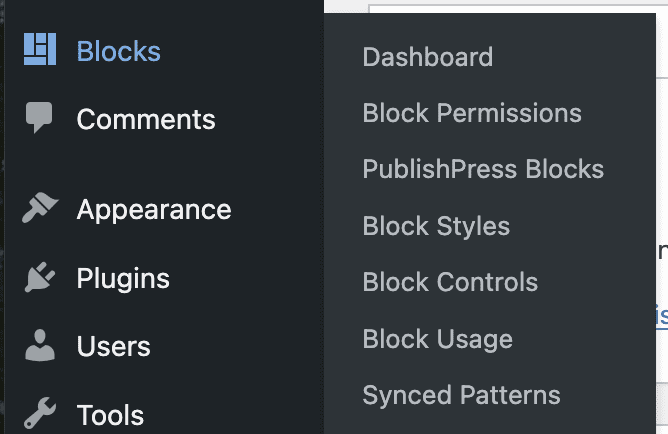
There are six different features available at the moment. We're going to improve all these features over the next few months.
- Block Permissions: Control who can use each block, including default WordPress blocks.
- PublishPress Blocks: These extra blocks include accordions, galleries, tabs, tables, recent posts, and more.
- Block Styles: Add your own CSS styles for your blocks. Anyone editing posts can quickly add the styles to blocks.
- Block Controls: Set the visibility of blocks, including date, time, device, day of the week, and more.
- Block Usage: Scan the posts on your website to find where your blocks are used.
- Reusable Blocks (Synced Patterns): Get easy access to manage and edit all the reusable blocks on your site.
Introducing the Block Usage screen
The most recent release of PublishPress Blocks provides a new “Block Usage” screen. This screen allows you to search for and find any usage of blocks on your site.
In the screenshot below, this feature has found 245 instances of the “Paragraph” block used across 24 posts and pages. There are also 25 Heading blocks, 2 List blocks, 2 Quote blocks, and 27 Image blocks.

You can use this feature to scan as many post types as you want.

In the sidebar of the “Block Usage” screen, you will be able to drill down and see more details on each location. In this next screenshot, I found all the uses of a “Table” block on my site. With one click, I'm able to see all the posts that contain this block.
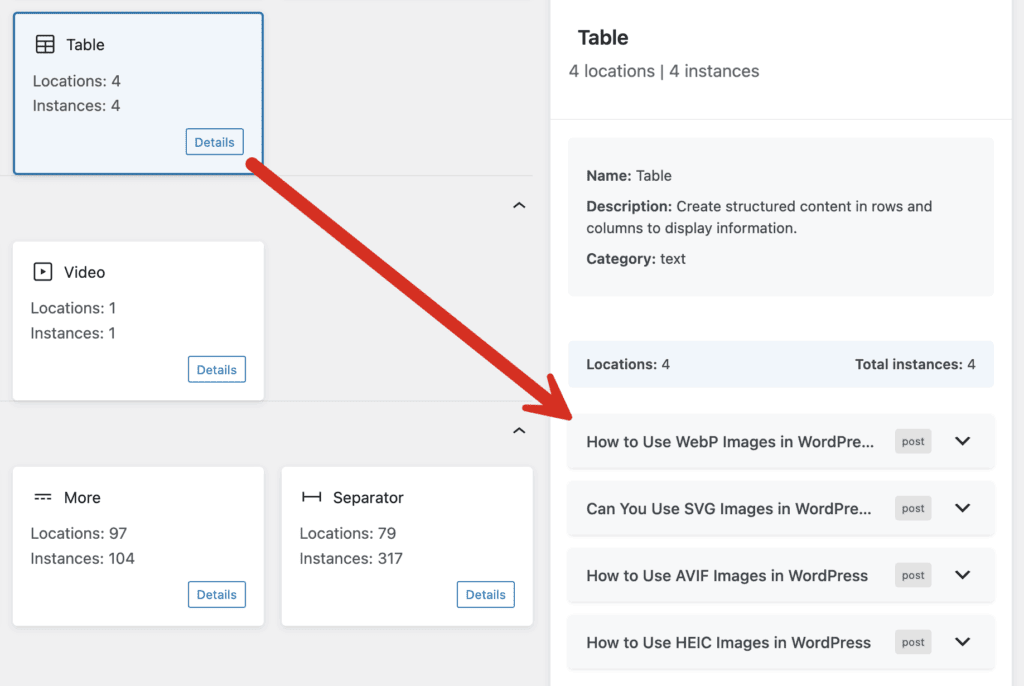
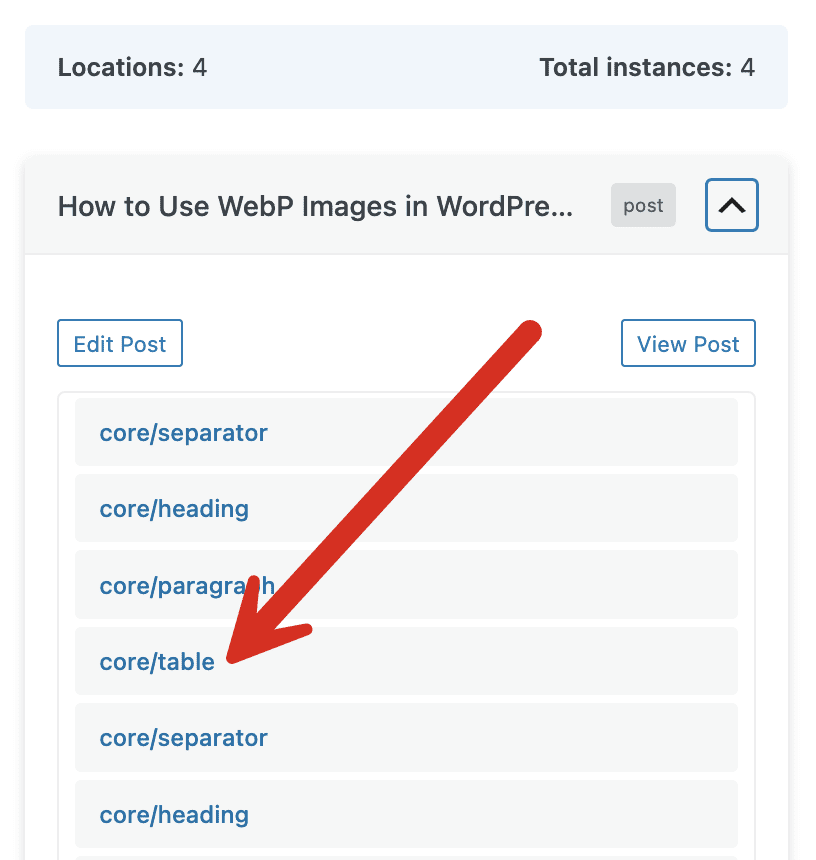
If you click on any post title, you can drill down to see the blocks in that post, including the block you're looking for.
Here's a video guide to using this “Block Usage” screen:
Looking ahead
We have a record of all the feature requests that users have submitted for PublishPress Blocks, but we're open to more ideas.
If you use the Gutenberg block editor and have suggestions for new tools that would help your site-building, please let us know.

Your Complete Toolkit for the WordPress Block Editor
PublishPress Blocks is the plugin that gives you more control over the WordPress block editor. You get a complete set of management tools for your blocks.

This looks excellent! Does Block Usage work for all blocks or just core?
Hi Rich. This works with all blocks.